IBM ThinkCentre S50 / A50 'IBM mini'
System Type: 8086, 8087, 8088, 8089, 8090, 8094
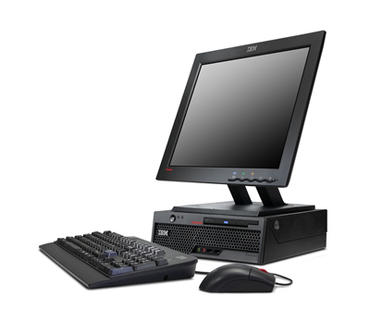
Model: A50 | Corresponding System Type: 8089, 8090
Model: A51 | Corresponding System Type: 8105, 8107, 8109, 8117, 8120, 8121
Model: M51 | Corresponding System Type: 8104, 8106, 8108, 8118
Model: S50 | Corresponding System Type: 8086, 8087, 8088, 8094
Model: M55 | Corresponding System Type: 6489, 8009, 8791, 8795, 8799, 8803, 8807, 8812 | Note these are the later minis made by lenovo
First released in 2004, these machines are an "Ultra Small Form Factor" (USFF) desktop PC. Surprisingly these systems have escaped LGA 775 and instead use socket 478; which allows a high performance Northwood to be installed (although that the expense of some instruction sets present on Prescott that may cause a performance hit on certain things). DDR1 (400 Mhz) is also used instead of DDR2; which is actually beneficial as early iterations of DDR2 had latency issues, so you'll get a much faster outcome with low-latency DDR400 memory modules.
I've tested the 64-bit capable socket 478 Pentium 4 CPUs in these systems and they sadly do not work (yes, there is a 64-bit socket 478 Pentium 4, I always had a feeling there was so I'm glad I have vindication on that). Apparently some of the engineers at Intel planned 64-bit on the Pentium 4 at the very start, but upper management wanted it restricted to 32-bit to give precedence of 64-bit to Itanium (what a horrible business decision). Anyway, according to Bob Colwell the 64-bit gates were left but just fused off, which proved critically important as Intel eventually backtracked and added 64-bit to them, but using AMD's specifications, although AMD64 and EM64T have some important differences.
Downloads
Manuals
Firmware, Drivers, & Software
- Latest BIOS .ISO (ONLY FOR 8086, 8087, 8088, 8089, 8090, 8094)
- Intel Video Driver (W2K through XP - ONLY FOR 8086, 8087, 8088, 8089, 8090, 8094)
- Soundmax Audio Driver (W2K through XP - ONLY FOR 8086, 8087, 8088, 8089, 8090, 8094)
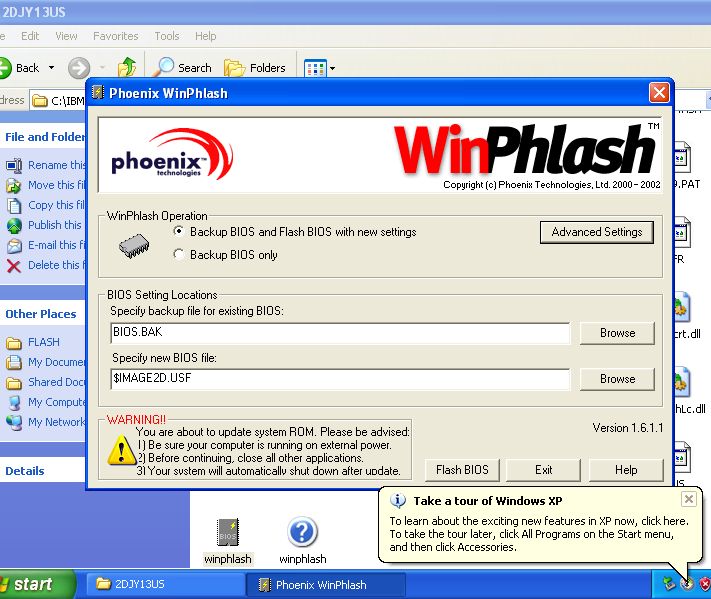
Note: I'm guessing nobody at IBM or elsewhere ever tried running the latest 2cj925a BIOS update. When I tried it consistently fails. The workaround was I had to install Windows XP and run the WinPhlash utility instead (which uses $IMAGE2D.USF instead of whatever broken BIOS file in the .ISO that IBM shipped). To be completely fair, the latest BIOS is probably not that big of a deal, but I needed it when I was pushing the limits of testing rare 478 Pentium 4 variants.
Design Features
These ThinkCentres are some of the least common of the period (comparatively speaking) as most were simply the Small Form Factor variants (which allowed larger cheaper heatsinks for the hotter LGA775 Prescotts and possibly Gallatin, and also a bay for floppy diskettes in businesses that needed the legacy support). Developed by IBM Japan for space conservation, they were popular for situations where only a very tiny desktop could fit, but without compromise to the machine itself; requiring that an integrated PSU, full length PCI, and all standard features are still present.
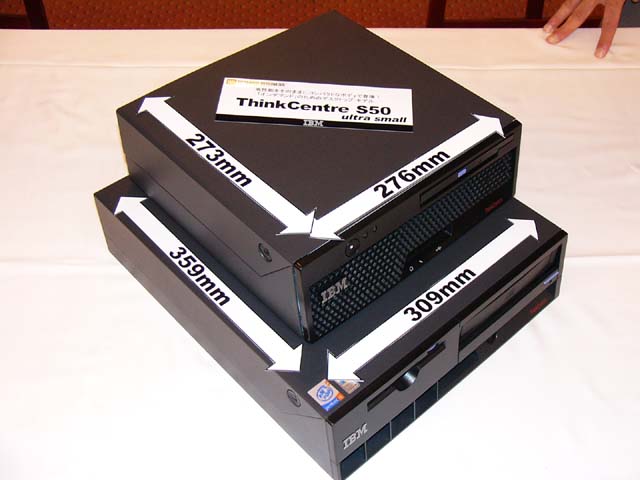
At 273mm x 276mm, they were smaller than the larger 359mm x 309mm ThinkCentres.

Promotional "tennis ball" photo demonstrating the size
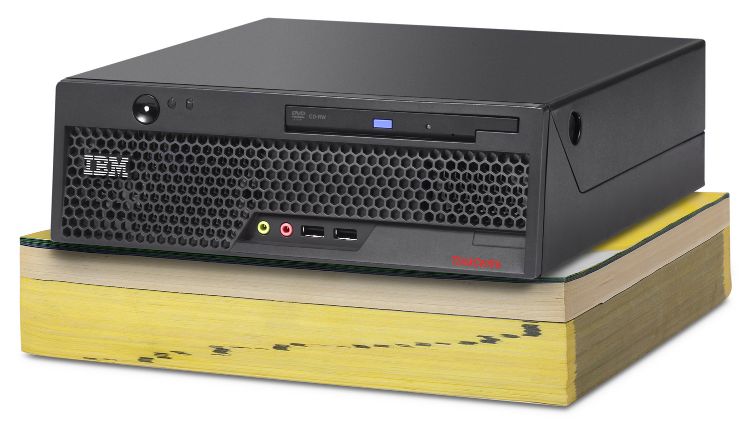
Promotional "phone book" photo showing how it's smaller than a... phone book!
To make matters confusing with the naming scheme, these miniature ThinkCentres can be referred to as 'A50' or 'S50'-- however there are larger counterparts under the same model-- like the A50p towers for instance. As such, it's easier to just find or categorize them by their system type: of which they're the only IBMs to use the system type '8086' or '8088' (which of course everyone knows refers to the early Intel CPUs-- entirely coincidental but humorous).
As usual in IBM fashion, the risercard was chosen over a half-height vertical slot for more practicality (most OEMs will cheap out and won't use a risercard for proper full length cards).
The power supply design is not too dissimilar to designs found in the PS/2 Model 56 and Model 80, as well as the tool-less aspects.
To get the best performance from these machines, install 2 GB of low latency DDR400, and a 3.2 Ghz Northwood or 3.4 GHz Prescott. It's also possible these may take the 3.4 GHz Gallatin Pentium 4 Extremes, I've yet to test this The IBM documentation does not list a 3.4 Ghz Northwood, however they run cooler than the Prescotts so there's no reason they won't work?
The heatsinks are quite amusing, they're 100% pure copper, and the base copper slab is over an inch thick. This, along with the copper fins, are necessary to push ~100 watt TDP worth of heat.
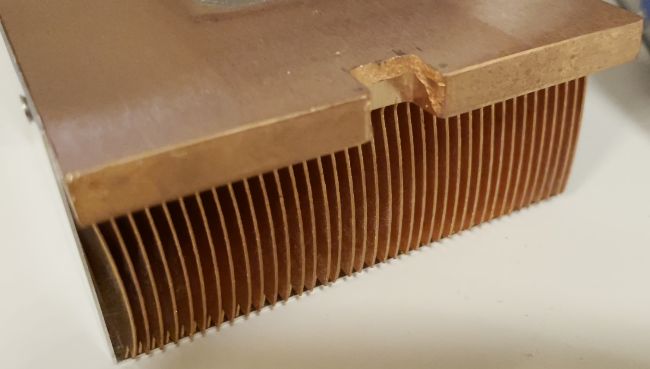
The system weighs almost 15 pounds-- making it one of-- if not-- the heaviest computer for its size ratio ever manufactured.
It may also be the smallest computer of its size to feature a *full length* PCI slot.
Best GPU to Install (GT 610)
Since these were built with a PCI slot instead of PCI-e, you're limited to exclusively PCI GPUs. In my humble opinion the integrated Intel GPU is pretty much junk to have any semblance of fun with them (although it would be necessary if you need to use the PCI slot for something else). Specifically because I wanted Aero Glass in Vista, the Intel GPU was not suitable.
This led me to the question "what is the best PCI GPU ever manufactured, anyway?" That brought me to the Nvidia GT 610 (PCI, not to be confused with the much more common PCI-e variant--yes the 610 is manufactured with both interfaces and listings often conflate "PCI" with "PCI-e"). Apparently the PCI GT 610s were manufactured for countries that still leverage ancient hardware where computers are expensive but still need to upgrade the GPU component. The intent wasn't "fantasy retrocomputing" but nowadays that's the only thing I use these computers for.
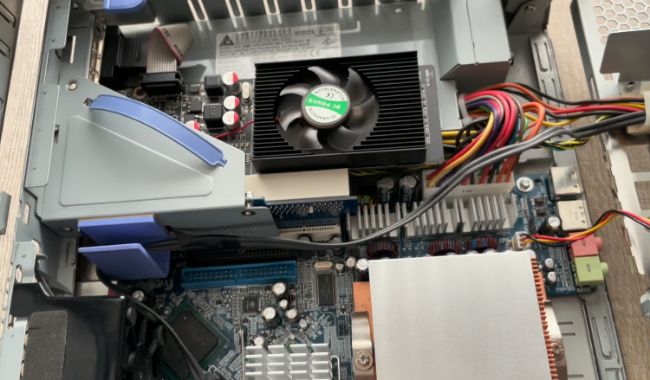
The GT 610 has sufficient clearance in the chassis
I've noticed no problems of stability with the GT 610 running alongside the fastest/hottest 3.4 GHz Prescott, and Windows Vista is able to operate with Aero Glass now without issue.
Optional Extras
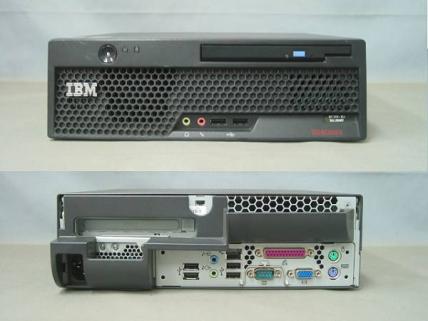
IBM created some surprising optional extras you could buy for the system. Here was the optional rear heat baffle that connects on to the back, its purpose was to still allow airflow to exhaust while being able to push the machine right up against the wall:
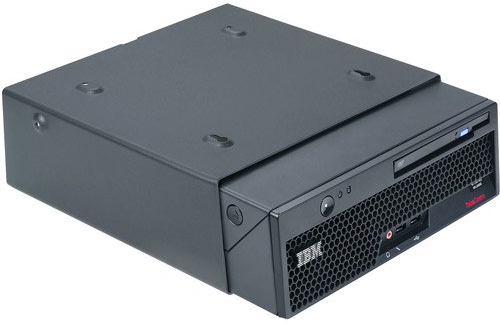
The next option was a little cage you could slide the ThinkCentre in and mount the cage under a desk:
Faster Motherboard
For those who really like the idea of the IBM mini-- and would love to own one-- but are turned off from the earlier Pentium 4 CPUs, Lenovo did release a newer motherboard for these systems that you might be able to swap into your existing (older) IBM mini, or just buy the newer mini outright.
The system type for the [last] IBM mini models ever made is type 8807. These systems can support Core 2 Duo CPUs-- so they'll be a considerably boost in performance and far more efficient if you want a better CPU for your IBM mini. I do not believe the 8807 boards are a drop-in replacement for the earlier Northwood IBM minis-- as IBM changed the bracket style. I could be wrong, never tried it. On a positive note if you want that IBM logo, you should be able to effortlessly pop on an IBM bezel? The 'lenovo' logo was never quite "Paul Rand" tier... that's for sure.
For me personally, I'm keeping it for Socket 478 because it's a great machine for testing and playing around with Pentium 4s of that vintage While Pentium 4s are very divisive for some, they are quite architecturally interesting and as a "transitional" product but also technological dead end, a lot can be learned from them.
PS/2E vs. the IBM Mini
How well does the IBM mini compare in contrast to the PS/2E? Well here's a comparsion:
PS/2E
Weight: ?
Power Consumption: 24 watts
Dimensions: ?
Slot(s): one
Uses ThinkPad drive: yes (1.44 MB FDD)
IBM mini
Weight: 14 - 15 lbs
Power Consumption: 200 watts
Dimensions: ?
Slot(s): one
Uses ThinkPad drive: yes (CD-ROM / DVD in later minis)
The PS/2E is considerably smaller in height, but considerably larger in depth and width. It uses FAR less power, but of course having a super-powered 386SX means that the performance-per-watt might be lower. Although considering how inefficient netburst is, the IBM blue lightning in the PS2/E might hilariously be more efficient for what it is.

Other Stock Photos
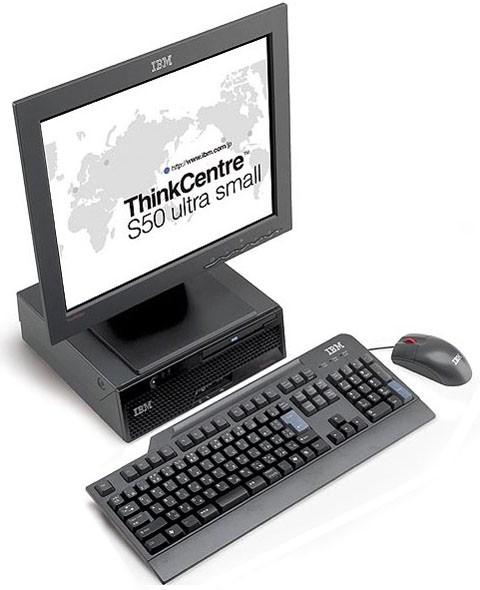
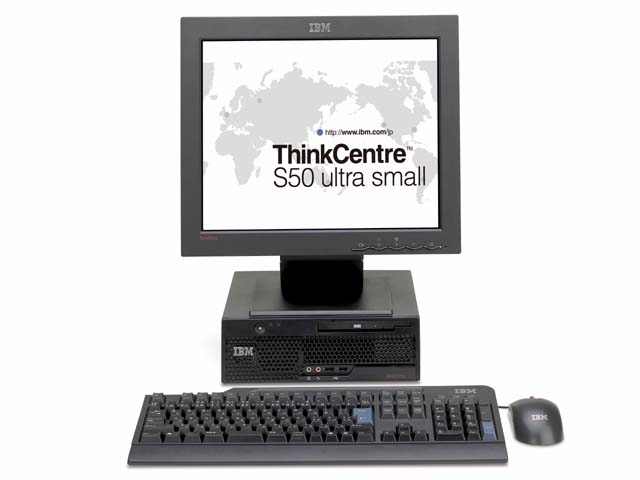
Some more stock photos (and variants thereof) of the "IBM mini" as most are largely lost media to the modern internet. Good thing I've saved them in my archives eons ago.

I have to wonder if David Hill was involved with this photo; you'll notice the monitor and keyboard are kept straight facing toward the camera, but the ThinkCentre is tilted for a more contrasting and visually appealing look.
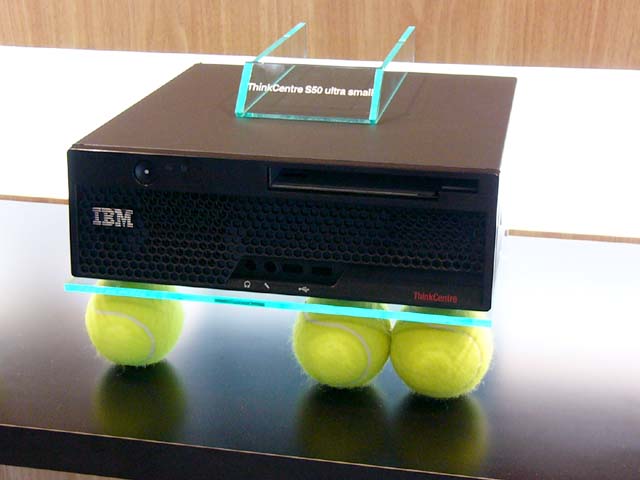
A fancy display case with three tennis balls.
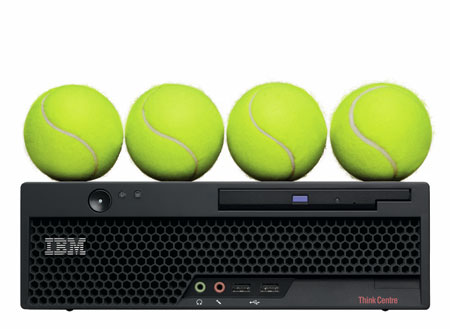
An alternative more visually pleasing variant of the 'tennis balls' promotional photo.