Bobby Prince Site & Blog Mirror
R.I.P. Bobby Prince (1945 - 2026)

A mirror of bpmusic.com and blogspot, in the event Google takes it down and something happens to archive.org. It was also a bit of a dig to find some of the older content (including some of the missing Moveable Type 4 blog entries), I did the work so you didn't have to™. This is only a mirror of the text and corresponding links. It does not mirror any of Bobby Prince's MIDIs, of which he still retains the copyright. All text and material remains copyright under Bobby Prince. This is done purely for non-commercial preservation purposes. The blog references a .CAL at "http://bpmusic.com/CAL/", however, it does not appear to have ever been uploaded.
Also I think my design is easier to read than blogspot (and it actually has a native dark mode, unlike theirs).
Index: PDFs, Want to have some free* fun?, Some Information To Help You Get Started Making Music, Making Your Own Sound Effects, Entire bobby prince Music Catalog To Be Released, bobby prince Music Latest News . . . , Why Deny Sites MIDI Files?, Where Have The Game Innovators Gone? [A Personal Commentary], bobby prince Music Little Known Facts, Don't Blame it on MIDI: "I hate MIDI -- when are games gonna be all digital audio?", Some Thoughts On Sound Cards, Some Basic Information, Help For A Freshman Music Composition Major, Performance Rights/Cost Of Software & Equipment, My Game Music Recordings, No Clue How To Get Started/Starting From Scratch/Performance Rights Org. Links, Need Musical Skills To Compose?, Usual Financial Compensation For Game Music, Early Game Music File Format/DosBox, Higher Quality Versions Of Early Game Music?, Deciding Where To Place Music/Sound Effects In A Game, Game Music Technical Code Requirements, Tips On Garritan Personal Orchestra Instruments, Recording Instrument Sounds For Editing, Game Developer Going Back On His Word, Recording/Synchronizing/Using Music From id Software Projects, Radio And Restaurants Screwed The Recording Artist, Important Activities for Composer Education & Development, Brian Schmidt's GameSoundCon - Knowledge, Contacts, Sonar X1 -- Using CAL, Korg Nano Series, MozyHome Backup Service, Plugins Galore!, Wrack!, The VERY BEST To Greg Hendershott, My Backup Solution, Who Makes a Song More Than the Sum of Its Parts?, Why I Use A PC & Some Random Thoughts on "Making It In Music", Roland R-Mix Plugin, Visiting the Past, Adding Volume AND Pan Control to Windows 7, Synching New Tracks To Old Recordings With Cakewalk Sonar AudioSnap, DistroKid.com, Voyetra Sequencer Plus Visited Again, JTV Digital Music Distribution, Kontakt, Lots of Patches and Not Enough RAM, Working on Wrack, Artistic Creations That Die, DOSBox VST!, Will This Work To Make Backups Easy?, Losing One's Self in Too Many Choices, What Would Your Ideal Software DAW Include?, Data Backup Discoveries, Finding Inspiration For Writing, "Happy" Makes Me Happy, SoundCloud -- You Have A Problem, CAL - Cakewalk Application Language, Sequencer Plus vapimpu driver, Working With Game Developers, Sound Effects Can Live Forever, Music You Remember From The First Hearing, Wrack Official Soundtrack Released, Moog EP-3 Universal Pedal, Here's to Future Sound Effects Designers, Staying In Tune, A CARDBOARD Guitar!, A Notice from Google to Me, Does Your Windows Audio Interface Sometimes Quit Working (Maybe Along With A DAW Crash)?, Programs I Used When Composing On OPL FM Synth Soundcards, The Dark Ages of PC Games, Boss Sounds In Duke Nukem 3D, Sorry About Going Dark!, Helpful PC Tools, Reaper, Flattening A PDF
PDFs
- An Explanation Of Sampling Rate And Resolution (PDF)
- Tricks and Techniques For Sound Effect Design (PDF)
Want to have some free* fun?
Get DOSBox at http://prdownloads.sourceforge.net/dosbox. Download the highest numbered version.
This DOS (Disk Operating System) will run many of the older games. I am especially amazed at the quality of the music synthesizer emulator. For those of you who never heard an FM synthesizer, this is it. What you hear is what it sounded like on the original PC sound cards.
It takes it a few seconds for a greeting screen to come up. Type INTRO for helpful information.
You can use the same software I used to create the music for the DOS games. It's Voyetra Sequencer Plus Gold. It works in DOSBox. Get Sequencer Plus Gold at http://www.voyetra.com/site/kb_ftp/340ftp.asp
Get a copy of an Episode 1 game here: http://www.3drealms.com/downloads.html.
* Free means that you do not have to pay, but some linked sites ask for a donation. Please consider making a donation, no matter how small.
Some Information To Help You Get Started Making Music
This is a start at answering the question "How do I make my own music?" I'll add to it as further questions are asked.
What is MIDI? MIDI stands for Musical Instrument Digital Interface. It is a way that modern musical instruments can "communicate" with other instruments/computers/light controllers/you name it. It is a standard that involves the order and type of data that's sent out the MIDI port each time you play a MIDI instrument. When you play a note on a MIDI keyboard, the information regarding that note is sent to the MIDI OUT port: Which note was played, how quickly was the key pressed (velocity), at what time was it pressed and how long was it held -- among other things.
A MIDI file is like a player piano roll. If I give you a player piano roll, you cannot listen to it directly. You have to have an instrument which will use the roll to create sounds you can hear.
If you play a piano roll or a MIDI file on the original performance instrument, it will sound exactly like the original performance.
You read a lot that MIDI is dead -- not used in games anymore. That's not true. MIDI is used by most composers. If a MIDI file is played using sampled instruments, most people would never know it is a MIDI file. MIDI files are used in studios all the time to record the performance of musicians on many digital instruments -- this is "digital" in the sense that the instrument doesn't allow pitch bending (an acoustic piano is an example). It's also used to record analog instruments, but these instruments usually sound somewhat fake when pitch bend is used. Things are getting better in this regard, though, and the day will come when a MIDI instrument can stand in for any instrument.
With a MIDI "sequencer," you can record multiple "tracks," each with it's own instrument performance. It's called a sequencer because it records a sequence of musical performance events.
To write much of my early game music, I used Sequencer Plus Gold because it allowed tweaking of FM synthesized instruments and it happened to have a driver that would stay resident in memory so I could save the patches with other software (I don't remember what that software was right now). At the time, that was important, since instrument "patches" shipped with many of the games. This way, I knew what kind of "beeps and bloops" the game player would hear. Sequencer Plus was _the_ sequencer at the time. You can get it for free now.
If you download DOSBox, you should be able to run Sequencer Plus Gold and you will have the old FM sound card sounds available. DOSBox has a software sound card synthesizer coded into it. It'll be like going back a decade or so :-)
If you don't have an interest in reliving the "old" days, download a copy of the free version of Anvil Studio.
Just remember that with MIDI you are recording only your performance, not the actual sounds of the performance. What's especially cool about that is that you can take an original piano performance and play it back with a completely different instrument sound. Also, you can change the key of the performance very easily -- no digital sound software required :-)
I'll be adding to this as other questions come in.
Warm regards,
Bobby Prince
Making Your Own Sound Effects
A while back I happened upon an article on Gamasutra that I wrote "way back" in 1996 in preparation to speak at the Game Developers' Conference. I had forgotten all about it.
My plan was to update it -- but, you know what? There's very little about the basic points of the article that's changed.
I see one minor typo in this version of the article. Under the section "What do award winning sound effects in movies have in common?" number 10 should say, "They take the place of the senses we cannot experience from a movie ...."
For now, check the article out:
http://www.gamasutra.com/features/sound_and_music/081997/sound_effect.htm
Where does one find sound effects? If you have funds to purchase them, there are plenty of commercial sound effects libraries available. Just do a search.
But, what if you have no extra funds to purchase sound effects? They are all around you! The only thing you have to do is use your imagination. You have to have good hearing for the more subtle every day sfx. You also have to be able to mentally pitch shift the sound you're hearing to see how it might be used for something very different from the actual sound.
Most people interested in sound effects know that the sound of some of the Star Wars weapons was recorded with someone hitting a support guy wire on a radio/TV tower. Whoever had the idea had at one time or another done that same thing and remembered the cool sound it made.
My most favorite recent purchase is a Zoom H2 recorder. For $200 I can record high quality sound effects direct to SDRAM. I carry it with me all the time and use it to record sounds that might come in handy in a future project. One of the best I've recorded lately is the sound of an automatic door mechanism. It was malfunctioning, and that malfunction created the coolest mechanical sound.
Try to find a copy of Cool Edit. Even though it's been updated after it was bought by Adobe (and became Audition), it's still very powerful for basic audio editing. I still use Cool Edit myself for quick editing.
But, what's the best software for audio editing? What you find works for you is the best. I've tried most, if not all the software out there, and it's all good.
Experiment a lot with one sound to learn what happens when you apply different effects. One of the best things to learn is how to imagine a particular raw sound effect will sound with different effects applied.
Examples of my use of available raw sound effects include:
- A death scream in DOOM is me at 3 o'clock one morning. I ruined my voice for the next day or so because I didn't warm up before I did it.
- An actuator sound in Duke Nukem is the Coke machine coin mechanism at 3D Realms.
- Duke Nukem could actually relieve himself. Have you ever tried to loop a sound like someone peeing? It's more difficult than you think, especially if the loop has to be small. The loop I finally came up with enabled Duke to go and go and go and you'd never hear the loop point. After I drank several diet Cokes, the raw found effect was easy to record :-)
- I've recorded animal sounds since I first got a battery powered tape recorder. One of them was of a hog that was particularly upset at the time (for reasons I never understood). He became part of a creature sound in both DOOM and Duke Nukem -- mixed and layered with other sounds.
Always remember to record "silence" before you record a raw sound effect. You can then use that "silence" to noise reduce the raw sound effect. This will reduce certain frequencies in the sound effect, but it's worth it not to hear the hum of an air conditioner or such every time that sound effect is used in a game/movie/etc.
Warm regards,
Bobby Prince
Entire bobby prince Music Catalog To Be Released
Many people have been frustrated that more game music hasn't been released on CD. The music from the early games I worked on was in a format that wouldn't play on modern software and sound cards.
Thanks to MP3.com and the D.A.M. (Digital Automatic Music) CD it is finally financially feasible to release this music in audio CD/MP3 format. I am busy recording much of the music live in a studio to let people finally hear the way it was intended. The CD's will also contain the original versions of the music, some in "sparkling FM" and others with General MIDI devices.
To show you what the end result will sound like, check out the link below. Music will be uploaded there as each song is completed. Priority will be given to songs that have been requested the most. To have a voice in the next releases, click here. I have received many requests already and will be working on those songs first. Priority will be given to the Doom songs that weren't on the Doom Music CD and "Doom's Gate" (E1M1) without sound effects :-)
The first song available is a complete LIVE version of "DDT Blues" (The Dave D. Taylor Blues from DOOM II, Levels 8, 14 and 22). This was a song that didn't make it onto the DOOM Music CD.
Since the music for Axis & Allies was recorded digitally (live instruments supported by some MIDI instruments), those songs are coming up on MP3. The only copies I maintained were lo-fi versions like you find in the game. I have gone back to the multi-track tapes and re-mixed each song. Most of them will be up by the time you read this.
All of it is available via the link below.
www.mp3.com/bobbyprince
bobby prince Music Latest News . . .
The Doom Music Audio CD is a limited edition CD and less than 200 are now available. The CD is available through AMAZON.COM -- Search for DOOM Music in the audio section. With Amazon's recent "Barnes & Noble" type pomposity (thinking they own single clicking), no further CDs will be shipped to them.
Following is some basic information about the CD:
- This CD has been maximized for listening while playing any of the First Person Shooters on the market which support CD audio music -- listen to Doom music while playing Half-Life, Quake II, etc.!
- There is additional instrumentation, some of it non-MIDI (live performance).
- The song which most people recognize (E1M1 - At DOOM's Gate) has sound effects from the game synchronized to the music.
- Everything about this CD is digital from start to finish -- this makes for extremely clean tracks.
- The tracks have been "sonically enhanced" -- meaning that some excellent spacial effects have been used.
Click on the RA2 column to download a RealAudio 2 sample (8k/mono -- don't expect much). Click on the RA3 column for a RealAudio 3 sample (32k/stereo -- very good quality). To get the RealAudio player, Click Here.
The songs on the CD are (ExMx=Episode/Map Number from DOOM | II-XX=Map Number from DOOM II -- the length listed is for the full song, not the RealAudio version.
S = STREAMING which requires a faster connection -- D = DOWNLOAD complete file before playing
| Song Name | From Level | Min:Sec | RA2 - D | RA3 - D | RA2 - S | RA3 - S |
|---|---|---|---|---|---|---|
| The Healer Stalks | II-02 | 03:17 | 65k | 326k | 65k | 326k |
| At Doom's Gate | E1M1 | 01:47 | 49k | 247k | 49k | 247k |
| Intermission From DOOM | E2M3 | 02:53 | 43k | 213k | 43k | 213k |
| On The Hunt | E1M6 | 01:36 | 35k | 182k | 35k | 182k |
| The Demons From Adrian's Pen | E2M2 | 03:19 | 49k | 243k | 49k | 243k |
| Suspense | E1M5 | 02:49 | 75k | 384k | 75k | 384k |
| Running From Evil | II-01 | 04:09 | 59k | 307k | 59k | 307k |
| Waiting For Romero To Play | II-18 | 03:50 | 33k | 167k | 33k | 167k |
| Into Sandy's City | II-09 | 04:48 | 73k | 375k | 73k | 375k |
| Shawn's Got The Shotgun | II-07 | 04:26 | 83k | 432k | 83k | 432k |
| Sinister | E2M6 | 03:04 | 51k | 267k | 51k | 267k |
| The End Of DOOM | End | 02:58 | 78k | 398k | 78k | 398k |
| Kitchen Ace (And Taking Names) | E1M4 | 03:52 | 54k | 276k | 54k | 276k |
| Opening To Hell | II-30 | 04:41 | 81k | 416k | 81k | 416k |
| They're Going To Get You | E2M4 | 04:24 | 67k | 346k | 67k | 346k |
| The Demon's Dead | II-10 | 03:29 | 67k | 345k | 67k | 345k |
| Dark Halls | E1M3 | 04:39 | 59k | 307k | 59k | 307k |
| Demons On The Prey | E1M7 | 02:39 | 78k | 407k | 78k | 407k |
| DOOM | II-05 | 04:23 | 49k | 250k | 49k | 250k |
| Donna To The Rescue | E3M2 | 03:46 | 94k | 487k | 94k | 487k |
| Total Time | 71:28 |
The art work for the CD was done by Scott Host. He is the multi-talented programmer/artist/whatever-he-wants-to-do who brought you Raptor and DemonStar.
For direct sales of the CD from bobby prince Music only:
- Payment is by money order (US and non-US orders) or personal check (US banks only).
- The cost of the CD is $15.00. Shipping and handling (US Mail to US shipping addresses) will be an additional $3.00. The least expensive shipping to non US addresses is by Global Priority Mail--costs vary according to the location. Follow the link below for information on non-US shipping.
- I will refund or have the charge canceled on any order where you are not satisfied. No questions will be asked and no reason will need to be given. The refund will be effective upon return of the CD, Jewel case and printed material in the same condition it was received by you.
To order the CD from bobby prince Music, Begin By Clicking Here.
The Best of DOOM Music Audio CD should be ready for release early April. Thanks to all of you who have sent your suggestions and song inclusion requests. Several people have asked if the music is different from that in the game. It is the same music, but . . .
- I don't know what I was thinking when I announced that "Many of the songs now have endings (not just fades)!" That sort of thing just won't do if you are listening to the CD while playing a game like Quake. So, the fades are back (for the most part).
- There is additional instrumentation, some of it non-MIDI (live performance).
- The song which most people recognize (E1M1 - At DOOM's Gate) has sound effects from the game synchronized to the music.
- Everything about this CD is digital from start to finish -- no analog wiring was used -- this makes for extremely clean tracks.
- The tracks have been "sonically enhanced" -- meaning that some excellent spacial effects have been used.
The biggest reason for this taking so long is that a distributor who was going to handle the CD (sales through software stores) decided not to take the risk of distribution. As a result, distribution will be mail order, via this site, through First Virtual (http://www.fv.com). First Virtual will cost those who are not members $2 per year to join. What they do is take your credit card information (via 800 number) and issue you a FV PIN (Personal ID Number). If you decide to buy the CD, you will go to a page on this site and complete a form which includes your name, mailing address and the FV number. That information then goes to FV where they email you to ensure that you want to make the purchase. If you email back saying "Yes," then FV writes to me and advises that there is an order. I will then send the CD out and your credit card will be charged.
On a case-by-case basis, other arrangements for payment can be made (COD, check, money order).
I will refund or have the charge canceled on any order where a customer is not satisfied. This will be effective upon return of the CD, Jewel case and printed material in the same condition it was received by the customer.
An exciting note about this CD is that the "master CD" is being cut using Sonic Foundry's new CD Mastering Plugin for Sound Forge. Why is this interesting? An earlier version of Sound Forge was used to complete some of the sound effects for DOOM II. I think it's cool that Sound Forge continues to become more versatile with each release.
The songs which have made the final cut are (ExMx=Episode/Map Number from DOOM | II-XX=Map Number from DOOM II):
| Song Name | From Level | Min:Sec |
|---|---|---|
| The Healer Stalks | II-02 | 03:17 |
| At Doom's Gate | E1M1 | 01:47 |
| Intermission From DOOM | E2M3 | 02:53 |
| On The Hunt | E1M6 | 01:36 |
| The Demons From Adrian's Pen | E2M2 | 03:19 |
| Suspense | E1M5 | 02:49 |
| Running From Evil | II-01 | 04:09 |
| Waiting For Romero To Play | II-18 | 03:50 |
| Into Sandy's City | II-09 | 04:48 |
| Shawn's Got The Shotgun | II-07 | 04:26 |
| Sinister | E2M6 | 03:04 |
| The End Of DOOM | End | 02:58 |
| Kitchen Ace (And Taking Names) | E1M4 | 03:52 |
| Opening To Hell | II-30 | 04:41 |
| They're Going To Get You | E2M4 | 04:24 |
| The Demon's Dead | II-10 | 03:29 |
| Dark Halls | E1M3 | 04:39 |
| Demons On The Prey | E1M7 | 02:39 |
| DOOM | II-05 | 04:23 |
| Donna To The Rescue | E3M2 | 03:46 |
| Total Time | 71:28 |
I only wish I could get more on the CD, but there is less than a minute of room left here. Dependent upon the sales of this CD, separate CD's may be pressed for DOOM and DOOM II.
I was hoping to have Don Punchatz compose the cover art for the CD, but I am afraid that he is just too busy. He is the gentleman who did the art work for the boxes and much of the printed materials in DOOM. The artwork is going to be nice as it is, though.
The drawing for the one-of-a-kind Doom music CD will be held when I receive the first shipment of CD's from the duplicating house. Those of you who entered the drawing will be notified of the winner's name.
The same thing goes for the three runners-up who will win a free, autographed copy of the CD.
Why Deny Sites MIDI Files?
Are you coming here from vgmusic.com?
As you know, there are a lot of sites that carry MIDI files for play and download. I have always allowed non-commercial sites to use MIDI files from this site. All they had to do was let me know. I have on rare occasions allowed commercial sites to use them when it was for a non-profit purposes. None of my MIDI files have been licensed for commercial purposes on the web.
Yet, there are many commercial sites that continue to use these MIDI files. Every time it is brought to my attention, I write a letter or email and ask them to delete the files.
I will continue to protest when commercial sites use MIDI files without permission.
Where Have The Game Innovators Gone? [A Personal Commentary]
What has happened to the game innovators? Who's actually pushing the envelope? If you're out there, I'd love to know it. Please email me and let me hear from you.
Like many of you, I play a lot of games. Maybe I should say I try a lot of games out. All I can say most of the time is "Thank goodness for the demo, else I'd be a very poor and angry person having spent good money on just another so-called game."
What do the great majority of computer owners play? I'd bet it's Solitaire, Free Cell, Hearts or Minesweeper. They are on more computers than any other games. They are easy to play, don't require special graphics modes, don't require figuring out how to make a sound card work, start almost immediately, stop almost immediately, are mostly friendly to a neophyte, don't crash, among many other positives.
What do you do while you are waiting on your computer to complete some task? I play Free Cell -- it's a good name for a game that takes exercising some brain cells to play. And, it runs on every computer I have ever owned, a simple click or two away.
I have worked on "me too" games. I will not in the future. I'm going to draw the line on going down the same path. I'll put my livelihood where my mouth is on this.
Does the average game player really care about graphics, sound, frame rate, number of weapons, number of opponents, net play, etc. (all the things that most game companies brag about)? I don't think so. I think the average game player wants something that works the first time, doesn't require a lot of learning (or if it does, it's easy to learn), feels cohesive, looks the same as the ads in the magazines, hasn't been hyped to death, doesn't promise the impossible, delivers the game play it promises, etc. If it creates a world, that world is believable given pretext of the game.
The game magazines have a tough job in many ways. They have to judge the products of the people who pay most of their salaries--the game companies. It has to be a difficult thing to criticize a hand that feeds one. Wouldn't it be nice if all of their reviews included the percentage of their income they receive from the company producing and the company distributing the game? Then we could say, "Hey, they might be giving a sucky game a good review because the company producing it pays them 15% of their total income from advertising." Or, we might say, "This possibly is a very good game because they rated it high and the company producing/distributing it doesn't even advertise with them (or advertises very little)."
The game magazines, like most publishing concerns, have to love game companies that issue press releases on a regular basis. Such releases can be used as the basis for a good article (and much of the article "research" is already available). When the pressure is on to have X number of articles, ready-made articles can be a blessing I am sure. Many game companies put out almost daily press releases in hopes that someone will give them free advertising by quoting all or part of the press release as news. By definition, a press release is a biased document. It isn't easy for a magazine to always find enough information worthy of publishing. And sometimes they have to look well into the future to find something to put on the front cover. This is probably the reason that several game magazines hyped 3D Realm's Prey--a future game that was reported to be superior if it turns out like the producers plan for it to. What developer in its right mind wouldn't jump on such a chance to hype a future product? I certainly wouldn't miss such a chance. In doing this, the magazine and not the developer was to blame for misleading the gaming public.
Where are the new innovators and what are you working on? I still believe that a small, independent team can succeed if they are willing to risk trying something new. And it doesn't take millions of dollars, advertising budgets, CEO's, financial officers, biz guys or others with meaningless position titles. It also doesn't require large distribution companies. Some of the large distributors use Digital River for distribution over the internet. But anyone can use Digital River for distribution. An innovative game doesn't require distribution by CD or DVD, either. Thousands and thousands of people called Software Creations BBS (it was in New England) long distance at 14.4 or less to download Wolfenstein and (later) Doom. If you have a great game, they will come and they will do whatever it takes to download the game.
And a great game advertises itself the best way--by word of mouth. What did Apogee/id pay to advertise Commander Keen or Wolfenstein? What did id pay to advertise Doom? Very little, if any.
They will also pay you if you make it easy for them to. If the average game player were not willing to pay for a good game, neither id nor Apogee would have ever lasted to produce their later games.
Make it difficult to pay for and they will rip it.
Some will rip it regardless. They wouldn't have bought it anyway, so you haven't lost anything if they do rip it.
Middle-men who do not add value will be replaced eventually by giving the product manufacturer the opportunity to appeal directly to consumers via the internet. The sooner, the better.
Bobby Prince
bobby prince Music Little Known Facts
Little Known Fact #1 [You Boys Just Don't Get It!]
The developers of Raptor worked just down the hall from id Software and there was a lot of visitation from one camp to the other. When I was in Mesquite working on DOOM I would go down the hall to harass the Raptor guys. As I opened the door to their office I would say "You boys just don't get it, do you?" It became my calling card to them.
The Apogee Fanfare (which I wrote) was not one of the Raptor guys' favorite pieces of music, though they had to use it in the opening of Raptor.
Scott Host, the programmer on Raptor, asked me to help a little with sound effects. We goofed around a good bit and I ended the session with my "calling card" statement. A few days later, I was invited into the Raptor offices to see a late beta of the game. When the Apogee logo came on the screen, the Apogee Fanfare played, but it was being screamed and moaned by the Raptor crew. After it finished came my voice saying "You guys just don't get it, do you?" Well, you'd have to have been there to get the belly laugh we all enjoyed. This is still in the game, but it only happens on my birthday. Download Raptor, set your computer date to March 12 and run the game. You'll hear what I am talking about. Don't forget to reset your computer date. Of course, you could wait until March 12! (By the way, the Raptor guys still don't get it.)
Little Known Fact #2 [Too Hot]
In the "early days" of graphical computer games (less than ten years back), game music on the PC was very simple. It had to be. The graphics took up so much of the computing power and memory that music took the seat most to the rear. When I started working on Commander Keen, I wrote the music using a Sound Blaster because not many PC gamers had a wavetable type music synthesizer. The synthesizer on the early Sound Blasters was what is called an "FM synthesizer." The sounds it makes are not stored as samples (as is true with wavetable synths). The FM sounds are programmed into the Sound Blaster's registers to simulate instrument sounds. This means that a composer can create an instrument to build a song around. With the advent of the General MIDI standard (GM), the composer has 128 standard instruments (including a few sound effects) to use in writing a song. Because some manufacturers allow these GM instruments to be altered while others do not, none of the 128 instruments can be altered if a composer wants predictable results when his songs are played on different sound cards.
The first song I wrote for Keen was to be used on a level with fire. The song could only take up about 8k of memory, so it had to be very short. The result was "Too Hot." It was only 8 bars long! (The version on this site has been "upgraded" to 32 bars in addition to being made General MIDI compatible.) John Carmack, id Software's graphics engine programming genius [Wolfenstein, Doom and Quake engine], liked the song a lot. At the same time that id was working on Wolfenstein 3-D, they were doing some contract work for Softdisk Publishing. One of the games they were working on was "Catacombs 3-D." I think that it was the first game to use the Wolfenstein-type engine. Cat 3D came out a couple months before Ultima Underworld, which came out a couple of months before Wolf. So Catacombs 3-D was the first "first person 3d texture mapped game". John called me and asked if "Too Hot" could be used in Catacombs as there was only RAM space for one very short song. I told him "Sure." I think the song was deleted from later releases of the game. For the PC game collector, I'd say that Catacombs 3-D is one to grab, as it is a great grandfather of Quake. Last I looked, you could download it for less than ten bucks from SoftDisk. By the way, SoftDisk has several titles that John Carmack, John Romero, Adrian Carmack, Jay Wilbur and Kevin Cloud (these were the principals of id Software) produced. You can actually trace the "id style" from its roots.
Little Known Fact #3 [Dope Fishes and Vegetables]
He's everywhere that's anywhere -- you'll even find him in Quake. Knowledge about him separates the fish men from the boys. He even has his own Web Page. But, before you go there, read the true story of the "Dopefish Music." id Software's John Carmack called me one day and asked if I could write a little song for another game they were doing under contract for Softdisk. It was to be a Commander Keen game called "Keen's Dreams." The storyline of the game was that Billy Blaze (Commander Keen) was sent to bed for not eating his vegetables. Once asleep, he had a bad dream -- a nightmare that included boy-eating vegetables. To start writing the music, I thought about how the game could open -- a cinematic, with Billy, his mother and dad, and a little sister sitting at the supper table. They are having vegetables that Billy doesn't like and he refuses to eat them. Billy's mother tries to reason with him [Now is the proper time to play You've Got To Eat Your Vegetables ]. She says in that muted trumpet style of her's:
"You've got to eat your vegetables! . . .
Do you hear me? . . .
You've got to eat your vegetables! . . .
Tell him father."
Then Billy's dad, in his muted bass trumpet voice says:
"You've got to eat your vegetables . . .
NOW!"
But, worst of all, then comes this tiny, high-pitched muted trumpet voice of the little sister:
"You've got to eat your vegetables!
Nyah nyah nyah nyah nyaaaah nyaaah!"
As is "oft the case,"" once again there was no cinematic nor did the final game have any music at all (it had to fit on a 360k floppy). But, as is the destiny for every great song, "Veggies" was used in Commander Keen IV: Secret Of The Oracle. And what level do you think it was used on? If you said "The Dopefish level," you are right. Now, if you aren't sick enough of all this already, go to the Dopefish Page and read more about it.
Little Known Fact #4 [DOOM II Final Boss]
It was a late night and the walls were shaking at id Software. Why? There could be only one reason -- Romero is in the building! Otherwise, it was a quiet, unassuming office -- better yet, a library. Then things quietened down, and I supposed that Romero had left. In fact, everyone but Romero had left, as I discovered when he came into the room I was using for "sound development." He sat down next to me and said that we needed a sound for the final boss to make when a player enters that level. I said that I had some possibilities roughed out and since he was there we could plug them into the code to see how they'd work. We went into John's office to look at the level (he had the only 21" screen). While he was whizzing around the level, all of a sudden he said, "Wait, what's that?" He had clipping off, which means that he could walk through otherwise "solid" objects. He had walked into the wall where the final boss head was attached. Lo and behold, there inside the brain of the boss was Romero's head on a stick! We both laughed a while and Romero decided that the artists (Adrian Carmack and Kevin Cloud) had put it there as a joke. As it turned out, John Carmack had programmed the code so that Romero's head was the object that a player had to hit in order to kill the boss. And this head was down a shaft inside of the wall so it was normally out of sight. It was at that point that Romero and I decided to record his voice and use it as the final boss sound. We went back into the sound room and John started saying different things in a very pumped up voice. He finally said, "To win the game, you must kill me, John Romero." I took that phrase and put some phasing on it and then reversed it. Shades of the rumors of "Satan" on different pop recordings! We decided not to tell anyone else what it said. We had the fun of seeing the artists' expressions when they first entered the level with this sound going. We made them sweat a long time before we played the phrase in its original form. Can you tell that we always had a great time doing this stuff?
Little Known Fact #5 [Apogee's Fanfare(s)]
In 1992-93 I worked with Jim Norwood on a game with the working name of "Biohazard." It went through several changes during development, including a name change to "Bio Menace." I though it was a really good game, but it suffered the fate of many like it -- it came out around the same time as a competing game called "Monster Bash" (also released by Apogee). The big problem came when DOOM was released a month or two later, and it overshadowed these two super side scrollers. If you haven't checked Bio Menace or Monster Bash out, you might enjoy them enough to add them to your game collection. You can find them on the Apogee Web Site.
One of the things that Jim wanted for Bio Menace was a fanfare. I wrote two or three and sent them to him. He picked one out for Bio Menace but suggested that another be used when a new Apogee logo appeared on the screen at the start of the game. It became know as the "Apogee Fanfare" and was written for Sound Blaster type cards (FM synthesizers) as wavetable synths had not hit the gamers' market yet. Here is a General MIDI version of that fanfare which is fairly close to the sound of the original -- Apogee FM Fanfare -- those of you with an FM card will get more of the true flavor of the original than those with wavetable cards. This same FM fanfare was used in quite a few Apogee games until Duke Nukem II came along. At that time, Todd Replogle (Duke Nukem's creator and programmer) said that he'd rather not use the fanfare as he didn't care too much for it. After I stopped crying and came to my senses, I told Todd that I would write a special version for him. There was one song that I had already done for Todd that he really liked. Listen to at least the measures before the lead guitar starts. By the way, the song is called "He's Back!" Now listen to the Duke Nukem II Fanfare. Do you hear the similarities? If you do, you'll be one of the few who has realized what I was trying to do :)
Some time after Duke Nukem II was released, I did a General MIDI version of the original Apogee Fanfare. It sounded like this. A short while later, Lee Jackson, an excellent and very talented musician and arranger who works at Apogee, took the GM version and made it sound like John Williams had done it. This is the "modern version of the fanfare which I think is still used today.
About the same time that I did the Duke Nukem II version, I got hot to try out a lot of different styles with this same fanfare. One of them is my favorite -- in writing it, I hoped that Apogee would have a developer in the Caribbean come along needing some tropical music so I could move down there. Here is the fanfare that I would have put with that game -- the Apogee Caribbean Fanfare.
And, while goofing around working on Raptor (Fact #1), Scott Host recorded me doing this "skat" version.
Little Known Fact #6 [Funky Colonel Bill -- Who Is He?]
The hero of Wolfenstein 3-D was a soldier by the name of Colonel William J. "B.J." Blazkowicz. He was one tough guy and I figure that even as a grandfather, he would admire funk. So, I did a little funky song in his honor.
If you have played computer games for a few years, you have probably played Commander Keen. It was the first id Software game. The hero of that game is a little boy by the name of Billy Blaze, who (unknown to everyone but himself) is the infamous Commander Keen. His grandfather was a hero of WWII. Billy's father had the family name changed from Blazkowicz to Blaze. So, now you know that Colonel William J. "B.J." Blazkowicz is Commander Keen's grandfather!
Don't Blame it on MIDI: "I hate MIDI -- when are games gonna be all digital audio?"
I get a lot of mail something to the effect of the statement above.
To start off with, let me say that MIDI is used on 99% of the audio CD's you purchase.
If that surprises you, please read on.
MIDI is used to play samples and loops in all types of audio CD productions. Bands like Sublime, Nine Inch Nails, almost all Rap, Hip Hop, House, Techno, Jungle, Trip Hop, etc. use MIDI for most of their productions. Almost every studio uses MIDI control for mixing automation, effects automation, and the like.
Please understand what MIDI is: it is a method of recording and playing back musical performances, much like the player pianos of olden days. Instead of holes in paper rolls, MIDI electronically records when a note is hit, which note is hit, how hard it is hit, and some other things that are not really important to this discussion. When you play back a MIDI sequence, you are playing someone's musical performance.
MIDI has nothing to do with the device on which you will listen to the recorded performance. It transmits the performance to any device that understands MIDI data but it has no control over the quality of that device. The MIDI composer hopes that you will use a device similar to the one on which the sequence was composed. General MIDI has helped by defining where each instrument will be mapped inside of a MIDI playback device. It has not, though, defined how good those instruments must sound.
MIDI is growing past the General MIDI standard. Soon, composers will be able to design instruments and include them as part of a MIDI file. This means that an unlimited palatte of instruments will be available, not just the 128 General MIDI instruments.
If I gave you a piano roll of George Gershwin playing one of his fantastic compositions and you played it on a player piano like he used to record the roll, you would hear almost exactly what he heard when he recorded the roll. But, what if all you have is an old player that is in terrible shape and sounds horrible -- maybe it has strings missing or cannot play more than 4-5 notes at one time? The answer is that you would think George Gershwin was a pretty sorry composer.
Likewise, if I give you a MIDI sequence (*.MID file) and you play it on a device like I composed on, you would hear what I heard when I finished the composition. If I use a Roland Sound Canvas and you use some other device, no matter that they both are General MIDI compatible, there will be differences in what you hear and what I wanted you to hear. If I used a Yamaha XG device and you play the sequence back on an FM synthesizer sound card, you can bet that you are going to think that I didn't know what I was doing when I composed the song. It will sound pretty bad.
This is the reason that many (most) General MIDI files sound so bad. Whoever composes a song has to water the sequence down so that it sounds OK on most music synthesizers. This is also why you see people posting messages like, "WOW, I downloaded VOODOO.MID (Voo Doo Chile by Jimmi Hindrix) and played it on my XG daughtercard, and it sounds FANTASTIC!"
Certainly it sounds fantastic. The person doing the sequencing wrote that sequence to sound good on an XG standard device and could have cared less how it sounds on any other type of device.
Do you hear a difference in your audio CD's when you play them on a boom box as opposed to your home/car stereo? Recording engineers take great pain to try to get a CD to sound good on all sorts of equipment. But, they cannot make three inch speakers sound like a home stereo no matter how hard they try. Do you blame the CD if it sounds bad on a boom box? Probably not. You realize that it's the boom box that cannot do the job.
For the same reason, you should not blame MIDI for poor music sound on your computer. If the music sounds bad, you can probably blame the synthesizer on your sound card. It is like the boom box or the sorry player piano -- it just cannot play the MIDI performance as it was intended.
I am not trying to get out of any responsibility here. I try to make my compositions sound very good on the higher end synthesizers and at least acceptable on the lower end synths. So do the other game music composers.
What can you do to get better sound? The same thing that you do if you want better sound on your home stereo: get better equipment.
If you want to know my recommendations, please email me. I will respond ASAP (which may be as long as several weeks). I answer all email myself and sometimes there is a lot of it. The reason that I do not put a recommendation here is that there are just too many variables to give pat answers. If you want my best answer, please give me a description of your present setup and how much money you want to spend to upgrade.
I would like to thank Mark Miller, Don Griffin, Jim Donofrio, George Sanger and Jim Cara for help in composing this page.
If you want to learn more about MIDI and computer sound, go to Jim Cara's excellent pages on Prodigy.
Some Thoughts On Sound Cards
- Most Computer Sound Cards Are Two Devices
You probably have a sound card already. Do you know that it serves two basic purposes regarding sound? The first purpose is that it plays back digital sounds. These can be sounds that have been previously recorded into digital sound files or sounds from an audio CD. Examples of this are sound effects and non-MIDI music. The second purpose is that it has a music synthesizer to play back MIDI files. MIDI files contain musical performances (similar to the old player piano roll). The quality of a MIDI file's playback varies with the type of music synthesizer included on your sound card.
- Choose A Sound Card That Has Upgrade Possibilities
Hopefully, your present sound card has a daughtercard (or waveblaster or daughterboard) connector. I recently visited the Creative Labs site http://www-nt-ok.creaf.com/sound/ and compared the specs on their sound cards. The following cards are the models listed on their site which do not have this connector (if you need information on how to identify your Creative Labs sound card model, go to http://www-nt-ca.creaf.com/wwwnew/tech/spec/ctnum.html):
| Card Name | Model |
|---|---|
| 64 Series | |
| AWE-64 | CT4380 |
| AWE-64 Bold | CT4390 |
| 8-bit | |
| SB 1.0/1.5 | CT1320 |
| SB 2.0 | CT1350 |
| SB MCV | CT5320 |
| SB Pro 1 | CT1330 |
| SB Pro 2 | CT1600 |
| SB Pro MCV | CT5330 |
| SB‑16 | |
| SB‑16 Value | CT2770 |
| SB‑16 Value IDE | CT2291 |
| SB‑16 IDE | CT2840 |
| AWE Family | |
| SB AWE‑32 Value | CT3780 |
| SB AWE‑32 Value IDE | CT3919 |
| SB‑32 Family | |
| SB‑32 | CT3930 |
| SB‑32 IDE PnP | CT3620 |
| SB‑32 IDE PnP | CT3671 |
- A Daughtercard Connector Allows You To Choose Your Upgrade
At least four daughtercards are readily available from Roland (Edirol - the Sound Canvas SCD-15) http://www.edirol.com/preview.html#scd15, Yamaha (the Waveforce DB-50XG) http://www.yamaha.com/ (click on Sound Cards & Daughter Boards) and Creative Labs (the Wave Blaster and Wave Blaster II) http://www-nt-ok.creaf.com/wwwnew/tech/spec/techmidi.html. All of these cards are General MIDI compatible, meaning that they meet the basic requirements for a PC synthesizer. The Roland and Wave Blaster II also support the higher GS standard, and the Yamaha supports the higher XG standard. In most computer games, these higher standards are not specifically supported. Where you will hear them supported is in sequences specifically written for the standard.
It is my recommendation that you listen to each of these cards before deciding which to purchase. The problem with this is that the Edirol card is only available direct from Edirol -- but, they do have a liberal return policy. There are some SCD-15's still out on the market under the Roland name. To my ears, the SCD-15 is a great all around synthesizer. I can say the same for the Yamaha. I have not heard the Wave Blaster II. Listen to each with the style of MIDI sequence you like (rock, jazz, symphonic, etc.) and compare. Do not, though, make the mistake of comparing while listening to a MIDI sequence written specifically for one of the standards (XG/GS). The card meeting that standard will always sound better. A "vanilla" General MIDI sequence is a good choice.
I wrote a daughtercard review for Computer Gaming World a couple of years back and reviewed all of the daughtercards available at that time. Since then, I have lost track of what is available other than the cards above. If you know of another, please let me know so I can include the information here. At the time of the review, the Yamaha card was not out and neither was the Wave Blaster II. The Roland SCD-15 scored the highest in my totally subjective tests and the Wave Blaster did not score well.
- The Trend Seems To Be Going Away From Daughtercard Connectors
Why?
The card manufacturer thinks that no one would ever need or want a synth other than the one included on the card,
or,
the card manufacturer does not want to support a competitor's product,
or,
the card manufacturer has decided that the new DLS (downloadable sample) MIDI spec is going to answer the need for synth sounds other than those included with their card,
or,
I don't have any true idea of what's really happening.
I hope that daughtercards will continue to be supported so you will have an avenue for upgrading the synth on your sound card.
- What Is The DLS Standard?
To read it for yourself, click here and follow the links. A short excerpt from that link follows:
"Unashamedly targeted for CD-ROM and Internet entertainment applications, DLS provides a means for game developers and composers to add their own custom sounds to the GM sound set stored in a sound card's ROM. DLS-compatible devices will automatically download these custom sounds from card, disk or CD-ROM into system RAM, allowing MIDI music to be freely augmented with new instrument sounds, dialog or special effects - thus providing a universal interactive playback experience, along with an unlimited palette of sounds. At the same time, it enables the wavetable synthesizers in computer sound cards to deliver improved audio at no additional cost. …DLS-compatible sound cards and chip sets are expected to begin shipping later this year."
So, there may be instances where a computer game will ship with DLS instruments that completely replace the normal General MIDI instrument set. But, the norm will probably be some DLS instruments being used in addition to the sounds that shipped with the sound card.
Some Basic Information
This post was originally put up on bpmusic.com on 2/11/2009. It has been moved to this blog.
The question is often asked, "How do I get started writing music for video/computer games?" The quick answer is that I know of no two people who got started the same way.
Do you have computer chops? With a few exceptions, they are required. That's because it's not a simple matter of write music/record music/give music files to the game company/collect pay. Most of the time you have to keep technical game sound code requirements in mind. Sometimes you're part of figuring out just what those requirements are through experimentation. And that code is usually particular from company to company or even from game to game within one company. Usually, your music has to be "game ready."
Write, write, write. Yes, it's often difficult to write music without some particular project in mind. But, luck in this business is 99% preparation. You should write at least a song a week. It doesn't have to be something you think is good. Think of some of the junk music you've heard that's made it into the mainstream. Obviously it wasn't junk to some people :-) Keep everything you write. It will come in handy. And hopefully, your junk won't end up being the music that made you popular. This happened to Ian Whitcomb who, at the end of a recording session decided to record a novelty song he knew would never get released. That song, "You Turn Me On" became #8 on the Billboard chart in July, 1965 and earned Ian the title Father of Irish Rock.
Have a web presence. Even a simple website can advertise for you 24/7. YouTube has given many people free "web presence."
Go to the GDC (Game Developer's Conference). Notice I didn't say "attend." You do not have to pay for the conference to meet people. The conference can be very expensive to attend. Besides, people are all over the place and conference proceedings are not a particularly good time or place for introductions. You can hang out in the public section of the location for the GDC and watch for miracles. They happen every second. Another great place to hang out is the local after/during hours hangouts. Keep your eyes and ears open for an opportunity. You don't have to force an opportunity -- the best ones will come to you without effort from you. Buy an early airline ticket so you get a really cheap fare. Go with several people and share a room, or scope out a weekly rental in the area. Include an inexpensive rental car in your plans so you aren't spending all your time waiting for transportation.
If you really want to get on the show floor, look for people with Exhibitor passes. Get to know some of them. If they represent a product that you really love, let them know it. They have passes to give out so prospective customers do not have to pay ~$200 just to get on the show floor.
Introduce yourself to anyone where the situation allows it. You never know where it will lead. Back in the mid 90's a guy introduced himself to me. He was graduating from Full Sail in Orlando. He wondered if I needed help. I told him I didn't but would take his info just in case. We kept in touch while he moved back home and started working for a local software outlet. I did have an opportunity that required extra help and called on him. He had the computer chops I mentioned above and was able to provide "game ready" music. A couple of years further down the line, I received a call from a headhunter wanting to know if I wanted to work for a huge corporation that was getting into game development. I said I didn't want to move to the west coast, but I knew someone who would be perfect for the job and might be willing to relocate. Long story short, he got the job. He didn't get the job because he knew me or because I recommended him. He got it because he was a perfect candidate for the job -- he knew about luck being 99% preparation. The role I played was information sharer. Had I never met him, I could not have passed this information on to him and the headhunter.
Until it happens, you never know that someone you've introduced yourself to was your future information sharer.
Be happy for the success of others! I love it when someone else gets a great gig. The success of any one of us is a success for all of us.
Now that I have a gig, what is the expected turnaround time for delivering the music?
Any time from yesterday up to a year from now. Some game developers wait until the last minute. The larger game companies have projects planned well into the future.
What information about the game will be provided to inspire me to write appropriate music?
In the early days, I had JPEGs of the characters and some description of how they would work in the game. Nowadays, you may have an alpha or beta of the game where you can see the animations.
What about pay?
Traditionally and almost always you will be asked to sign a "work for hire" agreement. It says that you never own the copyright to your work. You can get paid many ways: salary, hourly, per minute of music, flat rate, no pay at all so you'll get your name out there, etc. (I highly recommend not doing something for nothing. Those who have done that usually never get paid for anything even though they are worth it.)
Or you can license the music for royalties. That's what I always did, and it worked out for both the developer and me. Many of the developers I worked with didn't have money to pay me anything up front. So I did the work on spec, so to speak, with a royalty percentage if the project ever made it to retail (shareware in the early days). It never hurts to ask for this.
Get affiliated with BMI, ASCAP or SESAC and register your works for 100% of the writer's share (if you're the sole composer). This way, if the song ever makes it to television or a movie, you'll receive royalty payments for its public performance. It's a revenue stream that doesn't cost the game company a penny. The public performance licensing fees are paid by the ones licensing the song for public performance.
How did I get into this?
Starting with the beginning of the MIDI standard, I had a day job, but stayed up most nights learning how to use MIDI to create an orchestra/band. I did backtracks, mostly for my brother who had a one man show. I'd transcribe each recording, performing one instrument at a time. It was great training for my ears. It taught me that perfection isn't required for success in music. Many times I had to play "musically incorrect" notes to accurately transcribe what was on a recording. I learned the software inside and out. First, Texture and then Cakewalk (1.0 :-) I didn't have any particular goal in mind with this except to learn and have fun.
Preparation is 99% of being "lucky.".
One Spring Saturday I was on Prodigy -- it had a Computer Music/Sound "board." I'd been on there a while and had helped (and been helped by) others. There was an open post from a Scott Miller with Apogee Software. He said his company was marketing/distributing games, but gave no other particulars except his game developers needed someone to do music/sfx for computer games. Remember, there was no "Googling" back then, so there was no way to check any of this out. I responded.
The next day, Scott called me. He said he liked my response out of the fifty or so he received.
Two weeks before this, I had downloaded "Commander Keen." I thought it was the best game I'd ever seen on any of then present day platforms. I think it's still one of the best examples of a great game.
I wasn't sure if Scott was just a "wanna be." I knew he was a lot more than that when he mentioned that he was marketing and distributing Commander Keen.
Scott "hired" me on the spot. He wasn't to hear any of my music for several months. He said he would have some developers contact me.
Several months later, I received a call from John Romero with a new little company called "id Software." We hit it off from the start.
This isn't the time or place for a book, so I'll just say "The rest is history."
What equipment do you need? Only what is required to get the job done. Particular brands? What you like to work with. Particular software? What you're comfortable with.
Help For A Freshman Music Composition Major
This post was originally put up on bpmusic.com on 2/11/2009. It has been moved to this blog.
I'm a Freshman on a Music Composition degree. I have had great interest in writing music for video games for about three to four years.
I am unclear about a few things. First of all, we both know that in order to get started in this industry, one needs contacts or references. A person's name needs to get around quite well in order for an opportunity to make its way back. I'm stumped at how to get my name around. You suggested visiting the GDC and talking to as many people as possible, mentioning my name whenever I could. I'm taking this into serious consideration. Also, I'll be visiting a Music Educator's conference at which time I will try to speak with anyone I can about my situation.
The best way to get one's name around as a composer is to write some music that catches people's interest. Nowadays there are many ways to get music out for free and to the world. YouTube would be the most obvious. There are also sites that allow you to upload and sell your music. You can give it away for personal use. What do you have to lose? You might even catch the attention of some music directors who are looking for new stuff for television and/or movies.
It's highly unlikely that just because you've met someone, even on several occasions, they will think of you for music unless they have heard your music.
Write a song that gets several hundred thousand downloads, and I'll bet you'll hear from someone wanting to use it for some commercial venture.
Basically, I feel like I am wasting my time by not doing anything about my goal. I really, strongly believe that I can bring something exciting, rewarding, and new to the electronic gaming composition table. It's just getting started that is the problem.
If you have any advice at all...ANYTHING...that would help a young beginner (that you didn't mention in your article on your website), I'd absolutely appreciate it. Anything concerning how to get my name out there, what software or equipment I should become familiar with, and who I should consult would be extremely helpful.
The way to not waste time is to use all the time you've got to get ready for opportunities that will come along. It's a "build it and you'll be ready when they come" kind of thing. As I said above, write a song a week -- good, bad, beautiful, ugly -- doesn't matter. It will teach you to use the software and your ears to write better and better stuff. It will also give you something to laugh about six months down the road when you listen back to it.
As for equipment, that depends upon what instrument(s) you're comfortable with. I use a very small keyboard for most of what I do. A basic USB interface. With software like Sonar and some of the basic software synths, one can do wonders. The many thousands of dollars of outboard equipment I used to use is a relic of the past. This brings up a point for those who cannot afford the software samplers.
I would almost bet that you could go to someone with a studio full of hardware sound generators, basic mixing boards, etc. and take them off their hands for free. They hold onto them because they don't want to throw them in the trash. I'd bet they'd love for that equipment to have a new home.
Why should you use hardware equipment with all the virtual stuff that's available? Well, if it's free or dirt cheap, why not? A huge plus is that it will give you the opportunity to learn more than the very basics about MIDI. When you have to wire all this stuff up, you learn a lot about things other than wiring. So it's not wasted knowledge.
And you'll have the "warmth" of analog by patching all that equipment through an analog mixer :-) [This is an attempt at a joke because I've always believed that the "warmth" folks claim to miss with all digital recordings is merely the noise that's inherent in analog equipment. I've run experiments by adding noise to a digital recording and my "analog is warm" friends never fail to pick my "analog" version :-)]
Since you are in school, maybe you can use a school computer that has different musical production software on it. Spend all the time you can learning that software. Whatever you get comfortable with will serve you well even if you end up changing to another brand of software. The lessons I learned on a pattern based MIDI sequencing program ("Texture") came in handy when I started using Cakewalk and Sequencer Plus Gold. And I continue to use those lessons today.
Performance Rights/Cost Of Software & Equipment
This post was originally put up on bpmusic.com on 2/11/2009. It has been moved to this blog.
I read you page on how to get started as a game composer, and I really liked it. I'm currently just an 18 years old hobby musician, and I have plans for an education in a different field, but music in video games is my passion, and I hope to perhaps make music for a game or two one day.
I'm a little confused. It says, "this doesn't cost the game company a penny", but doesn't it mean lost profit for the game company when a composer registers his work with an organization?
The game company doesn't pay anything to a performance rights organization. If the game company uses your music, hopefully they pay you directly or through your own publisher. When you register your work, you put yourself in a position to be paid part of the licensing fees the performance rights organization collects. They determine how to divide up those collections for payment by a formula that you can learn about directly from them (there are links to them in a later post). It's beyond the space I have here to attempt an explanation. And, because this is a possibly confusing aspect of the music business, I would refer you to a book like "This Business of Music" which explains in a whole book what I cannot here.
I use midi for composing, and sometimes I use patches, samples and synth generators to make a high quality sequence of songs I make. They are far from as high quality as I would like them to be though... Good patches and samples are really expensive, and there's no way I can afford a sufficiently large library of samples. Like you say, most game developers require game-ready music, and today, the music has to sound professionally mixed -- which from my point of view is a totally different thing from just composing the piece. Having a good studio with plenty of high-end gear is a bit out of most people's reach, I think. Have you got any good tips about how to start making your compositions game-ready today? I already know how to use quite a few programs and their plugins (illegally, I'm afraid), but high quality samples, mixing tables, sound processors and recording gear as well as decent MIDI-controllers seem hard to obtain and utilize without a lot of money and training. Maybe I've got the wrong impression, but my impression is that most composers have access to a lot of these utilities, and it is a little demoralizing.
Those who do not let themselves become demoralized know a large part of the secret of personal power. It's quite a game in the music business to get others to think they are powerless because they don't have all the necessary equipment/software/etc. to make good music. Yes, I read all about the fancy equipment/software that "top producer A" or "#1 engineer B" uses. And I think, "some of the best music I've ever heard was recorded and mastered on what we all would consider JUNK today." Then I think "some of the junk music today is being recorded on equipment/software that didn't exist just a year or so ago." Then I see a musical equipment catalog. HUNDREDS of pages of THOUSANDS of pieces of equipment. Who buys all that stuff? How many units do they have to sell to make it worth their while to line manufacture them? How does any one company/device/software get an edge on the competition?
Some of them do it by making you think you've just got to have it to keep up with "top producer A" and "#1 engineer B!" I say, "believe what they say if you wish" but I've usually made the choice to try the simple before going with the complex. Understand, that's just me. If you really have to have "high-end gear X" to complete your project the way you want it completed, then you need "high-end gear X." Let's say your result is a #1 song. Does that mean that everyone else who wants a #1 song has to have "high-end gear X?" I'd argue no to that.
When someone asks me what equipment/software I use, I hesitate to say. That's because, while it works for me, it might be totally unusable for you. You might be going for a completely different sound than I could ever get with my setup. I will say that I've recorded some great stuff with talented musicians/singers, a very simple multi-track audio editing program, a four year old computer and a $200 quad capsule USB mike. No studio, just a room with carpeting. It's one of those "better to record magic however you can when it happens" things. Forcing magic to occur in a specific location at a specific time is very rare, as proven by the limited number of albums that have nothing but gold on them. And this is after many decades of recording.
As for the cost of software/equipment, as I said above, there's lots of older (not ancient) equipment out there that needs a new home. And the "software of yesterday" was used by many people "yesterday" to make the music you hear today. I'm not saying this is the case with you, but many potentially great composers use lack of equipment/software as an excuse to not move forward and take a chance.
The cost of software/equipment/plugin's/virtual instruments/etc. I personally think that the bulk of those downloading "illegal" software are merely curious and never actually use the software to produce a final commercial product. I certainly hope that if they do use it to produce something that sells they do the right thing and pay for the software. Else, one day there will be no such software. I get many emails from people like you who want to learn this stuff but have no means to get the basics to get started. I've been there myself (in the days before cracked software, too). But, it was really important to me at the time, and I saved so I could buy just a few more notes of polyphony in my setup. I was lucky, too, to have a brother who shared my interest and bought some equipment himself.
With the advent of the internet and the ability to find like-minded souls, I might suggest that you try to form a local organization that would pool resources to purchase some decent equipment/software that each member has the right to use for a certain percentage of the time. If it were four people, each person could have full use of the equipment for one week out of each month. It's really no different than the days of renting studio time. One big plus is you won't waste a lot of time getting down to working on your projects if your "studio time" is limited.
MIDI terminology can be very confusing. Search for on-line articles that explain different aspects of it. www.midi.org has a wealth of information about the MIDI ("Musical Instrument Digital Interface") standard. It's the home of the MIDI Manufacturers Association.
My Game Music Recordings
This post was originally put up on bpmusic.com on 2/11/2009. It has been moved to this blog.
I've collected countless versions of your soundtracks recorded on various sound cards, remixes, reinterpretations.. gigs of the stuff, and I never get tired of listening to them. I wonder whether there's some official album I could buy, or perhaps something I could get autographed by you? I'd love some kind of Bobby Prince memento!
You know, I put out a DOOM Music CD several years ago. Amazon made some really good money on it (they charged a ridiculous fee to sell things). It was fun to do. I learned a lot about what not to do, too. I also decided way back then that the CD was going to be a dead item sooner than later. [My opinion is their cost to value ratio has killed them.] But, somewhere I have maybe 10-20 of the 1000 I had pressed. If I can find them in storage, I'll make them available for sale with proceeds going to some charity. I'll post it here if/when I find them. I just checked and as of September 2008, Amazon charges 55% of the sales price of a music CD. That's crazy! It's less, though, than they charged me. As I recall, I "maybe" received 20% of a sale. The CD originally cost me 15% of the sales price, so I was clearing less than 5% when you take my cost of shipping to Amazon into account. And I had to ship the CDs in small bundles whenever Amazon decided they needed them.
Thanks for asking this question. Now I remember why I decided never to produce a CD again!
Oh, and yes, I've tried the on-line virtual sales. The only people making money there are the middle men. What site of this type does anything more than house your music on their server, hoping that your songs sell at least well enough so they get their minimum monthly fee?
I'll never do this again. Like a past President once said, "There's an old saying in Tennessee. I know it's in Texas, probably in Tennessee, that says: 'Fool me once ... ... ... ... ... shame on ... ... ... ... ... shame on you ... ... ... ... ... .... If fooled, you can't get fooled again."
So like all Tennesseans and Texans, I won't be fooled more than once :-)
Need Musical Skills To Compose?
This post was originally put up on bpmusic.com on 2/11/2009. It has been moved to this blog.
(09/30/2008) I am currently a college freshman enrolled in a double-major classical guitar and violin performance degree. I want to become skillful on both of my instruments, but I've always felt that my dream job would be as a composer of video game music. Unfortunately, I have to spend around 7 hours a day practicing, and have little time to work on my piano or audio software skills. How good a pianist must one be in order to compose video game music? Is it practical to use instruments like guitars and violins in the process of creating video game music, either acoustically or electronically? I know employers could care less about how skilled one is if one produces good results, but I fear I may never secure a job composing video game music if I continue on my current path.
I am sure there are composers, past and present, who did/do not play a musical instrument. It's not required, but ... being an instrumentalist makes it easier to turn the sounds you hear in your head into audio. Knowing how an instrument works opens up the musical possibilities of that instrument. It also makes it much easier to find the sound you want. If you don't know the names and sounds of instruments, how can you find the proper "patch" or "sample" to recreate that sound?
The two instruments you are studying can prove extremely invaluable when you start composing "for real." While sampling technology has improved greatly, I have yet to hear more than a handful of sampled violin solos that don't give themselves away as sampled. Those that have fooled me had to take many hours of tweaking to make them sound "real." So, you can play your own solos real time and they will sound exactly like you want them without tweaking. Or, if you have someone else play them you will know how to communicate what you want out of the performance.
So, I say, "practice on." You've got plenty of time to learn the software skills. Having the musical skills will help when you do start using the software as a full time tool.
At least a basic ability to play the piano really helps when there are keyboard parts to perform. But, piano performances recorded via MIDI are some of the easiest to tweak, too. There's no concern about pitch bend, or vibrato, or amp settings, etc. Additionally, there is a tendency among some keyboard instrumentalists to do all of their composing using keyboard fingerings. Lots of string parts sound like a keyboard voicing with strings patched in. That's where your knowledge of the stringed instruments and their voicings would give you an edge.
While I am sure it seems that time is passing very slowly as you practice those seven hours a day, when you perform with others, you'll learn what I consider the best lessons for a composer or songwriter. You get to hear the harmonies and voicings up close. That is one of the reasons I love to perform. It provides the opportunity to learn composing while having the fun and joy of making music with a group. [That's one of the reasons I love software that helps non-musicians make "music." Everyone should have the experience of communicating with music.]
It's very practical to use your two specialty instruments to compose. Listening to the "Top 20" I hear strings making a comeback (if they ever really went anywhere).
No Clue How To Get Started/Starting From Scratch/Performance Rights Org. Links
This post was originally put up on bpmusic.com on 2/11/2009. It has been moved to this blog.
I just wanted to say I enjoyed reading your website. Basically I have a couple of questions and I hoped you being a seasoned composer could fill me in on a couple of things. A friend of mine asked me and a couple of other random people who all knew each other through the internet if we wanted to work for him under a new video game company. It's another deal where a large company in another field wants to make some money by creating video games and we were basically asked just because of our ages because we know "what's cool." Anyway, we're still in the process of figuring things out, a couple of people who've worked for other companies are going to help us set it up but it's pretty much just going to be me and five other guys with little to no experience in the field. The person running the company asked us what we wanted to do as far as making the game went, and I figured, "Hey I've worked with Garageband I could do music!" So say that's what I'll be doing. It happened just as quickly as I typed it.
You know what? You're starting exactly where most of the people I know started. They had to invent the wheel. Good luck if the company wanting your services has a game engine for you to work with. All the luck in the world if you all are going to have to come up with your own engine. Since I've seen exactly that done, it's possible. And why not Garageband? If you come up with something that fits the game and sound good, what does it matter how you generated it?
The only thing is, I really don't have much of a clue as to what I'm supposed to do! Sure I can make decent sounding music in computer programs and have a natural ear for what I think sounds good. But I'm sure there is a lot of work that goes into composing. Just today I was watching television and the composer for Tiberium who works for EA said he spent two and a half years on the game. Now I don't think I have much of a problem as far as creativity goes, I just don't know where to get started in the creating process. My colleagues are going to be working with MAYA and things of that nature, but I'll be the only one working full time on music.
Which comes first, the chicken or the egg? I have read biographies and autobiographies about many of the great composers, lyricists and song writers. Not a one of them knew what they were doing at first. They did have an idea of what they wanted as an end result, though.
One thing's for sure, these guys wrote all the time. And they wrote a lot of bad stuff that we never knew of. What you need to get started is to know how you want the end result to sound. That would be based upon the basic theme of the game. Even if it's described in words like "it's a space war game," you'll know what feel to put into the music. The better a feel you have for what the game is about, the better your music will fit. As for spending two and a half year on the music for a game, it can be a time-consuming task if you're asked to write layered music. By "layered" I mean music that can be quite simple when there's low action in the game but can be ramped up by adding instruments, increasing the tempo, changing the key and such when there's lots of action. This is the equivalent of writing many songs. And it might only be used in a very small part of the game. The end result can be many, many hours of non-repetitive music. Hours of music can take a lot of time to write.
So, basically, start with a solid idea of what you want the music to do. Then put down (into your music software) any musical ideas that come into your head. This is where a good ear for music and harmony comes in. If you come up with a beat you like, start with it and build from there. If you come up with a bass line, build around that. I've heard that some composers of old listened to mechanical sounds to hear a possible melody hidden in the noise. In the early days of sound recording, people did the same thing most of us have done with sound editing software -- they played the recording backwards and heard the basis for a new tune. Some of my best inspirations have come from just noodling around with the guitar or keyboard, not trying to come up with anything.
I'm not sure how to "write music" in the least since all of my experience comes with fiddling with sound bites in Garageband and MAGIX. I'm not sure what kind of programs I would need. I'm basically going to be provided with very powerful computers and won't know what to do with half of the software on them. I have a couple of years to figure this all out thankfully, I didn't promise outstanding results as an entry level composer but it would help me greatly if you could point me in the right direction. I really have a strong love for music and am extremely passionate about what I do. It's like you said, the success for any one of us is a success for all of us. I really want to find some welcoming people in the industry who can give me a couple of tips in the trade since I'm a beginner. I would really appreciate just the slightest tips/information you could spare.
It's great to have a knowledge of software that's loop based. There's some outstanding music that's been done that way. And it's quicker to get results than having to record live or create MIDI sequences. The down side is that if you cannot create your own loops (from scratch, not from sampling) you may not be able to find loops that make the music sound the way you've decided it should. For that reason, I highly recommend getting some MIDI sequencing software and practice recreating in sound what you hear in your head. If you can hear it in your head, you can learn to recreate it. I have heard unbelievably wonderful music that was sequenced without a MIDI controller (keyboard/guitar/etc.). The composer entered the notes by hand (or with mouse clicks) and then tweaked the velocity, timing, controller settings and such on each note. I can only imagine how many man-hours such a thing takes in a very detailed and long song. I had to do the same thing to make MIDI files fit along with games on 360k 5.25" floppies. But those songs were short (by necessity). Still it took me many hours to get it right.
And also how would I get affiliated with BMI, ASCAP, and SESAC? And what are they exactly?
They can tell you better than I can.These organizations are the type where you can only contract with one at a time (usually for a two year period).
- bmi.com -- click on the Join tab which will lead to links to learn more about them.
- ascap.com -- click on the About ASCAP tab.
- sesac.com -- mouse over the writer/publisher tab informational links.
Usual Financial Compensation For Game Music
This post was originally put up on bpmusic.com on 2/11/2009. It has been moved to this blog.
Following is an email I received on 12/21/2008:
When music is commissioned for a video game, how much does the composer/recorder usually receive for a major game? I know that it could vary hugely but lets say it was about 15 minutes of content (roughly 3 average length songs I guess) and the game was from one of the major publishers like EA or Ubisoft.
If you could give me some ranges that would be great!
This question is impossible to answer because you are correct -- it varies "hugely." Besides that, the deals are usually under an agreement that the terms will not be disclosed. The amounts vary greatly depending upon how much the game company wants a particular composer/recording artist, too. It's "what the market will bear" on the part of the music provider and it's "as little as we can get by with" on the part of the music licensor/purchaser. While some game companies like the idea of paying per minute of music, others will want music that fits the game, and the longer each piece the better. These others will want to pay "per song."
I wish I could give a better answer.
Early Game Music File Format/DosBox
This post has been copied from bpmusic.com. It was originally posted on 2/11/2009.
It is in response to an email received on 12/21/2008:
I was wondering if you'd please be able to send me some music. I'm looking for the music for Cosmos Cosmic Adventure 1: Level 9, its nowhere on the internet...
It is my favourite video game song of all time; as a kid, I had a game saved on that level...I'd just load it and sit there listening with a lil lump in my throat cos it made me so happy. I've sequenced it myself from memory, but i haven't heard it in over 10 years so its just not the same. I downloaded the game from the net, but my comp is too new and won't support the old sound card. Do you have it in a midi form?? Id be really grateful to hear it again.
The games of the Cosmos Cosmic Adventure era were in a "sort of" MIDI format. They were not "standard" MIDI files that would play as is. The reason is that the music player built into the game was not a standard at all. It was coded for games that id and Apogee released. It actually sent the equivalent of machine code to the FM synthesizer chips on sound cards of the day. If you download Dosbox (mentioned on the Home page here), you can hear the songs and even save a wav file of that version.
Over the years I have tried to make the time to record the songs, but it takes more time than I have had. The reason is there are no "real" instruments that have the sounds of many of those songs. I invented the instruments by messing around with the FM synth settings. To get enough notes, I had to stay away from percussive mode on the FM synth. This was a mode that had decent sounding percussion sounds, but that limited the number of musical notes significantly. So, I used melodic instrument patches well out of their normal ranges to make the percussion sounds.
What was really funny about this was that while these games were first being distributed, the sound card companies were coming out with "wavetable" synths that used actual instrument samples for some of the sounds. They were compatible with FM synth music that didn't abuse the instruments for some kind of unique FM synth sound. Orchestral FM music sounded a lot better. My music was laughable because the snare drum ended up sounding like a little tin drum that a wind up bear would tap on. Other sounds were also affected. Some enterprising individuals actually came up with wavetable sound sets that made what I had done sound fair to good, but most people didn't know how to use any other than the sound set that came with the sound card.
That brings up an interesting matter. Would the music for Cosmo "feel right" if it had been recorded in a studio with live musicians? I don't think so. The sound of the FM synth really does work with a lot of games, and the sounds help players buy into the game.
By the way, Apogee Software is making a comeback. Go to apogeesoftware.com and read about it. Some of the older games (including side scrollers) are going to be re-released on portable platforms, starting with Duke Nukem..
Higher Quality Versions Of Early Game Music?
This post has been copied from bpmusic.com. It was originally posted on 2/11/2009.
If is in response to an email received on 12/22/2008:
I have heard that the music that you composed for Wolfenstein 3D and Spear Of Destiny was a lot higher quality before it was mixed into the game.
Is this true?
If so, will there be any way, now or in the future, that people will be able to obtain your original recordings?
The music for these two games was never in a higher quality than the original game sequences. Have you ever played a MIDI sequence written for one particular patch/sample and then tried to play that sequence with another patch/sample of the same instrument? Most of the time, it just doesn't work because, for example, guitar patches/samples vary in attack, velocity response, sustain ... you name it. With the old FM synth patches, you had to set sustain by tweaking the patch to do just that. If I wanted a guitar wail to last as long as the note was held, I had to set the patch up to do that. Basically, if I had used high end equipment to originally create the MIDI sequences, I would have had to almost start over to get any kind of decent sound out of a sound card synth. My general flow was to create the FM patches for a song and then write the song already knowing what sounds would be used. That saved a lot of time.
The way the MIDI player in those games worked, the data for the FM synth was streamed to the synth in real time. Much like digital audio. The size of a song increased dramatically with the addition of notes -- much more dramatically than a general MIDI file. After creating what I wanted, I had to tweak the number of notes and delete those that weren't absolutely required. Sometimes even required notes were deleted to keep the size of the song file down. That's why some of the songs are so short, too.
Unfortunately, I didn't keep the pre-tweaked versions -- wish I had, as it would have made for an interesting comparison later.
As I said in an earlier post, you can use DosBox to record wav files of the FM synth sequences from "back in the day." DosBox sounds as good (bad?) as those cards did, and it's as true to the original performance as one of the old cards (and a LOT less trouble).
Deciding Where To Place Music/Sound Effects In A Game
This post is copied from bpmusic.com. It was originally posted on 2/11/2009.
It is in response to an email received on 12/22/2008.
So, how did you decide where to place the music/sound effects in a game?
This is a great question, and something I should have mentioned before now. I never placed the music for any levels. In some games, I wrote for what I thought would be levels, but the music I wrote often ended up on a completely different level than I had envisioned. For id Software games, John Romero (maybe along with Tom Hall when he was there) decided where to place what music. John had a great feel for this. And there were games I worked on that ended up having music from sources other than me. And I didn't have anything to say about that as it was a decision the game company had the right to make. It's something I never considered until it happened. Remember, these were the equivalent of the days of the first Hollywood talkies, and the music/audio "wheel" in the game business hadn't been fully invented yet.
On other games, generally the game's producer (often the only other one working on a game except for artists) made all decisions as to music placement.
None of the games I worked on had completed levels before I had already completed the music. Sound effects were a different story. I would often create them as I learned about creatures/weapons/animations, but many had to wait until at least some levels were locked down. For the most part, even when I was asked to create many different effects for the same creature/weapon/animation, the first one I had created was the final selection.
Sound effects for Doom/Duke Nukem and later had to be tweaked to follow the animations too. In film, this is easy. You have a time code and frames to lock sound to. There was no standard time code with computer games, and as you probably know, different computers play animations at different speeds. So, I would create a sound for say a weapon. It would have to be compiled into the game. I'd play the game and watch the animation while the effect played. I'd tweak the timing of the sound effect to try to get it to work with the animation. All this while keeping in mind that the animation speed would vary. It actually worked amazingly well -- better than I would have thought it could with the primitive earlier game sound engines.
Game Music Technical Code Requirements
This was originally posted on bpmusic.com on 2/13/2009.
It was in response to the following email:
I have a day job but am a musician by night. I was really interested in making music for video games as I thought it would be a very good side project.
I read your information on how to get started and I had a couple of questions if you have a moment to pass your knowledge. I have written a ton of music in all sorts of styles and write quite regularly. You mention Technical game sound code and I have no idea what that means? I was originally going to put together a CD with many different styles of music and approach companies and see if anything caught their attention and also offer custom work.
Where can I learn about the technical game sound code requirements? Do you have any suggestions for someone who is just getting into this?
Developers do not all use the same techniques to put music and sound effects into their games. The code they use is dependent upon many things. They may purchase a commercial product and use it as is or tweak it. Or they may have a programmer write special code. Many platform games use the sound SDK (software development kit) that comes with the general development code for games on that particular platform.
The important thing is that you may have to present your final music in a format that's compatible with the sound code they are using in the game. Remember that a lot of game music is more than just a single song file played as if on an audio CD player. If the music is to be interactive or variable, there will often be more specifications than just a simple General MIDI or digital audio file.
For a few examples, technical sound code could require:
- a MIDI file that has multiple different tracks for each instrument's part -- different tracks for different game states. And you could be requested to put MIDI controller or other data on each of the tracks so the game's sound code would be able to select which tracks of the MIDI file to play at a certain point in the game. This could be more or less complicated by other MIDI code requirements, too.
- MIDI files that play audio file snippets or loops.
- digital audio files that are snippets of an overall composition. These could also be different parts for a single instrument as in the different MIDI tracks mentioned in 1, above. These snippets could be streamed depending upon a game state (making the music more or less interactive and variable as with the MIDI tracks above).
- an audio/MIDI file that you run through some specialized conversion software that makes it compatible with the platform.
- MIDI or audio files that smoothly loop.
- MIDI or audio files that are in consonant keys so the sound code can switch from one to the other without obvious dissonance.
One of the first questions you should ask when considering whether to work on a project is "what format will you require the music to be in?" If there is a special format, you should find out what it will take to meet the format's specifications. It might mean that you will have to spend some time doing something other than just music.
As for learning these technical aspects, I'd wait until I knew that I was going to have to learn something about it. Most developers will help you with what you might need to know. And sometimes it's better not to know so you'll only be expected to do the music :-) And if you do not understand what the developer is talking about from the get go, let them know that you do not understand but you are willing to learn whatever is required (if indeed you are).
Tips On Garritan Personal Orchestra Instruments
This post was originally posted to bpmusic.com on 2/13/2009:
Do you have favorite instruments from the GPO? Tips on how to get the most out of the instruments? Share them here.
Recording Instrument Sounds For Editing
This was originally posted on bpmusic.com on 2/13/2009:
Cool things that might save time and money:
I'll get it started.
Problem
I needed a snare drum sound and had nothing that would work. I'd have to record it myself. All I needed was a snare sound for beats 2 and 4 (4/4 time signature) in 16 bars.
Solution (I was using Sonar and Audition here, but other software would work just as well)
- Created a MIDI track to play several snare hits at the velocities I would need.
- Used the closest snare sound I had to what I wanted.
- Rendered the MIDI track to audio (in Sonar, just freeze the track to do this).
- Saved the frozen (rendered audio) track to a wav file.
- Used audio editing software to tweak the snare samples and layer some other sounds to get the desired sound. Decided to add the effects I wanted at this stage, but could have added fx later in Sonar. By adding them now, though, I wouldn't have to be concerned with running more effect plugin's on my system -- some of them take a lot of computing power..
- Imported the edited snare audio files into Sonar.
- Placed them on an audio track at the correct measures/beats.
Not as easy as having the right thing in the first place, but it saved a lot of time over searching for the sound I was looking for.
Game Developer Going Back On His Word
Originally posted on bpmusic.com on 3/5/2009:
To protect identities, this is a generalized email from several similar emails:
I've just come across your "Getting Started As A Video Game Composer" article and I wanted to let you know that it has been a very illuminating read. The section on payment is particularly relevant to my current situation and I was hoping that you could provide me with some further insight and/or guidance if you are able.
I have written, recorded and submitted several pieces of music to a developer. We had what I and he considered an agreement -- until recently. Now he says they will not pay the agreed price. He offered much less instead and the possibility of a small royalty if the game sells well.
Is your original agreement in writing? It doesn't have to be a formal document or even just one document. A contract could consist of multiple agreements via email. Of course this only helps if you end up having to go the legal route, which has all sorts of problems in itself. But, you'd have something to take an attorney that he/she could work on.
If the second offer is not in writing, you need to have it in writing if you agree with it. Taking royalties sounds really good until someone quits paying. In that case, the problem is yours, and without paperwork it will be a tough problem to solve.
If this was my situation, I'd withdraw my music because of the cancellation of the agreement. I'd write and tell them that if they want to use the music, they need to make it plain and clear what the financial situation is (stating it with clear promises in that regard).
Having to sue someone is no fun. You don't want to be put in that kind of a position. It's costly, too, not to mention time totally wasted that could have been spent moving forward. But, sometimes it is the only recourse.
I am open to the possibility of being paid royalties, but I am unsure of what a fair or standard percentage would be. My research has turned up little useful info. The few people I have spoken to have experience only with selling their music outright.
An article at the ASCAP site states: "Per game royalties range from 8 cents to 15 cents per composition and buyouts range from $2,500 to over $20,000." But that article is several years old and refers primarily to rates for existing music.
There is no standard. And how could ASCAP have any idea about the range of game royalties? They have nothing to do with the agreements between composers and game companies. There aren't that many people getting royalties. 99% is buyouts. And "fair" is what you and the developer agree to. I advise you to forget what others say they have done and decide for yourself what you think is fair. Then hold the line on that with the developer. If the developer can give you written proof that you are out of line, maybe you'd change your mind. Otherwise, if they want to use the music, they have to go with what you think is fair.
If you get a fabulous deal and can never collect on it, what good has it done you?
There are some who have written me about working with friends or acquaintances on projects. Unless you have a very clear, written agreement in this kind of situation, you'll not be friends or acquaintances for long. Look at the software companies that are still in business and how they've broken off relationships with the original members of the company -- much of that is due to a failure to have a clear, written understanding.
I know how easy it is to think "I need to make sure I get as much as possible for this music without losing the deal." I think it's better to say "I want to get paid fairly for my time and talent -- what amount would be fair compensation?" In that case, it doesn't matter how much the other party makes using the music -- you've still been paid fairly. In fact, I don't care what they get paid (but I hope it's at least enough to keep them in business).
The big positive about licensing music and royalties is that you get to keep the rights to your music and can possibly use it in other situations. The big positive about buyouts is that at least you've been paid and don't have to wait for your money. Licensing with a one time, up front payment might be the best of both worlds. You get to keep the copyright and agree not to license the music for a competing product.
Also remember that royalties may never amount to much because you are depending upon lots of people doing a good job to sell the game (marketers, distributors, etc.). And you have absolutely no control over whether the game ever gets to the marketplace. I've had many projects that never made it to the light of day because someone "down stream" failed to finish the project.
I've asked how much music is needed, but the developer has never given me an answer. His reply is just, "More."
This is typical of smaller developers in my experience. Also, a few developers are really lazy when it comes to planning -- especially music and sound. They'll keep you writing more and more and usually end up taking the first things you've presented. Meaning that the latter things were a possible waste of time (but they're good for maybe a later project). Still, it's not fun to work on something that's just cast aside. It feels to me like this developer is not even trying to be professional about this. That and they don't want to promise anything, which makes me suspicious.
You've relied upon the original agreement and met the requirements. So, you are owed the amount originally promised. But, it would probably cost more to go after it than it would be worth in time and money. It's even more difficult if they're in a different legal venue (like several states/countries removed from your location).
If you want out of this deal, make sure to send them a return receipt certified letter saying that since they have told you they will not pay under your present agreement you are withdrawing the music and they do not have authority to use it. I'd also send a similar letter to the publisher of the game, letting them know that if they release the game with your music, you will hold them responsible for payment in full under the original agreement. If you do this in a professional manner, the publisher will appreciate the fact that they will not be releasing a product without clear copyright agreements.
A small part of me that wants to go along with the latest agreement so that most of the music in the game will be credited to me, royalties or no. This is partly because I want the experience and partly because I assume that it could lead to more work with a more solid developer. However, on principle, my gut is telling me to just pull the music.
I well understand. But what if they don't credit the music? They might "forget" and there's really nothing you can do about it. That's happened to me and others I know. I've never had a situation like you are describing get me more work, but I can't say that it couldn't happen.
If the game is really good, it might be enough reason to go ahead and let them use the music. It's also been a learning experience for you. If, in the future, developers do not want to put an agreement in writing, it's probably best to pass.
Whatever you decide to do, I hope that you can wash the negativity of this experience away so that it doesn't affect you in the future. I try to make sure that I don't say later, "I wish I had ...." So, whatever decision I make, I live with it and let it go if it doesn't turn out to be a good decision. I also learn from it as much as I can. It sounds to me like you already have a handle on that sort of thing. I think if you're destined to do some type of thing (like compose), those things will be attracted to you without special effort. My best gigs have come to me through no past efforts of my own. Those I tried to force to work ended up being mediocre or worse.
You could let them use an amount of music that they can pay for under the original agreement. In that case, they have lived up to the agreement and you have more than lived up to it.
Even if you do not end up with music and/or credit in this game, you can claim credit because you have provided original music for it and influenced its development. You can list "music written for Project X." My experience is that future developers rarely take the time to listen to my music inside a game (unless it was extremely popular and they played the game). They want a demo they can "surf" through.
Oh, big point: If you let them use the music for nothing, write them a certified letter (return receipt) and tell them that you are licensing it to them for use in the game -- a non-exclusive license. That way, if the game/music becomes a hit, you can further license the music for TV/movie/commercials/etc. In that case, do not sign a "Work For Hire" agreement.
If you are not comfortable handling this sort of thing, by all means contact an attorney who has experience in the video/computer game business.
My recommendation in this regard is Charles B. Kramer of the New York and Illinois Bars. Charles was the first attorney to speak at the earliest Game Developers Conferences. He has a wealth of experience in Copyright, Trademark, Licensing, Contracts and Computer/Video Game Law.
Email: [redacted]
Address: 200 East 10th Street, No. 816, New York, NY 10003, USA
Recording/Synchronizing/Using Music From id Software Projects
Originally posted on bpmusic.com on 3/6/2009:
I make videos, instructional videos showing how to do various things with various programs. I would like to have music playing in the background, and the first music I thought was songs from DooM's sound track. I need to have your permission to use the music, so can I use your music in my videos?
The music will be quiet, but loud enough to recognize it. If anybody asks what the music is, I will tell them and provide a direct link to your website.
So may I use your songs in my videos?
You need to contact id Software regarding the use of music from any of their projects. If you are using a recording of the music, you also need permission from the owner of that recording.
It's easy to make your own recording of a song and sell it. The law says you have to advise the owner of the copyright to the music that you are going to mechanically reproduce the song, AND you have to pay a statutory fee for each copy of the recording sold. Right now that's 9.1 cents.
But, you want to synchronize the music to video. That has no statutory fee and the song's copyright holder can refuse to let you use the music or can charge you whatever he/she wishes.
Further, to synchronize an existing recording of a song in any project, you have to have permission of the copyright owner for the recording, and you usually have to pay that copyright owner a fee which he/she sets.
I have heard that to use "Happy Birthday" in a movie, on TV, in a music video -- any synchronizing of the song, it's a flat rate of $10k per use. To record it, it's only the 9.1 cents per copy sold. Big difference when synchronization of music to video/film) comes into play.
Radio And Restaurants Screwed The Recording Artist
Originally posted on bpmusic.com on 3/10/2010:
Well, sort of.
Many of you are completely confused about music rights -- like copyright, mechanical licensing, recording master licenses, etc.
Everyone has been there at one time. So don't feel alone.
There's less excuse than ever for confusion with the internet by your side. Reading "from the horse's mouth" is my recommendation.
Start with copyright.gov. Yes, you may have to read some things several times before the meaning becomes clearer. Copy the sections of interest to a word processing file and when it refers you to other sections of the code, copy what's being referred to into brackets at that point. This keeps you from having to jump all around. It's much less confusing. At copyright.gov, you can find links to the actual copyright law and the regulations the Copyright Office have issued under that law. Regulations are published in the Code of Federal Regulations (C.F.R.).
Legal rights in most things are a bundle of many rights.
Before I go further, I am not your attorney or advisor and what I say is intended to get you started on your own search for meaning in all of this. Besides, I am writing this from a composer's viewpoint, not from an attorney's viewpoint. Also, the law is in constant change and this information may be dated when you read it.
Whatever you do, never pretend that you understand what is being said/written about copyrights if you do not truly understand. Do internet searches. Call and ask people/organizations. Even people who work for corporations can be helpful in explaining these things. By all means, check with an attorney if you have any questions.
Regarding music rights, check out "This Business Of Music." Literally, check it out of a library -- it's a book. It can clarify things for you by providing real world examples of how things have been done in the past. The basics in the book still stand. It has been updated, so look for that, too.
Be suspicious of what you read on the internet. If things don't make sense, go back to the source at copyright.gov. Someone may be trying to pull the wool over your eyes. An example would be that some organization implies that I must use their system of operation in order to comply with copyright law. If I read the copyright law and see nothing that requires that I follow their system, I do not have to follow that system. Another example is the commonly accepted "you can legally sample less than 5 seconds" of a copyrighted work without having to pay a royalty. This is not true and never has been. What people are probably confusing here are "fair use" samples. "Fair use" includes use for educational purposes and others. You can read all about them in the law itself.
What's included in the copyright bundle?
- The right to reproduce the work in copies or phonorecords.
- The right to prepare derivative works based upon the work.
- The right to distribute copies or phonorecords of the work to the public by sale or other transfer of ownership, or by rental, lease, or lending.
- The right to perform the work publicly, in the case of literary, musical, dramatic, and choreographic works, pantomimes, and motion pictures and other audiovisual works.
- The right to display the copyrighted work publicly, in the case of literary, musical, dramatic, and choreographic works, pantomimes, and pictorial, graphic, or sculptural works, including the individual images of a motion picture or other audiovisual work;
- In the case of sound recordings, the right to perform the work publicly by means of a digital audio transmission.
In the case of a song, there can be many owners of the copyright to the song as it is released to the public. The author of the music, the author of the lyrics, the owner of the recording master, the graphic artist who drew the CD/CD cover and the arranger of the music. With the advent of the singer/songwriter and home recording software/equipment, one person can be all of these people.
Even if these are all separate authors, they could have completed their work on the project as a "work made for hire." This means the author of a particular work does not ever own the copyright -- the copyright is owned by the person/organization that hired that author to do the work. If there is no "work made for hire" agreement, the copyright is assumed to be owned by the author of the work.
The right to reproduce the work in copies or phonorecords. The right to prepare derivative works. The right to distribute.
If you've heard or read about "mechanical rights," this is where they come in. In order for you to get the right to reproduce a work, prepare a derivative and distribute it, you have to advise the copyright owner that you plan to reproduce and distribute the work. The law sets the fee ("statutory fee") you have to pay for this license. Right now, for works under five minutes, you must pay 9.1 cents per copy sold/given away. So, if you record your own CD of ten "cover" songs (authored by someone other than you), for each CD sold, the rights to those works will cost you $0.91.
Who handles mechanical licenses? In many cases, it's the Harry Fox Agency. They represent many music copyright holders regarding mechanical licenses. But, it could be a law firm, a personal agent, the copyright holder, or any other person/entity hired by the copyright holder for this purpose.
The right to perform the work publicly.
Here's where BMI, ASCAP, SESAC, etc. come in. Before radio, music authors made their money by selling copies of their work via piano rolls, recordings and sheet music. Sheet music was HUGE! Everyone wanted to play the latest songs. Restaurants hired musicians to play all the latest (or had a player piano going). Everyone was getting paid -- except the authors of the works performed. Something had to be done! As a result, they created The American Society of Composers, Authors and Publishers, which started licensing their music for public performance. When radio came along, it became a major source of public performance licensing income, too.
This takes me back to the title of this post. Radio and restaurants were paying ASCAP which in turn paid the authors. What about the recording artist who made the song popular? And the owner of the recording? They were left out. They receive nothing in public performance royalties if they do not own the copyright to the underlying recorded work. This is one of the reasons that singers started writing their own songs (or demanded partial ownership before recording the song). It's also the reason that many performers of the early days ended up destitute. While their recorded performances play on and on via radio, TV, movies, Muzak, etc. they receive nothing. The copyright holders of the work (and their music publisher) get all of the public performance royalties. The internet is a different story -- performers/recording companies do get a piece of that public performance license fee "pie."
The lesson here is to always own the music you record! And if you also publish your own music, you get 100% of the public performance royalties (it's normally split 50/50 between author and publisher)!
When you listen to a public performance of your favorite song by your favorite artist, remember that he/she/they are not receiving a penny from the licensing of that performance if the song is owned by someone else. To me, it isn't fair, but that's the state of the law. This is why non-singer/songwriter performers are on tour a lot. Their only income from recorded or live public performance is ticket and merchandise sales. [This may soon change -- there is a move in Congress to include them in the licensing fee structure for AM/FM radio. Also, this is only for terrestrial radio -- the rule is different for satellite radio.]
I've heard the term "synchronization license." What is that?
Here's where things get interesting. If someone wants to use a work that will be synchronized to images for public performance (film, television, internet site, presentation -- flash, powerpoint, whatever), the statutory fee does not apply. It's what the market will bear. Want to record "Happy Birthday" and sell it on CD or for download? That will be 9.1 cents per copy sold. Want to sync "Happy Birthday" -- that will be $10,000 for each use (this is based solely upon rumor -- I haven't checked this out with the copyright holder). HUGE DIFFERENCE! This is why we don't hear "Happy Birthday" more on television or in the movies.
Master Recording License
So far, all I've discussed is the mechanical license for the work. If you want to use an original recording of the work, remember someone other than the song's author may (and probably does) own that copyright. There is no "statutory fee" for this type of license -- it's a "what the market will bear" thing, too. This is why you do not always hear original recordings in commercials, film, television, etc. It's often less expensive to have the song re-recorded than it is to license the original recording.
I hope this starts you on the path to understanding some of the basic concepts in copyright licensing.
Important Activities for Composer Education & Development
I recently received the following email:
I'm a humble game composer from Russia. What exactly were you doing while being a beginner? I mean, what activities are the most important for composer's education and development?
What I did as a beginner may or may not have any connection to what the typical composer needs to do to become educated or develop as a composer. From my earliest recollections I loved sound -- especially music. I found that I loved harmonies better than the melody. I just sort of knew how to harmonize. I sang a lot along with recordings and later with my younger brother who loved to sing melody as much or more than I loved to sing harmony.
A bit later, I took up several instruments. I never became an expert at any of them. They didn't play enough notes for what I heard in my head. Only a big band or orchestra had enough notes for that. But I played in bands and studied music theory in my head, learning chord structures (thanks mostly to guitar). I took songs apart and learned what each individual instrument was playing. This was tremendously helpful in developing a good ear. I got to be the guy in the band who wrote out all the chord changes. I got to where I could hear one instrument in a recording from the start of a song to the end. This came in handy when I started recording backtracks for singers (this was before karaoke).
Eventually, I started taking apart my favorite classical music, writing out the score just by listening to each individual instrument part. This meant that I go to know the piece inside out because I had to go through it over and over, layering a new part each time.
I also got involved in group singing, including Barbershop Quartets and choruses. This helped me develop an appreciation for how to balance the parts to best support the melody. It helped continue to develop my love for harmony, too.
All of the above was in the days before computers and non-linear audio editors. Being able to slow the tempo without affecting the pitch of the piece would have been wonderful, but it may have kept me from learning some of the lessons I did in listening to the pieces at tempo.
I have always loved a wide range of music. If it had emotion, I didn't care if it was classical, swing, pop, rock, world, whatever. All music with emotion has a lesson to teach. So I listened to all sorts of things to find music with emotion.
I've never taken a course in music composition, but I've taken many thousands of lessons. Listening to and playing with other musicians were some of the best lessons. Listening to music that was not run-of-the-mill included some other better lessons. Doing anything that stretched what I thought I could do was always a lesson, too.
Taking courses in music and composition probably would have decreased the learning curve for me. I think someone who wants to do something musical for a life's work can learn a lot from courses.
There is also a lot of information available on the internet. For classical music, an example is the interactive version of Rimsky-Korsakov's Principles of Orchestration -- available at http://www.northernsounds.com/forum/forumdisplay.php/77-Principles-of-Orchestration-On-line. This is thanks to Gary Garritan. All sorts of information on more modern musical styles is available all over the internet, with many video tutorials, too.
To me, the most important thing of all the above is developing a good ear and a good understanding of chord structures. These, along with learning music software will enable you to bring what you hear in your head to reality.
I hope this helps you in some way. Good luck in your creative endeavors!
Brian Schmidt's GameSoundCon - Knowledge, Contacts
Brian Schmidt has created the Game Audio Conferences of the year. Brian is truly a Renaissance man, with an appreciation of the art and the business of game audio. He began his career in game audio in 1987 as a composer, sound effects designer and music programmer for Williams Electronic Games in Chicago writing music and creating sound effects for pinball machines and coin-operated video games. While there, he was the primary composer of the video game NARC. His main Theme from NARC was later recorded and released by The Pixies. In 1989, Brian left Williams and became one of the industry’s first independent game audio composers and sound designers, where he worked on such games as John Madden Football, the Desert Strike Series, and the award winning Crueball. Other credits include Guns and Roses Pinball, where he worked closely with Slash to create a truly interactive Rock and Roll game experience.
In 1998, Brian was recruited by Microsoft to lead the direction of game audio technologies. While there, he joined the then-fledgling Xbox organization as the primary architect for its audio and music system. Brian has been credited with bringing Interactive Dolby Digital Surround Sound to interactive gaming through his efforts at Xbox where he also created the original Xbox startup sound. During his 10-year tenure at Microsoft, Brian continued to drive and advance game audio technologies through tools such as the award-winning “XACT” (Xbox Audio Creation Tool); the first-of-its kind tool to provide interactive mixing for video games. Brian was also responsible for the overall audio system of the Xbox 360 game system, including the XMA audio compression format, winner of the G.A.N.G. “Best New Technology award” and finalist in IGDA’s “Best new technology” category. Brian is currently a consultant to the video game industry working with companies large and small.
Brian received undergraduate degrees in music and computer science from Northwestern University in 1985, where he created the first dual degree program between the School of Music and the Technological Institute. He went on to complete his Masters degree in Computer Applications in Music in 1987, where portions of his thesis work was published in the Computer Music Journal and presented by invitation to the AES special conference on Audio Technology. While in school, Brian worked as an apprentice to film and jingle composer John Tatgenhorst, where he learned to appreciate the art and science of putting sound to picture.
Brian currently sits on the advisory board of the Game Developer Conference, is a founding board member of the Game Audio Network Guild (G.A.N.G.) is a former steering committee member of the Interactive Audio Special Interest Group (ia-sig) of the MMA (MIDI Manufacturers Association), and has been a featured keynote speaker at The Game Developers Conference and Project BBQ. Brian was also a member of a select group of ten game audio professionals who successfully lobbied NARAS (National Academy of Recording Arts and Sciences -- "Grammy" awards) into making video game soundtracks eligible for the Grammy Awards.
The locations for the 2010 conferences were Seattle, NYC and San Francisco. Dates and locations for the 2011 conferences will soon be available on the website.
By the way, besides attending this conference, you can join the organizations that are linked above to put you in the loop for opportunities in game audio. Contacts, knowledge, talent and luck are the keys to getting into any business.
The link to GameSoundCon is http://www.gamesoundcon.com.
Sonar X1 -- Using CAL
Sonar X1 is fantastic software. It's fast. The user interface is a pleasure to work with. I cannot say enough good things about it.
My relationship with Cakewalk goes back to Cakewalk 1.0. MIDI was relatively new then, and the "King of the Hill" was Sequencer Plus by Voyetra. For some reason I was attracted to Cakewalk. I guess I made a good choice given the growth of the product over all these years.
What's been funny to me over those many years and iterations of Cakewalk and Sonar is that a little part of my time comes with each copy. Back in the early 90's (late 80's?), Greg Hendershott had a Cakewalk Application Language (CAL) contest. I was intrigued with the idea of extending what Cakewalk could do. So I wrote several CAL scripts (C-MPLMIT.CAL, C-NTROLR.CAL and HIVEL.CAL) to do some things I needed to do. I sent them in, and a few weeks later I got a check from Greg -- for 2d or 3d place :-). If you go to the drive where you installed Sonar, look in \Cakewalk Content\SONAR xxxx\CAL Scripts, and you'll see these and other CAL scripts.
CAL can be very helpful when there's no built-in command to do what you need. If you're trying to do something that's not native to Sonar, check out the CAL scripts that ship with Sonar and the ones on the internet.
But, as always, use caution in making any edits. Make doubly sure you have the correct data selected. CAL can take many, many steps which may not appear in your History and possibly cannot be undone. If you want to select all the data on a single track, always click the track number to highlight it.
And, best of all, start each project with a filename like "Name of the Project-W01" -- which means Working 01. When you intend to make a major edit or delete tracks/data, don't depend on Undo. Save the project as "Name of the Project-W02." Then, in a disaster you won't have to figure out where in undo history you need to revert to. You just close W02, reopen W01 and save it over W02 to continue on. When you complete your project, you can save the final under "Name of the Project" and you can delete the Working copies if you wish. "Better safe than sorry!"
To find out what a CAL script does, open the CAL file in Notepad, Wordpad or other such editor. There should be an explanation of what the script does (at the top of the file). You can find the Sonar CAL routines in the folder/directory noted above, or you can open a Sonar project containing at least one MIDI track.
If you open a Sonar project, you have to select at least some MIDI data to get to the CAL scripts (otherwise Run CAL is grayed out). Then, use Ctrl-F1 or (menu Process/Run CAL) for a list of available scripts. To see inside the script, right click it and select "Open with" to choose Notepad/whatever editor.
The other day, I opened a project file I'd saved weeks ago. That project contained one track with lots of instrument parts, each on its own MIDI channel. I wanted to split the instruments out. I could have saved the project as a Type 0 MIDI file and dragged that file back into the project where Sonar would automatically split the MIDI channels to different tracks. Or, I remembered a CAL script. Looking for it, the name was "Split Channel to Tracks.cal." I selected the single track by clicking on the track number and ran the script. It did just what I wanted ...."
Except it put blank tracks for channels without MIDI data. Easy enough to delete. But I thought, maybe I can come up with an edit where it won't create blank tracks. Also, the CAL moved the data to the new tracks (by cut/paste, and I wanted to archive the original track. What if I gave the user a choice in that, too?
So I edited "Split Channel to Tracks.cal." I couldn't locate my early Cakewalk CAL docs, but thanks to Ton Valkenburgh's excellent Sonar MIDI-Kit site and his hard work on a CAL Programming Guide, my memory was refreshed (and I learned some things I didn't know before).
You can download my edited CAL script -- "Split Channel to Tracks-Choices.cal"
Try some CAL scripting yourself next time you find a need and can't find an existing script :-)
Korg Nano Series
Quite a while back I decided to try the Korg nanoKontrol and nanoPad. The price was certainly right (about $60/each). The Kontrol worked fine after I found this post on untidymusic.com. That post has info on getting it working with versions of Sonar before X1, but it's easy enough to find the settings now under Preferences). The Kontrol has continued to work well for what it's intended to do.
The nanoPad was a completely different story. It was what I discovered to be a piece of junk. More than half of the pads didn't work reliably or at all. Checking the internet, I discovered many people having problems with it. I wrote Korg and asked what the deal was. They never replied. I sent the thing back. While I'd received free shipping to get it, the well-known company that sold it to me actually charged me for return shipping even though they knew it was defective. Needless to say, I won't do business with that company again -- and it's not the cost of the shipping, it's the principle of the thing. Thankfully, there is plenty of competition in the musical equipment arena.
The really weird thing about the nanoKontrol is that it has nine faders (along with a rotary and two buttons for each fader). If you think of something that's intended to work with a computer, nine is a strange number. Computers like 2, 4, 8, 16, 32, etc. The Kontrol can handle 32 tracks through the use of four "scenes." Since each scene has nine faders, when you get to scene 4, only the first five faders will work (9+9+9+5 = 32).
I got tired of having the fun of thinking "I want to control track 25" -- let's see, the second scene gets me up to track 18. So I know I need to be in scene 3. 9 plus 9 equals 18. 25 minus 18 equals 7. Ah yes, slider 7 on scene 3. Now, what song was I working on?" Of course labeling would be the answer. So, here's my label. Print it in landscape mode. Cut it out close to the numbers and put the numbers directly below the buttons to the left of each fader. I used some stick paper paste on the back of this strip to hold it steady while lining it up. I had the faders all the way up and out of the way. When the label was in place, I lowered the faders to make sure they would travel all the way to the bottom. Then I raised the faders again and put some clear tape over the label, folding the extra tape down the front side of the Kontrol.
There is now a "2" series for the nano. And they made the math on the nanoKontrol2 more human friendly, with eight faders. I searched Korg's site for 2 series user's manuals, and they don't have them up as of today. I certainly hope Korg fixed the pad problem on the nanoPad2.
MozyHome Backup Service
What do you do to backup your audio/video data? This is a solution I tried and am not happy with. You don't have to read the article to comment about how you handle backing up your data. Please comment with solutions you've found.
Now for the article which is about my experience with MozyHome Backup Service.
If you're like me, you've got reams of data that needs to be backed up regularly.
Back in July 2010, I signed up for Mozy UNLIMITED online backup service (two years). It was a great deal which they no longer offer -- about $44 a year (it's WELL above that price now for very limited storage).
I have about 900 gig backed up on Mozy. I have a lot of HD video and high resolution audio which is storage space hungry.
My computer (4 core, 8 gig) often slows to a crawl and I'm always on the hunt for what's doing it. Recently, the CPU usage gadget showed 6 gig of memory usage with nothing but my browser running. So I open the Windows Task Manager and click on the Processes tab. Then View/Select columns, adding Memory - Private Working Set. It still didn't show a program using anywhere near that kind of memory.Then I clicked the "Show processes from all users" checkbox at the bottom left. What an eye opener! Even though I'm the only user on this computer, evidently the Windows system is a user, too, because the list of processes expanded to well over twice the size.
And guess what was using 6 gigs of memory? mozybackup.exe
According to the Mozy Knowledge base article "Why is Mozy using up so much RAM and CPU? [83279]:"
mozybackup uses CPU time and memory when it scans for new files to backup. RAM usage is in direct correlation with the number of files selected for backup and the number of files that have changed or been added since the last backup. The article also says that after a backup is complete, increased RAM usage may continue to be reported until another application or process requires the additional RAM already assigned to Mozy. It further says this is not cause for concern unless Mozy’s RAM usage does not decrease when another process or application could use the RAM and it causes your system to do more paging and use more swap space on your drive.
This was the cause of my concern, and Mozy was not releasing the RAM for other programs to use, slowing the system down to unusable.
Here's the solutions Mozy suggests in their Knowledge base article:
- If your scan takes a rather long time to complete, you may consider reducing the number of files selected for backup.
- You may also consider reducing or eliminating unnecessary reboots and avoid quitting the backup process as a complete scan will begin again after each of these actions.
- If you find that Mozy uses more CPU than desired during normal computer usage, reducing your backup selection should also help remedy this.
- If you feel Mozy is using more RAM than should be necessary, you may consider reducing the number of files selected for backup.
This is the most ridiculous thing I've ever read! Because Mozy cannot write software that behaves, Mozy users are supposed to cut back on the files they back up. "Uh oh, Mozy is taking up too much CPU/RAM -- I'd better stop backing up so many files. Hey, Grandma's gonna be dead soon -- I'll just delete all the photos of her to save space."
And who EVER does an "unnecessary reboot?"
And I can't quit the program because it has to start all over if I do?
If Photoshop or Word or any of the video/audio programs I use can "remember" where I was even when the program crashes, why can't Mozy remember where it was in cataloging the status of files?
And what's with needing 6 gig of RAM to get files ready to upload?
Plugins Galore!
When the software I have works, I usually stick with it and don't take the time to look for something else. Lately, though, I've been trying out lots of new things just to see if I'm missing something, especially in regard to plugins.
Brain overload is what I got. That and a dislike for recommendations based upon some band/singer/musician/songwriter/composer using the product. That's not enough for me to jump on something unless the project it's used in is similar to what I am doing at the time.
One has to realize, too, that most recommendations are bought in one form or another. Either outright payment in money or payment in product. Back in the days that some of my projects were hot, I received a lot of software and some hardware with a request that I comment on it. I returned some of it because it was nothing to write home about. Of course I didn't let that fact be known because it was just my opinion.
There were also times that I was asked to look at a potential product and give my thoughts. One that stood out was a sound card with a truly wonderful synth on it. The problem was that it was very complicated to understand how to get usable sounds out of it. I think the eventual plan was to have people like me come up with sound banks to ship with the board (and maybe it was going to be a keyboard product too. I think the manufacturer was not very happy with my recommendation that they take the time to include a program that would create the MIDI data necessary to tweak the sounds. As I recall, they expected users to read a MIDI implementation chart and enter the MIDI data stream to make tweaks to the sounds. I told them I would not be one to take the time to do that, and I expected software to come with a product and not depend upon third parties to eventually come up with something that makes the product more user friendly. Suffice it to say, that manufacturer never again asked me to review another potential product.
So, I'm downloading demos of plugins, and I realized there are more than a few that are either poorly documented or not documented at all. This is when I am thankful for those users who have figured things out and taken the time to bring some light into the matter by posting on a forum or YouTube.
One such plugin that was intended for ProTools but was also released as a VST failed to ever mention that it should be installed as an instrument and not an effect. Exacting documentation was included for ProTools. The docs for other DAW's was completely confusing to even long time "other" DAW users. I read lots of "WTF" posts before finding one that cleared the mud.
My advice to plugin developers is to include documentation that makes no assumptions as to the experience of the user. The docs can also have a quick setup section for experienced users.
So, what did I end up deciding to use? Well, I won't say until I get my free plugins :-) Just joking. I won't say though because what I find usable you may not. I would say to search for reviews of plugins. There are some good reviews out there. I would recommend kvraudio.com as an excellent starting point (and I have no relationship whatsoever with that site).
And, if you ever want to know how I got a particular sound, email me and I'll tell you personally if you promise not to quote me.
Finally, I do understand the stated need of software developers to copy protect products. But, I do not agree with it. It often gets in the way of my using the product. And often the explanation of how to install the software takes up more pages than the actual product use documentation. Besides, the code crackers are geniuses at what they do.
The big question is how many "illegal" users of plugins would actually use the plugin in a "for profit" product. I'd bet less than 1%. So for 1% greater sales, purchasers of the product have to jump through rings. It just doesn't make sense to me.
Wrack!
For the past year or so I've been working with an independent game developer, Brad Carney, on a game called Wrack. I love working with indie developers. The music and sfx have been fun to work on, but they're not through. The game has been released with just three levels completed at this time. Those who support it now will get to watch it grow to 30 levels and will have input into further development. Brad included a user friendly map editor, and less than 12 hours after the game was released there were already some player made mods and maps.
You can read/see/hear more about it at WrackGame.com.
The VERY BEST To Greg Hendershott
Greg is retiring from Cakewalk, effective July 1, 2012, after 25 years!
There is a warm place in my heart for Twelve Tones Software and Cakewalk in general and Greg Hendershott in particular. Greg's Cakewalk software was on the forefront of bringing music creation into the hands of many people who wanted to create music but didn't have access to professional equipment. That original MIDI sequencing software has grown to a product that boggles one's mind. Who would have believed in 1987 that you'd be able to write, perform, record, mix, sweeten, master and output a final recording on a single computer?
THANK YOU, Greg for believing in your idea and bringing it to reality! It has certainly changed my life greatly. Here's to many more years of creativity from you. I wish you health, happiness and fun!
I've told Greg this before in person, but I cannot say it enough.
Here's Greg's Farewell Letter:
When I started Cakewalk in 1987, I didn't know where it would lead or how long it would last. Time flew fast! As of last month, it's been 25 years.
As I approached that 25th anniversary, I took time to reflect. If I'm lucky enough to have another 10 or 20 years of productive life, would I probably want to try something meaningfully different?
I also considered what would be positive for the company. New leadership can preserve the best of a company's culture and values, while also bringing new energy and ideas. The organization can benefit tremendously.
As a result, I've decided the time is right for me to retire from Cakewalk, effective July 1, 2012. Although I will pursue other opportunities, I will remain available to consult for awhile, as needed.
In my place, Michael Hoover, currently our executive vice president of products, will assume the role of president. I'm confident that Michael is the president Cakewalk needs for its many years ahead.
I want to thank everyone I've had the opportunity to work with - I learned something valuable from every one of you, and will treasure the experiences.
Most of all, I want to thank our amazing customers. Without you, Cakewalk would not exist today. Your support and feedback has made everything possible. I feel good knowing that you will continue to support Cakewalk, as will I.
2012 is shaping up to be a very big year for Cakewalk. There are exciting product announcements on the horizon. When the time is right, Michael Hoover and the Cakewalk team will share them with you.
Thank you.
With warmest regards,
Greg Hendershott
My Backup Solution
In a previous post, I talked about online backup. Since that time, I have been trying a new method of backing up -- this one local. After researching tape based backup and realizing that it is very expensive and still not that trustworthy, I came upon external devices that allow you to plug in a standard SATA hard drive. These devices can be connected via USB, SATA and/or eSATA (maybe Firewire, too). I went with a Thermaltake BlacX eSATA USB Docking Station, a SATA to eSATA bracket with cable to extend one of the motherboard SATA connections to the rear of the computer, and a couple of 2TB drives. The docking station came with a short eSATA cable that connects it to the bracket at the rear of the computer.
Now I have an external SATA drive bay and can can alternate backing up critical data to two different external drives. Thankfully, I haven't needed the backups, but it's good to know they're there.
The docking station was around $35. The bracket was around $5. The two drives were a bit over $200. All of this was a lot less expensive than any other solution I could find.
Software for this solution is another story. I've tried a several programs and none of them feel trustworthy to me. Storing data with a non-standard software protocol leaves me at the mercy of a software vendor that may not be there tomorrow. I'll post what I decide upon here. Until then, it's once a week zip files of each directory.
Who Makes a Song More Than the Sum of Its Parts?
Before answering the question, if you're interested in composing music for film, here's a very interesting article entitled:
As a provider of music for film, gaming, whatever, you have to thank your lucky stars to come upon a producer/director that lets you do what you feel is right for a project. I have been on both sides of the coin, but, thankfully, mostly on the side where the final decision was to go with what I thought was best from the start.
The best situation is where you are given ideas of where the producer/director would like to see things go -- without specifying how to get there. I'm lucky enough at the present time to be working with these kind of people.
And now, for my answer to the question posed in the title of this blog entry: Arrangers and Orchestrators. These are far and above the most screwed musicians in the history of the industry. As you see from Mr. Lee's article, they have been left out of credits since the beginning. Yet they can take a mediocre song and turn it into a hit.
What pushed me to write about this (I've thought it for decades) was listening to music of the 50's and 60's that bridged the gap between the rock/blues and and 40's pop music.
It's only fairly recently that we are finding out who the arrangers/orchestrators were for much of this music. It's about time!
For an example of a songwriter who also was an arranger, listen to Morning Girl by Neon Philharmonic. It was written and arranged by Tupper Saussy (his true name). Notice that early stereo mix! Harpsichord Rock on one side, lush orchestration on the other side. Make sure to listen through to the end -- the strings go where rock and roll instrumentation just wouldn't cut it.
How many songs are there that were made by a musician's invention of a musical hook? The instrumental riffs that bring a whole song to mind, like the riff in My Girl. The guitarist is Robert White.
By the way, you did notice the orchestral arrangement in the song, didn't you? That's the Detroit Symphony Orchestra -- they were involved in many Motown recordings.
These days, there is no excuse to leave out credit for any of the people who bring a song to life.
Why I Use A PC & Some Random Thoughts on "Making It In Music"
My main reason for using a PC is simple. It's Apple's poor job porting their software to PC's. iTunes for the PC is the most frustrating software I use. Rarely does it connect to an iPhone via WiFi. The settings are not in one place. It fails to load at times and I have to reboot. It gets a 10 out of 10 on the "Cussable Scale."
I have felt the same way about a lot of music and musical device software that was designed for an Apple and then poorly ported to Windows.
I am a music anarchist, and Apple's "ownership" of their software nauseates me, too.
You do not have to have the "best" machine, the "best" software, etc. to make music. You do have to write, write, write. Just the other day I read a list of songs Willie Nelson wrote. There were a whole bunch of them that I had never heard of. Let's say that 5% of what he wrote has "stuck." That's a phenomenal percentage! I bet the songs he wrote that didn't please him could fill up several filing cabinets, too.
If you wanna make it in the music business, you have to realize that it is mostly business that gets you to the goal of "making it." Probably 99.99999% of musicians hate business (except when it's time to get paid). We'd rather be playing. For this reason, you've got to find someone who loves marketing/business as much as you love music. If you do come into some good money, put a huge part of it on a publicist and a business manager. Make sure that they love what they do and would do it for free (but like to get paid just like you with your music :-)
I know plenty of musicians who are KILLER, but they did not have the heart for the business/marketing end of things. They play a lot locally, but never did get discovered.
Roland R-Mix Plugin
The most recent release of Cakewalk Sonar includes a plugin called "R-Mix." In short, it's a visual audio manipulation tool. It's like looking at sound as it's coming at you (as opposed to it scrolling by you from left to right). It's great fun to roam a recording, choosing where in the stereo field to listen. It's like using a shotgun mike with an equalizer.
In the past I may have said that I learned to work with MIDI by taking songs apart and making backtracks. My brother was singing to backtracks at the time, but they were vocal removed tracks (using the LT Sound Vocal Remover that many of you may have seen heavily advertised in magazines "of the day"). Since vocal removal didn't work well on lots of records, there was still a need to record our own backtracks. The reason these records didn't "vocally remove" was the vocal remover would cut out any center track voices or instruments in the vocal range (usually the drums and bass). It had a low pass filter that would allow low frequencies on the center track to pass through, so you would get at least some bass and bass drum. And it wouldn't delete any reverb/echo outside of the center track.
It worked great on songs with only the lead singer in the center track with no effects. I remember the original "Layla" was one it worked perfectly on.
That said, R-Mix is vocal removal on steroids. You can create a rectangle or oval, size it and place it over the lead vocal, and adjust for maximum volume. Then you can reduce the volume of the selected area and bring up the volume of everything else. The result is vocal removal. You'll still have effects that may be outside your selection, but you can find a plugin for /reducing/removing reverb nowadays, too.
And speaking of backtrack recording, the hardest part of getting a backtrack right is hearing all the parts. With R-Mix it is MUCH easier. On many modern recordings, you can find a particular instrument and isolate it in the mix. I took some recordings I've done backtracks to in the past and heard things with R-Mix that I never heard listening to the whole mix. Such things as what effect is being used on an instrument, when the instrument is playing (in a muddy mix) and what the instrument is playing.
You can learn some secrets of good mixing by slicing recordings up with R-Mix.
Visiting the Past
I'm revisiting the game music that I wrote almost two decades ago. It's an attempt to get it to sound like I imagined it with "real" instruments -- hopefully keeping the feel/personality of the original.
Luckily, I kept the original MIDI files (and Sequencer Plus Gold .SNG files).
Unluckily, I cannot find the instrument banks I slaved over to create the earliest FM synth songs. Maybe I failed to save them. That would be the equivalent of saving a sequencer file today and twenty years later remembering that you didn't save the instrument plugins that create the actual instrument sounds. YIKES! Double YIKES if they're pure synthesized sounds that you designed yourself, tweaking forever to get them just right for your music.
These old song files are in directories based upon the name of the project producer or the project. I started with the A's, and the first was "Alan." That would be Alan Blum, and the project was "Major Stryker," a SHMUP or Shoot 'em Up -- just "shooter" back in the day.
The first of many lessons I learned when working on the first song was I saved the .MID files "back then" as Type 0 files. The reason: software that translated the MID file to a file containing a stream of Adlib card FM synth data required a "one track" MID file. Yes, all the data was on ONE MIDI track.
Luckily, most sequencers intelligently separate the one MIDI track into individual tracks for each MIDI channel.
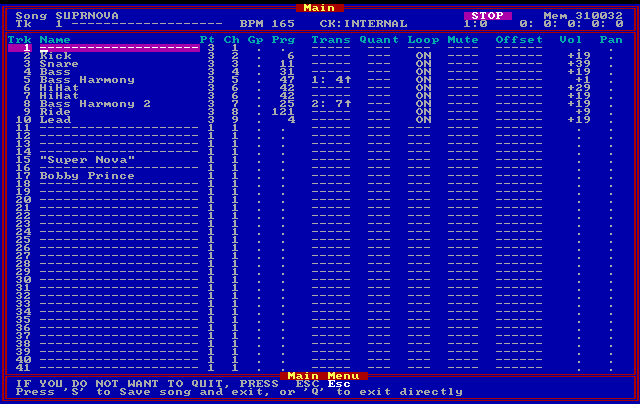
This is the Sequencer Plus Gold file for SUPRNOVA. FM synth cards had limited polyphony. If you used "Percussive" Mode, you were more limited in polyphony (max. notes on at one time). "Melodic" mode had more polyphony, so I created the percussion sounds I needed. Here, I'm limited to 9 note polyphony. I put each instrument sound on a different track. The hihat has two channels, one for closed and one for open. The programs ("Prg"") were patch numbers. This sound bank was created by tweaking the patch closest to the sound I was looking for. So whatever instrument was originally in patch 6 sounded somewhat like a Kick, and changing the patch parameters got it to sound "acceptable." Here the track names are visible because this file was saved as a SPGold .SNG file.
Many was the time that I had to cut out percussion notes because the resulting game music file was too big. It was good practice in deciding which notes of a song were more important to get the idea across.
Unluckily, the original track names are not saved in Type 0 files, so the tracks, even on modern sequencers, are named "1, 2, 3, 4, 5 ...."
How was I to know what instrument was where? I used Sequencer Plus Gold (thanks to DosBox) to make new Type 1 MIDI files, with data saved for each individual track, including the track names. Now I knew the instrument I was striving for on the FM synth card.
You may be thinking that all I had to do was look at the patch number and I could tell which instrument was on which track. The problem with that is I created my own instruments and put them in all sorts of different patch "slots."
This situation was much like today where you select an instrument VST and decide what channel it will respond to. Then you may tweak the instrument/effects settings. Luckily for all of us, most modern sequencers store all of that information in the song file. But, you'd better keep a copy of your plugins and the sequencer software you use -- in twenty years the standards may be completely different.
The first song (again in alphabetical order) is CRUISINA.SNG, last saved 7/10/1992. There is also CRUISING.SNG dated 10/13/1993.
The "A" at the end of CRUISINA, stood for AdLib. It was the sound card of the day (with Creative Labs strong on it's heels). The "G" at the end of CRUISING stood for General MIDI, a 1991 standard that was becoming main stream with computer cards in 1993.
In 1992, a PC file was still limited to eight alphanumeric characters, so a file name like "Cruising With Stryker.MID" wouldn't work. Thus the cryptic file names you may see for "old" files.
This song was one of the first to use my heavily "tweaked" FM instruments, especially the overdrive/distortion guitar, which went into harmonics at just the right time for the tempo of the music. Here's the song: Major Stryker music - Cruising with Stryker
Here's a demo of the "real" (updated) version: https://soundcloud.com/bobbyprincemusic/cruising-with-stryker-demo(removed by Bobby at some point)
There's a certain feel to the original that the "real" one doesn't capture. Maybe it's because the music was written to the FM synthesized sounds?
Maybe it's the "warmth" of analog coming out of an early sound card?
I decided not to change the performance of the music in any way. Any "real" instrument performance is true to the original MIDI performance data. The biggest differences in the sounds are the drums and effects like reverb.
When I get more done on this project, I'll put some more "real" versions up on SoundCloud, with a post here about it.
The best music to each of you. Remember that Richard Rodgers wrote a song a day. While I'd love to hear the ones he closeted away, he'd probably turn over in his grave to know anyone ever heard any of them.
What would be your chances of having a Song of the Year if you wrote a song a day for a year and published your best seven?
Adding Volume AND Pan Control to Windows 7
How many times do you listen to sound on your PC and want to pan left or right? I do often enough to get tired of what is required to get to the "Balance" controls:
- Click the Speaker icon.
- Click Mixer (below the fader).
- Click the icon for the Device you're listening to.
- Click the Levels tab.
- Click the Balance button.
- Adjust the faders for "1" (Left) and "2" (Right).
Actually, having the individual settings can be helpful at times, but for quick pans, they're a pain.
Thanks to an Alan Henry post on Lifehacker, I learned of a small windows program, SimpleSndVol, that puts a new volume fader with a pan slider onto the task bar tray.
The download link on Alan's post has changed, and here's where to download the file as of this writing.
It's free, but donations are accepted.
After virus checking the file, install it -- and you'll end up with two volume controls -- the Windows one and the SimpleSndVol one (which may require clicking on the "Show hidden icons" up arrow to see).
To unhide SimpleSndVol and hide the Windows version:
- Windows Start button.
- Type "customize" in the search field.
- Click "Customize icons on the taskbar."
- Set Volume to "Hide icon and notifications." It will still be available by clicking the "Show hidden icons" up arrow, and you may still want to use it.
- Set SimpleSndVol to Show icon and notifications. It will "stick" to the taskbar now.
- Click the "OK" button.
As for SimpleSndVol, here are my observations (this is for version SimpleSndVol-2.0.0.2):
- It works! To check it out, I opened the Windows Balance faders (you can click the "Mixer" link on SimpleSndVol and follow the steps at the top of this post to see them). Then I panned left and right, watching the Windows Balance sliders move.
- To jump to left, middle or right pan, the L, 0 and R below the slider will do the trick.
- Clicking to the left or right of the slider will result in a 10% change in the balance in that direction. [Strangely enough, if the slider is at extreme right or left, that same clicking results in a 9% change up to 27% where it then starts making 10% changes again.]
- The first time I right clicked the SimpleSndVol icon and selected "Settings," I received a .net error message. I chose to continue the program, clicked on "Settings" again, and it worked without an error.
- For me, using the center scroll of the mouse when over the SimpleSndVol icon was a very slow method of volume control. It's easier to click and open the control. I'm pretty sure this depended on my mouse settings.
- Middle clicking on the icon is a quick way to mute the sound.
- Right clicking the icon gives you the same access to sound settings that you have with the Windows Volume control.
- Some of the icons included with the program reflect the volume level without having to open the fader.
- The SimpleSndVol control minimizes milliseconds after you move the mouse off it. It would be nice if it stayed on the screen even with an errant move off the control.
I give it a thumbs up and have made a donation to the author.
Synching New Tracks To Old Recordings With Cakewalk Sonar AudioSnap
AudioSnap is a great thing, if it works. I tried it many times in the past and never got the results I wanted.
All I can say is that a light came on the other day. It reminded me once again that all this technology can get in the way of remembering that "simpler is better."
I had almost written AudioSnap off as a tool for those who have audio tracks with heavy percussion defining each beat.
I think I mentioned in another post that creating backtracks for my brother (a singer) got me interested in sequencing. Any recordings that couldn't be "vocal removed" gave me another project to help me learn how to create sequences.
With all the karaoke tracks out there, there are still songs my brother likes to sing, and there are no tracks available for them. Or, the karaoke is in an impossible key for certain vocal ranges.
He sent an original recording of such a song.
Before I go any further, what you read below will be foreign to you if you haven't at least played around with AudioSnap. You can take any recording and practice doing what I'm suggesting here. I would suggest a recording that starts on beat one of measure one. Something with a relatively steady beat. And maybe something fairly short.
I dragged the original recording my brother sent into an audio track in Sonar. The tempo was about 142, but it ranged from about 140 to 145.
The mix of the recording was poor in many places, but I tried looking at the "Audio Transients" (using the drop down below the audio track name which defaults to "Clips").
Bad results.
So I took the hard road and tried EQ to bring out the bass drum and bass parts. That was a complete waste of time -- the kick and bass came and went in the mix. The transients didn't seem to line up with the beats that well.
I thought, "if only I had a click track." Then a light came on, "DUH! Why not record a MIDI track with a bass drum hitting each beat of each measure?"
So, I created a MIDI track and set it to play the TTS-1 bass drum.
Then I turned off the metronome ("P" for Preferences, Project>Metronome -- deselect "Recording").
Armed the bass drum track, clicked the record button and started hitting the bass drum. I missed the first beat, but I had the recording set to start on the first beat. I could add the first kick drum data in Piano Roll View (PRV).
Before I go further, it's important to tell you that if your original recording starts on any beat other than beat one, you should insert some audio at the first of the original recording to fill in at least to where the first beat would be if there was audio in the whole first measure. For some reason, AudioSnap loves to consider silence as a measure zero and you cannot force it to do otherwise -- at least I couldn't.
If your added audio makes the first measure too long and it confuses AudioSnap, notice where AudioSnap wants to put the first beat and shorten your added audio to that location. Then right click your audio clip and select "Bounce to Clip(s)" to get rid of the extra audio data. Now AudioSnap should give you a first measure of the correct length for what it considers the average tempo of the recording -- and it should start measure/beat counting at 1:01:000.
After recording your bass drum MIDI track, you should expand the MIDI track so you can right click in the FX bin. Select MIDI Plugins>Cakewalk FX>Velocity, and click the "Set to" fader and set it to 127.
Now you have a strong bass drum beat. You can minimize the Velocity plugin.
Next, freeze the TTS-1. Bring up the synth rack -- I use "B" for that, and click the snowflake on the TTS-1.
Your TTS-1 output track will now have an audio click track with clean and definite beats. Select that audio clip and use the drop down to view the "audio Transients."
Open AudioSnap -- I use "A" to do that.
To use the Audiosnap window you have to have your click track selected.
Now click on "Edit Clip Map."
Here's where I had a problem that you might face. AudioSnap, though it guessed the average tempo correctly, wanted to put the measure markers as if they were half the tempo. Also, even though the beats were strong, I had to adjust the threshold in AudioSnap down to zero in order to see all transients. But, since the beats were strong, each beat had a transient.
To correct the markers on incorrect transients, I clicked on the marker of the first beats of each measure, starting with measure two, and brought it in line with the correct transient for beat one of that measure. I continued on toward the end of the recording.
That's when another problem came up. I ran out of measure markers several measures before I was through lining everything up. Pulling the last visible transient toward the left locked Sonar down tight.
I had to re-record my MIDI kick track, and I made sure to record several measures of bass drum hits after the recording ended. This was so AudioSnap wouldn't run out of transient markers for me to drag. After doing that, I froze the drum track again and started dragging beat one to each appropriate measure.
Make sure to save your file regularly as you do this -- just in case.
Next, in the AudioSnap popup, I selected "Set Project from Clip." I clicked the drop down and chose "measure." The reason was that I knew at least the beginning beat of each measure was dead accurate. This causes a tempo map to be inserted into the project, with tempo changes whenever they are needed to keep the project file in synch with the original recording.
From this point on, you can create MIDI tracks or record audio tracks with the metronome activated, and whatever you record will be in synch with the tempo of the original recording.
You can now archive the MIDI/audio bass drum track -- or even delete them. It's great to be able to record parts while listening to the original recording -- and everything synchs up.
Note that you can do this same thing by recording a MIDI track with a beat on just the first beat of each measure. That results in fewer transients to have to deal with if you have to drag the measure/beat markers to the correct location.
I'm sharing this for what it's worth to those reading it. If you're new to sequencing, creating karaoke versions of songs is a great way to learn. It hones your ability to hear specific parts and block out others. It also helps critical listening -- and much more.
If you have some AudioSnap techniques you'd like to share, drop me an email or text file. I'll post it with full credit to you.
Finally, I apologize if this post is confusing. Any comments/suggestions on making it clearer/better will be appreciated and acknowledged.
The song I most recently used this technique on was "You Be Dead" from Duke Nukem II. You can find the results of my synching HERE ON SoundCloud. I also used the crossfading technique from the previous post.
DistroKid.com
DistroKid.com allows unlimited uploading of your songs/compositions, and they will put them on iTunes, Amazon, Google Play and Spotify -- for an annual fee of $19.99. And you get 100% of your royalties. Of course they are paid through DistroKid.
I'm checking it out and will put my thoughts here as soon as I see how it all works.
DistroKid allows you to upload one free song to try it out.
If you get five referrals, you'll get a free unlimited upgrade. I'm trying that out with the links to their site to see if that works, too.
You don't have to pay or give credit card information when you register. Just your email address and desired password.
You can read about it via a couple of links on the DistroKid.com site.
The lack of particulars on the site makes me a bit suspicious, but we'll keep an open mind to see what gives.
Here's what I'm seeing as I look through the site:
- After registering, it goes to the "Upgrade for free" page that gives your referral URL and explains the 5 people register credits you with unlimited uploads. It doesn't say if that's forever or just for the first year.
- Links at the top of this page are + Upload, Upgrade, Albums, Bank and a symbol that signs you out of the site (learned that by clicking too quickly).
- I use long passwords. Don't know if that was a problem, but the site didn't recognize my password -- and I pasted it into the password fields when I registered. So I clicked "Forgot My Password" and it emailed me a link to reset the password. I copied and pasted the same password. We'll see if I get into the site again after signing out. But first, to continue while I am logged in now.
- There's also a link on the "Upgrade for free" page that says "Click here to upload music."
- It's linked to the same page as the + Upload link at the top of the page.
- Clicking on either of those links take you to the "Upload an album" page.
- On that page, "Stores" has already checked boxes for iTunes, Spotify, Google Play and Amazon.
- Album types are One song (a single) and Multiple songs (an album).
- Artist/band name.
- Album cover "Choose File" button. Specs are jpg extension, perfect square, at least 1000x1000, optimal is 2500x2500.
- Language dropdown.
- Primary genre. Secondary genre
- For the one free upload, there's a Track 1 section with Song title, Explicit lyrics No/Yes, and a "Choose File" button. File specs are WAV/FLAC/MP3/CDDA -- optimal is WAV.
- And finally, a "Just making sure..." section with check boxes for "There are no typos or errors in my band name, song titles, or other text," "I've selected the correct files for my song(s) and artwork," and "My music is original, I own the copyright and have the legal right to sell it in stores worldwide.
- The "Upgrade" link takes you to the same page where you clicked on "Free" to try the site out.
- The "Albums" link takes free registrants back to the "Upgrade for free" page.
- The "Bank" link takes you to "Your earnings" with lines for the four services selling your songs.
There are a lot of unanswered questions from what I've been able to see on the site thus far. I'll upload a song and see if that gets me more answers.
DistroKid.com Part 2
Sorry for taking so long to continue this experience. I had to make up some album artwork. I decided for generic, using a photo of a Les Paul Recording model that I have written a good bit of game music on.
Anyway, I uploaded the album art and a wav file of "In Hiding," a song from Duke Nukem 3D (Episode 3, Level 1: Raw Meat). It wasn't long before I received two "Good News" automated emails from DistroKid advising that the artwork (format, size, etc.) and the audio (format, bitrate, etc) "is good." Both emails included a link to more details about further processing of the files. That page stands static, reflecting that both artwork and song are "processing."
It seems that this is going to take a while.
I decided to refresh the page after waiting 10 minutes or so, and it reflected that the artwork was "Good." For the album, it listed a UPC, with an IRSC for the song. Pretty cool!
I also received another email. There's a problem with the way the system handled the one song. The Album title, which I listed as "Music from Duke Nukem 3D" is listed as "In Hiding," the song name. Will I be able to put this song with the others when I upload them? We'll see.
The good news is that the "album" has already been submitted to iTunes, Spotify, Google Play and Amazon.
There's an interesting paragraph about how long the stores take to make an album live:
- iTunes: About 1 day, sometimes within hours. A small percentage of albums go through manual review at Apple, which takes an additional 16 business days.
- Spotify: 1-3 days.
- Google Play: About 3 days.
- Amazon: 4-6 weeks (still beta testing)
I'll check these stores to see what actually happens. And I'll make a new post regarding further developments.
DistroKid.com Part 3
DistroKid didn't fib when it came to the iTunes claim. "In Hiding" became active on iTunes around 5:30 Eastern -- it was submitted around 3:15 Eastern.
This is impressive!
Now to find out if I can add this single to the "music from Duke Nukem 3D" album -- if that's possible I'll be even more impressed.
The final and most important test for most of us is how is the accounting handled -- how often, what method, etc.
I'll post more as I discover things.
DistroKid.com Part 4
I emailed Philip Kaplan, who is the founder and one employee of DistroKid.com. I asked how to go about uploading the other songs of "music from Duke Nukem 3D" so my trial uploaded song would be included in the album. I'll let you know what/when I hear back. I imagine Mr. Kaplan is very busy.
In the meantime, I am going to upload my updated recordings of the music from Major Stryker. For years I have been putting this sort of thing off as it's like living in the past -- and it takes me away from creating new things. But, I actually enjoyed reworking the Stryker songs. Almost as much as I enjoyed working on them twenty years ago.
The original songs could have no more than 9 note polyphony, which called for lots of editing and searching for overlapping notes. Before updating any of the songs, I decided to try to maintain the feel of the song, meaning I wouldn't add new notes, instrument parts, melodies/harmonies and such. But, I did add "verses" on some, and endings.
I'll let you know how this goes.
DistroKid.com Part 5
"In Hiding" is live on Spotify. It took almost exactly two days. Impressive enough.
I have not heard back from DistroKid.com, but I can only imagine how much mail he's getting.
Here's the Spotify link, if you want to check it out.
I uploaded 21 songs for the album "music from Major Stryker." We'll see if the timing is as good on an album as it is a single.
By the way, there seems to be a limit of 21 songs for albums submitted by DistroKid.com
DistroKid.com Part 6
The "music from Major Stryker" Album went live on iTunes in less than three hours. You can preview it here.
As for going directly with iTunes, I could have done that, but it would have been at the cost of time and expense of setting everything up -- UPC code, ISRC and other requirements.
I am very happy to see a one man operation like DistroKid.com go toe to toe with the corporation aggregators. It goes to prove the power one person has now with the connectivity of the internet.
Has anyone else tried DistroKid.com? I'd love to hear if you have -- and what your experience has been.
DistroKid.com Part 7
Keeping you up-to-date:
"music from Major Stryker" album submitted to Spotify by DistroKid.com at 3:02 PM on Fri, Jul 12.
The album became live at 3:42 PM today (Sun, July 14).
You can listen to the whole album here: music from Major Stryker - Bobby Prince (2013)
I have heard nothing further about Google Play and Amazon.
Hey Google and Amazon, wonder why iTunes is on top? You'd better up your game!
Who'd ever thunk that an album could be submitted to iTunes and be on sale in two and a half hours?
DistroKid.com Part 8
I was just on distrokid.com and saw that there is a Twitter account -- @distrokid.
He's tweeted album sales figures for Mar 13-Jun 13 -- about 1.4k. There's a graphic at https://twitter.com/DistroKid/status/355812542297280512/photo/1 -- you may have to sign into Twitter to see the link?
The last tweet (14 hours before this posting) was informative:
"We accept only credit cards. We pay out royalties using PayPal. 1-year term starts from the day you sign up."
I haven't heard anything new other than this. I'll keep you posted.
DistroKid.com Part 9
I've still heard nothing regarding Google Play, which was supposed to take three days, or Amazon, which was to take weeks.
The email address for distrokid is support@distrokid.com. You can also tweet @distrokid.
There's been no response to an email I sent July 9 regarding merging the free uploaded song with an album I'm waiting to upload.
I hear crickets chirping when I go to distrokid.com.
Oh, and if you want to see the home page of distrokid.com, you have to sign out of your "dashboard."
With the superior connectivity between iTunes and distrokid.com (uploaded and live for sale in less than three hours), I'm wondering why distrokid.com cannot receive "nearly live" sales data for songs/albums that can be routed to each appropriate user's page. I'd bet that the labels get that kind of access to data.
I will keep you posted. I'm beginning to think that distrokid.com is an excellent method for getting one song or one album up on iTunes/Spotify. I'm not so sure at this time that I'll upload anything else.
DistroKid.com Part 10
Still nothing heard about the status of Google Play and Amazon.
Royalties from iTunes were available some time in August, but I never received an email from DistroKid to that effect. I happened upon it by visiting DistroKid.com.
Details on sales are Sales Month, Store, Artist, Title, Quantity, Customer Paid, Your Royalties, Country of Sale, Exchange Rate, Tax Withheld, and Earnings.
I'll post further information as it becomes (or doesn't become) available.
***EDIT***
After hearing from some of you who are disappointed or put off about how slowly this situation is panning out, remember that DistroKid.com is a one man operation. And, he has continued to add to and edit the website.
When I was typing this post, I was saying that DistroKid only lists income (no statistics). Something told me to check again before I posted, and surely enough the statistics had been added.
I'm still giving the guy a chance to get everything working. I love it that he is at least trying to compete with the rest of the aggregators. If nothing else, he may cause them to think twice about raising their rates.
DistroKid.com Part 11
I just checked Amazon and Google Play for the "music from Major Stryker" album, and it doesn't appear on Amazon yet, but it does on Google Play: https://play.google.com/store/music/album/Bobby_Prince_music_from_Major_Stryker?id=Bxq7ksh4u62cfrfpt4uccrp533m
On the iTunes release, I received an automated email from DistroKid when the album was live on iTunes. I did not receive a similar automated email about Google Play. Don't know what's up with that, and I don't know when Google Play added the album.
So, I'm still giving DistroKid.com a chance to get everything together.
And I forgot to say that there's a new link on DistroKid.com that allows you to "Delete album from Stores." I'm not gonna click the link to test it yet. But, I'm going to guess that the single I first submitted ("In Hiding" from Duke Nukem 3D) can be deleted and then resubmitted with the other DN3D songs. That was something I was wondering about many posts back.
As with the "days of old" in record/CD sales, the cost of the albums and singles is set by each store. iTunes has the Stryker album at $9.99. Google Play is at $9.49. Both stores sell singles at $.99.
Google Play has longer track previews than iTunes. Some of the tracks played longer than others. I don't know what their algorithm is for that.
These are some exciting times for independent artists. Once again, I highly recommend that if you have a successful album, you should put some of your income into hiring a great publicist. Such a person/organization can keep you in the public eye and get you noticed by even more potential fans.
DistroKid.com Part 12
I checked Amazon today and it looks like "music from Major Stryker" finally made it "on the shelves." Amazon is undercutting iTunes pricing ($9.99) and selling it for $7.99. They sell the individual songs at 89 cents.
If Amazon is going to truly give iTunes a run for the money, they're going to have to get the music into their store more quickly. Of course they do that for the artists who stand to sell a lot of product.
DistroKid.com Part 13
To summarize the DistroKid experience, it got the "music from Major Stryker" album on iTunes within a few hours of my uploading it to DistroKid.com. Spotify came through in a few days. Google Play and Amazon took 2-3 months. So I say the jury is still out. I will be uploading another album before long, and I'll post my experience here. DistroKid has only been around for a few months itself and it's a one man operation.
My question has been answered in the DistroKid FAQ about uploading one song from an album and wanting to upload other songs from the same album to go with it later). You delete the "album" of the one song and re-upload that song along with the rest of the cuts on the album.
DistroKid.com Part 14
I am happy to report that DistroKid continues to move forward in delivering on its promises. It has reported on iTunes, iTunes Match and Spotify through December 2013. Google Play and Amazon still reflect they are "Coming soon."
While it would be great to see more income from the one album and one song, I didn't expect anything from them since there's been no marketing or advertising -- just the mention on this blog.
I like the way DistroKid lays out the data on the "Bank" link. More about that below.
I put in a request for withdrawal of some of the earnings, and that went through without a hitch. You need a PayPal account to receive the funds. My withdrawal was $44.16, minus the $0.88 PayPal fee.
In the Withdrawal area, there is a link to "excruciating detail" regarding the earnings. The word "excruciating" is an understatement! There is a listing for every sale and royalties from each stream. The info for each row includes:
- Sale Month
- Store (iTunes, Spotify, etc.)
- Artist
- Title (Name of album or song)
- Quantity
- Customer Paid (song/album cost to customer
- Your Royalties (EUR, USD, CAD, etc.)
- Country of Sale
- Exchange Rate (USD)
- Tax Withheld
- Earnings (USD)
The rows are grouped by Title and that is presently hard coded. The groups of titles are not in alphabetical order.
iTunes sales are listed in three columns (Album, Song and Quantity). There were six albums and two songs sold. The earnings were among the "excruciating detail" listings.
iTunes Match has three columns (Album, Song and Streams). Every song on the album was streamed twice on iTunes Match (42 streams total), which generated royalties of $0.09! While that is a very low per stream rate, iTunes Match stores customer's entire music collection and streams it from the cloud to any device. If they stream your music (whether they bought it on iTunes or not), you get paid for the stream.
The Spotify information has the same column names as iTunes Match. There were many more streams because the music has been on Spotify for almost as long as they have been in the iTunes store. These streams range from a high of 67 down to 11. A total of 492 streams generated $2.41. That's almost half a cent per play.
DistroKid remained true to it's promise not to take a cut of any of the royalties. They have passed all royalties on to me.
I'll report more when the "Coming Soon" services come through.
Voyetra Sequencer Plus Visited Again
There are still folks out there who are trying to work with Voyetra Sequencer Plus Gold software. This is for those who still use SP Gold for whatever reason. It's especially for those who have old .sng files and want to work with them.
I use SP Gold for working with the few original native SP Gold files I have been able to locate on old data tapes/CD's.
I've lost (hopefully misplaced) the instrument bank files I created to use with SP Gold. I created them to be able to use melodic mode on the OPL2 FM synth chip found on early sound cards.
The reason for using melodic mode is it gave me freedom to use any combination of nine melodic and/or percussive notes. Percussive mode allowed three percussive notes and six melodic ones.
The down side to using melodic mode was that I had to bastardize some melodic instruments to make them sound percussive. I did that by playing melodic "instruments" well above or below their normal range. This is the reason that many of my old game songs have strange sounding tuned drums when played back on wavetable sound cards and in some emulators. Wavetable sound cards used instrument samples, and the instruments would sound melodic even above or below their intended ranges. With the OPL 2, if you played "instruments" out of their range on it, you'd get some of the craziest sounds, including many percussive sounds.
You can still get SP Gold on the Turtle Beach site. That site has a wealth of info, drivers, whatever for SP Gold. SP Gold and drivers are here: seq_gold.zip
I don't think you need the drivers separately unless you're still running an older operating system/computer with a sound card. The basic drivers came with the SP Gold zip. That includes a MIDI simulator for sound cards and a General MIDI slave driver for FM Sound Cards (including the virtual one in DOSBox).
There's the manual and other great information available, too.
I use DOSBox to run SP Gold. Since I don't have the instrument bank files, I have not used it to actually play any of the songs. If you've used it with DOSBox and actually had it play in DOSBox, please comment with any suggestions you may have about getting it to work. DOSBox download is here.
DOSBox is great for running old games on "modern" operating systems. It also allows you to record the music from the games, raw MIDI commands and OPL commands. I cannot say enough good things about it's OPL2 soundcard emulation. It "understands" my bastardization of the melodic instruments!
Here's how I got DOSBox to run SPGold by default. This is for the latest version -- 0.74 running on a Windows 7 computer.
- This assumes you have DOSBox installed in the default configuration.
- It also assumes you have SP Gold installed at c:\VOYETRA.
- Win Start button > All Programs > DOSBox-0.74 > Options > DOSBox 0.74 Options.
- This should open dosbox-0.74.conf in Notepad (or your default text editor).
- Scroll all the way to the bottom of this file. You'll see [autoexec]. If you already have something entered here, just comment what you added before, using # as on all the other commented lines. Add the following, starting on a new line:
mount c "c:\VOYETRA"
c:
seq.bat
- File > Save
- Close Notepad.
- Go to c:\VOYETRA.
- Right click SEQ.BAT and select Edit. If it doesn't open in a text editor, select one to open it (Notepad).
- Following the "safe, not sorry" rule, File > Save As ... > SEQoriginal.BAT.
- Now File > Save As ... > SEQ.BAT so you'll be working on your edited file.
- Copy and paste the following in the place of what's presently in SEQ.BAT:
echo off
C:
call driver
SpG %1 %2 %3 %4 %5 %6 %7 %8 %9
call driver /rem
- File > Save
- In the c:\VOYETRA window, right click DRIVER.BAT.
- Select Edit.
- "Safe, not sorry:" File > Save As ... > DRIVERoriginal.BAT.
- File > Save As ... > DRIVER.BAT
- Copy and paste the following in place of what's in the file:
echo off
if "%1" == "/rem" goto REMOVE
if "%1" == "/REM" goto REMOVE
VAPINUL.COM %1 %2 %3
SAPIFM1.COM /port:1 %1 %2 %3
goto OUT
:REMOVE
SAPIFM1.COM /port:1 /rem
VAPINUL.COM /rem
:OUT
Now, when you start DOSBox, you'll have SP Gold start "automatically."
You should note that you can still use DOSBox for games and such by quitting SP Gold (q q from the track view screen) and mounting your games directory to a new drive letter.
I hope this info helps someone.
JTV Digital Music Distribution
Anyone out there who's used JTV Digital Music Distribution?
They responded to my earlier post, DistroKid.com Part 2, and said, "Please test our service ... if you're looking for something a bit more "serious" :-)"
Their advertised flat rates are iTunes single - 69 cents; all stores single - $3.05; all stores album (12 tracks) - $36.70; all stores EP (5 tracks) - $15.25. On top of that, they get 10% of the royalty payments.
The stores as of this posting are 7 digital, Amazon, boinc, Deezer, digital-tunes, Google play, gracenote, Grooveshark, iTunes, juno download, movistar, Nokia ovi, rdio, Rhapsody, Spotify and Shazam.
My initial reaction is that they are in a totally different league from DistroKid in their pricing. With JTV Digital, my 21 track "music from Major Stryker" album would have cost $73.40 to distribute as two albums (only 12 tracks allowed per album), plus 10% of any royalties earned.
JTV Digital has twelve more stores over DistroKid's four. This would definitely have an impact on those who want to be in more stores.
Kontakt, Lots of Patches and Not Enough RAM
When I put my computer together, I installed 8 gig of RAM. Sometimes it isn't enough. With Kontakt, there's something you can do to help reduce the memory required for an instrument.
I read this on a website and cannot find the website to give the author credit. I'm sure it's common knowledge for those who read manuals :-) I pass it on for what it's worth.
Load any instrument you want to use. After everything loads, look under the name of the instrument and you'll see Output, Voice, Max and Purge. Purge is a dropdown menu. Below voice is the Memory size of the instrument.
Now click the down arrow to the right of Purge and select "purge all samples."
Look at the memory size now.
Now play one note. The memory size will increase, reflecting the size of the sample the note uses. You can see whenever you play a note that requires another sample. You may also see different samples at different velocities on the same note.
How is this going to help reduce memory usage for a lot of instruments?
Look at the menu bar at the top of Kontakt. Toward the right is Purge. This purge will affect all loaded instruments.
The idea is that as you add instruments to a song, you can use purge and let your playback cause Kontakt to load only the note samples necessary for that song. If you write a part that only uses a few notes, why have unused note samples in memory?
If I'm having trouble getting a sequence to play smoothly, rather than freeze a track where I cannot edit it, I use purge. I play the sequence through once to make sure the samples it uses are ready to play. When I play the sequence from then on, it usually plays without any glitches.
Hope this helps someone. It helped me :-)
Working on Wrack
For more than a year, I've been working on the game called "Wrack." It was originally titled "Last Bastion." The alpha version of the game was sold with a promise that the purchaser would get the full game when it's done.
The team working on the game has basically consisted of three people. A programmer/game designer/producer, an artist and me (for sfx and music). I've completed a lot of effects for the game with many more to go. The music is coming along, but I like seeing the artwork for a level before I write something for it.
Anyway, the first episode of the game is soon to be released in beta on SteamPowered.com. What's cool about that for game music composers is that Steam has started offering albums of game music. These are albums that are just like apps in one regard: they can have tracks added/edited at any time, and the purchasers of the album can update their albums to the latest version without additional costs. I think this is something that will become commonplace in the not too distant future.
Imagine releasing an album of your music and promising your new recordings released in the next year or so will be included in the cost of the album. What a way to keep fans happy and to keep in touch with them!
I'll let you know how this experience works out.
Right now the game is available in alpha form at WrackGame.com.
UPDATE: I have heard that Valve (SteamPowered.com) may be changing their policy and may no longer be allowing games to sell their soundtracks on the side. I'll see if I can find something in writing to that effect.
Artistic Creations That Die
Computer game music is among the creations that die. They die because some corporation owns them and doesn't see the financial benefit to keeping them alive -- listened to.
That's where the remixers fill the void. Probably few of them have paid for a mechanical license to record and distribute the songs -- but they definitely do a huge service to society by keeping the songs alive.
A man named Bob May created "Rudolph, the Red Nosed Reindeer." He created a Christmas poem for his daughter. He worked as a copywriter -- that is a person who writes copy (usually for advertising) -- for Montgomery Ward, the WalMart of the day. He recited the poem at a company Christmas party and his bosses at Montgomery Ward wanted to print it for distribution to customers. They paid a nominal fee to purchase the rights. By 1946, the book had been distributed to the tune of at least six million copies.
Bob May decided that he wanted the rights back. He explained to the CEO of Montgomery Ward that he had composed the poem for his daughter after she lost her mother to cancer in 1938. Believe it or not, the the CEO returned all rights back to Bob May.
As interesting as this is, fate would have it that Bob May had a brother-in-law named Johnny Marks, who wrote songs. Johnny composed "Rudolph, the Red-Nosed Reindeer" based upon Bob May's poem. He shopped it to several notable singers, including Gene Autry, who was already a singing cowboy movie legend. Autry was like the other singers -- he wanted nothing to do with the song. But, Mrs. Autry heard it and demanded that Gene record it. The rest is history. His recording was released in 1949. It was an unbelievable success, and has sold more records than any other Christmas song, with the exception of "White Christmas."
Do you think that there's a CEO today who would do the same as Montgomery Ward's did?
Only in our wildest dreams!
Remixers -- keep on keeping on!
PS I researched the story of Rudolph back in the 90's when I was writing a Christmas song of my own (finalized with my wife's lyrical assistance and singing in 2008 -- Elvin The Tiniest Elf Song). I searched everywhere for a copy of Bob May's poem. Finally I ordered the book. I was sorely disappointed in the poem. I didn't think it was that great -- but it was a great story. This proved to me that Johnny Marks was a great songwriter. He took the poem and told the same story in a little over three minutes of music. He wrote some other memorable Christmas songs. You can read more about him here: http://en.wikipedia.org/wiki/Johnny_Marks
DOSBox VST!
I just received this information from Nicholas Rezmerski -- thanks for the info, Nicholas!
For those of you who'd like to remix old video game music or use OPL2 instruments to write your own music, YouTube user "theycallmebruceful" (I think he's bsutherland on github.io) "wrapped the OPL2 emulation code from DOSBox (hardware/dbopl.c) in a VST instrument. Almost all the available parameters are programmable. Each instance of the plugin emulates a complete chip."
He goes on to say that he loaded MIDI note data ripped from the game [Syndicate] into Renoise, and loaded an instance of the VST for each instrument. Instrument parameters were programmed as closely as possible to the originals by running the game in DOSBox and capturing the register writes to the OPL device. He's named the VST JuceOPLVSTi.
Here's the YouTube demo: http://www.youtube.com/watch?v=HI7U5XxTSW0
And here's the VST (32 bit): https://bsutherland.github.io/JuceOPLVSTi/
When I have some spare time, I'm going to check this out. I'll be interested in what any of you have to say about it after you try it out.
Nicholas said he has been listening to Doom midi files using this plugin.
Will This Work To Make Backups Easy?
The other day, I received an email from Berkeley about helping out again by donating CPU time to BOINC -- that's open-source software for volunteer computing and grid computing. People who need massive computing power can use BOINC to run their software using volunteer's computers. These programs have to do with mathematics, astrophysics, physics, biochemistry, climate, aerospace engineering, astronomy, cryptography, chemistry, drug discovery, epidemiology, cognitive science, factorization of large integers, artificial intelligence, seismology, environmental research, molecular biology, biology, computer science, astrobiology, biology, molecular biology, chemical engineering, nanotechnology, genetic linkage analysis, life science, software testing, medical relearch, humanitarian research, and evolution. Here's more info: http://boinc.berkeley.edu/
What started this was years ago I volunteered CPU cycles to SETI, the search for extraterrestrial intelligence. Yes, millions of computers are processing data from "the beyond," looking for intelligent communications.
If you keep your computer running 24/7, I highly recommend donating your CPU idle time to one or more of the projects listed on the Boinc subdomain listed above.
But that's not the original reason for this post. It's what brought this post about, though. Part of helping through BOINC includes software that uses virtual machine software from Oracle -- open source, free software called virtualbox (https://virtualbox.org). I did not know this software existed until the email from Berkeley arrived.
I know enough about what I'm writing below to be dangerous. I've worked through several problems with what I'm going to tell you, but I'm no expert here. That's why I hope you'll add to this post with your learned comments.
You may have heard of (or used) VMware, which is a commercial product. And Microsoft has it's own VM software. If you have, skip down a bit to get to my reason for bringing all of this up.
"VM" stands for virtual machine. VM software allows you to create virtual machines that run on your computer. These machines operate like a separate computer within your computer. I use Windows 7, but with virtualbox, I also use Ubuntu, Windows XP, DOS, and a copy of my Windows 7 that's on my "host" computer. These VM's are "guests" by the way. People who test software often use virtual machines for their testing. If the software crashes the VM so it won't boot -- if the software contains a virus and totally wrecks the VM, it's no big deal. They just delete the virtual machine and create a new one with a fresh installation of the operating system. All the while, their "real" computer (the host in VM terms) is untouched, unchanged, left alone, working as it always has, etc. This is similar to using a sandbox, except it runs completely independently of the host machine's OS. Programs run by sharing the CPU and system memory. VM disk drives are virtual drives that exist as a file on host machine hard disks. Virtualbox allows you to create a drive that's dynamic in size, so it's only as large as the virtual machine needs for storage of OS, programs and/or data.
Here's where I'm going: why not install your music creation software on a VM running a copy of the operating system you use on your computer? After the installation, you have a virtual computer that you can tweak just for your music software. And you'll have your exact setup that's easily saved and backed up. As an example of what I'm saying, take Sonar, which I use (mostly). To properly back it up as I like it, with all the settings, file locations, VST's, registry settings, etc., I have to back up my entire system -- something that takes many hours when I do it. To save just the OS and a complete Sonar installation, I'd have to save all sorts of directories located all over my system. And what if I leave something out? And there's no way for me to check a complete backup to see if it will work. I'd need an exact duplicate of my physical system to test that.
Each hard disk on a virtual machine is a single file. That means that I can save my whole Sonar setup and the OS by copying this one file to a backup drive -- or the cloud -- or wherever.
I'm in the process of testing this thought out. There are problems that have come up. I'm not sure how well a Virtualbox Windows 7 guest is going to work with my USB digital audio interface. Will I be able to use ASIO drivers? I don't know yet. I have been able to get the Win 7 VM to use DirectSound to play the sound through the USB audio interface. And I got Ubuntu audio to work by turning off the enable audio setting in that VM. Somehow that still routes the audio through the USB audio interface.
I'm sure that at least a few of you reading this have some experience trying something like this. I'd love to hear how it worked out for you. And if this starts some of you on the journey, feel free to share your experience.
Backups are a huge headache. Where do you store a huge backup of a whole system (say you have 4 TB system)? Compression ain't gonna help that much.
Some things I've learned:
- Disk2vhd (http://technet.microsoft.com/en-us/sysinternals/ee656415.aspx) will create a clone of a disk drive as a vhd file, which is the Microsoft version of Virtualbox's vdi (virtual disk) file. Virtualbox will mount a vhd directly (it also handles many other types). Where this came in handy is that I had a USB drive with multitrack files on it. Instead of making that USB drive available to a Win 7 VM with Sonar, I cloned the USB drive to a vhd so I could work with the data as a second virtual drive. That saves having the USB drive connected to the system. I have enough wires running already. And the drive is completely cloned (byte for byte) as far as I can tell. Backing up the drive will be a fairly quick copy of the vhd file to a backup drive or the cloud. I've read where people have had problems with vhd bootable drives. I've only tried it with data drives.
- I haven't found a free solution to cloning a vhd to a physical drive.
- Windows 7 works well in a VM. It's interesting to see how much I have tweaked Windows 7 over the years of use. I've only updated the VM version with updates that were required by the software I've tested. Since I don't plan to use the VM to connect to the internet, I'm not worried about firewalls, anti-virus software and the like. So, the VM runs faster than the host, even with less physical memory and one or two cores being dedicated to it.
- CloneVDI is a free tool for working with vdi files outside of Virtualbox. It will save many virtual drive types as a vdi. Virtualbox has added some of the benefits of CloneVDI, but it still does some things faster and easier. https://forums.virtualbox.org/viewtopic.php?f=6&t=22422
I'll post further information about this as I come upon it. I'll be trying out some different music creation software to see if it plays well in a Windows 7 VM.
Happy 2014 and may the best things come your way this year!
EDIT (18 JAN 2014)
I've been in "experiment land" for the past week and have learned quite a bit.
- As far as I can tell from my own trials and hundreds of searches, presently there's no way to connect a MIDI device to a VM (Virtualbox or VMware). My USB MIDI interface doesn't appear in the USB settings of a VM.
- Same for the USB digital audio interface, which does appear in the VM USB settings but does not directly appear as an audio device in the VM audio settings.
- Virtualbox has an audio driver that gives the host machine access to the USB digital audio interface through DirectSound.
- No ASIO drivers are seen by the VM.
- After discovering the above, I thought that maybe the best way to use one machine for everything is to have all the "interface intensive" software (video, audio, MIDI, etc.) reside on the host and put all the other (non/no interface intensive) software in a VM. Then backup the host, but exclude the VM's from the backup. They can be backed up separately.
- With free extensions to Virtualbox, it supports dual monitors, among other things.
- Maybe someone reading this has the knowledge to make MIDI work? and even the USB digital audio interface?
Losing One's Self in Too Many Choices
I've been working on some new music for Wrack. It's taken a lot of research since the goal of the music has morphed with the game, and Brad Carney (the creator, developer, programmer, marketer, accountant and driving force of the project), has requested music with the feel and sound of classic games like "Ultimate Marvel vs. Capcom 3," "Megaman X6," and the like. So, I've been listening to a lot of that kind of music.
The first thing that hit me regarding the music is it draws heavily from disco and dance rhythms. There is also a heavy use of synthesizers.
I've been on what has seemed an endless journey to find some instrument/effect plugins that will help meet this music goal. I've discovered some interesting things during the journey. One is that I can get really lost in all the hype and debates on the web about what are the "must have" plugins (effects and instruments). The wealth (glut?) of information has bogged me down. While I have a lot of music roughed out, I have yet to select all the instrument sounds for that music.
I forgot a rule I've always lived by: Don't get caught up in the method of music production, and don't think that the lack of one plugin, device or technique will make or break a production.
So, today I decided to let fate (and my ears) tell me with very little experimentation what sounds I need to use for each song. Believe it or not, the right sounds are popping up.
Earlier today, I ran upon a pdf book that says better than I can what I've considered as my philosophy of music production. Reading the 16 pages reminded me again of the #1 rule in recording. A big THANK YOU to Graham Cochrane for his free e-book, "The #1 Rule of Home Recording."
You can find the book (and some good information, too) at http://therecordingrevolution.com/.
And I agree with the name of Graham's website. We do live in the age of a recording revolution which has given us all the power we need to compete with the huge music corporations. We just have to get down to the basics and get the music out there!
Now I'm going back to creating music -- and I'm limiting my choices so making them doesn't get in the way of the creation :-)
What Would Your Ideal Software DAW Include?
I use different software for different genres of music. I hesitate to mention particular software most of the time because there is no "best" DAW overall. They all have major strengths, the strongest being you can take a good song in your head and bring it to reality. The goal here is not to start an argument over what's best.
If you have some ideas about features you'd like to see in a DAW, I'd love to hear them. Also, if you especially like some features that already exist, I'd love to hear them too.
If you'd like to comment and review the software you use for music production, it would be helpful to all of us. Please exclude commercial comments.
The first inclusion I'd like to see is the ability to list/print all of the settings in a project. Most important would be the plugins used and all of their settings. It would also be helpful to save a project including the required plugins and samples. Plugins that would work only within that one project -- and only the original "owner" of the project would be able to further edit the project. That way, backing up a complete project would ensure the life of that project beyond the life of a plugin.
What would you like to see?
Data Backup Discoveries
In a previous post about backing up data, I was looking for some usable software that didn't try to do everything. The other day, I ran upon AutoVer for "automatic versioning & backup." It's freeware written by Hunter Beanland, and it does exactly what I wanted -- any files I edit/save in my data directory are mirrored to another drive. I have not used it for versioning yet, since I create versions myself whenever I make a change in a file that I'm not sure is going to work.
To set up AutoVer, you create "watch folders" and set where the backup will be kept. At the same time, you can have the software create an initial backup. All of this runs in the background with no effect that I can see on continuing to use the computer for other things. It's as fast (or even faster) at doing what it does as any commercial backup software I've used.
The files are directly readable on the backup drive, so no having to wait for one huge backup file to be read before you have access to your backup file.
If you try this software and decide to use it, please consider sending Hunter a donation for his efforts.
http://beanland.net.au/AutoVer/
A couple of weeks back, I was thinking about replacing a Thermaltake BlacX single external eSATA/SATA/USB drive bay with the dual model, and the day I was going to place the order, the single bay quit working. I ordered the dual model. Only one drive was accessible when I connected everything up. After searching, I found a footnote in Thermaltake's website FAQ that says the connected motherboard must support port multiplying. A footnote is no place for important information like that.
So, I'm running the drive bay via its other connection -- USB 2.0. It's as fast as I need for mirroring the files. Otherwise I'd have sent the bay back.
There's great peace of mind in having the backup drives. I'm alternating backup drives once a week (to keep one off site). That way, I am almost assured that I'll lose no more than one week of work in case of a studio disaster.
Finding Inspiration For Writing
Alexander D. asked when the soundtrack for Wrack will be available. Wrack is a game in production. It has grown and changed a lot since its inception. With Episode One to be completed by the end of September, the work on the other episodes will begin. As a result of the longer production time, I have had the opportunity to write music as levels have been more or less finalized. I'm not writing ahead. The reason is that I get inspiration from the new/updated artwork and storyboards. You can hear the style of the level music change from Level One to Level Six. The changes have inspired a different mood for the music on the later levels.
So, do I release a partial soundtrack? That wouldn't seem fair when there's lots more music to be written yet. It would be nice if albums could be released through the mainstream like Wrack is being released -- where I could add/update tracks and they'd be available to anyone who already bought the album. But "services" like iTunes are not set up that way. It's an opportunity waiting for anyone interested in sales and marketing of music. Anyone up for competing with iTunes and the like?
I guess the album will finally be ready for release when the game is completed.
"Happy" Makes Me Happy
To me, the song "Happy" was an inspiration to those of us who try not to write "flash in the pan" music. The overall vibe of the recording seems to attract listeners of all ages. And I think people will feel good about the song when they hear it many years from now. It will far outlast the "bubble gum" music that's being crammed down the public's throat these days.
I'm sayin' there's hope for good music yet.
This morning on the Today Show, the pop artist of the day/week/month/summer/year was Ariana Grande, singing (maybe lip syncing) a couple of her mega-hits, including "Problem." There was no pretense of a band or any musicians or background singers. Just dancers making the typical moves of the day.
As for the lyrics to "Problem," they prove that when five people write a song, it can be as monotonous as the best. The music strongly supports the lyrics in its own monotony. Wonderful stuff with a wonderful message for the young women who have learned every syllable of the lyrics. How could they not learn them? The chorus is monotony and repetition on steroids.
This all goes to say once again -- "MARKETING DUDE!" If you get the right marketing people, you can sell any music -- and quality won't matter. Of course you've just got to get a producer/engineer who's up on the latest plugins and equipment, to give "the sound" and max VOLUME so even your ballads can compete with Death Metal.
With marketing, you can become an overnight sensation -- the best singer/songwriter/producer in the world! And if you sign with Universal Music Group, you can appear on the Today Show (NBC/Universal), hold your head high and lip sync, "play" along with your hand syncing band and danceyourazzoff to your studio recordings!
Make sure to instruct your marketing experts to stress that you are:
- an actor
- a singer
- a songwriter
- a musician
- a multi-instrumentalist (the instrument list is too expansive -- basically, give me the freaking thing and I'll make some kind of music with it!)
- a rapper
- a dancer
- a record producer
- a recording engineer
- a re-mixer
- a DJ
- a television music competition coach
- an author
- a poet
- a fashion designer
- a chef
- almost out of puberty
- an entrepreneur
- a volunteer to all worthy causes
- a human and animal rights activist
- a philanthropist
- a reformed drug addict who "doesn't often do them any more"
- prone to violence only on "very rare" occasions
Oh, and you must have the word "featuring" on all of your songs -- followed by the name of a rapper whose own marketing people have everyone convinced that he/she is the best rapper in the whole universe!
I could go on, but I won't. And I'm not bitter about any of this. It's just the way it is.
I'm just having fun and "keepin' it real" for this one post.
SoundCloud -- You Have A Problem
I decided to upload the music I've written for Wrack so far -- to SoundCloud. I went ahead and paid for an account since I'm going to upload other music too. I have 21 tracks for Wrack so far. Using the SoundCloud Upload link, I selected the files and watched as they uploaded.
Then I received an error saying that the tracks had a problem. There was an error message on each one of them. What?
After loading and reloading pages for a few minutes, I realized that all of the tracks were there -- except one.
The site kept reporting 21 tracks in the playlist I uploaded to, but clearly there were just 20.
After double checking the track names, I saw a warning that one track had an error uploading (a song I named "Wreckoning")..
I re-uploaded it. Still there was a cryptic message to the effect of an uploading error.
All the while I was logged in, there was a notification that I had messages. I had checked them and had clicked "Mark as Read" MANY times because the same messages were still popping up.
About to give up, I happened to click to open the messages once more, and there it
was:
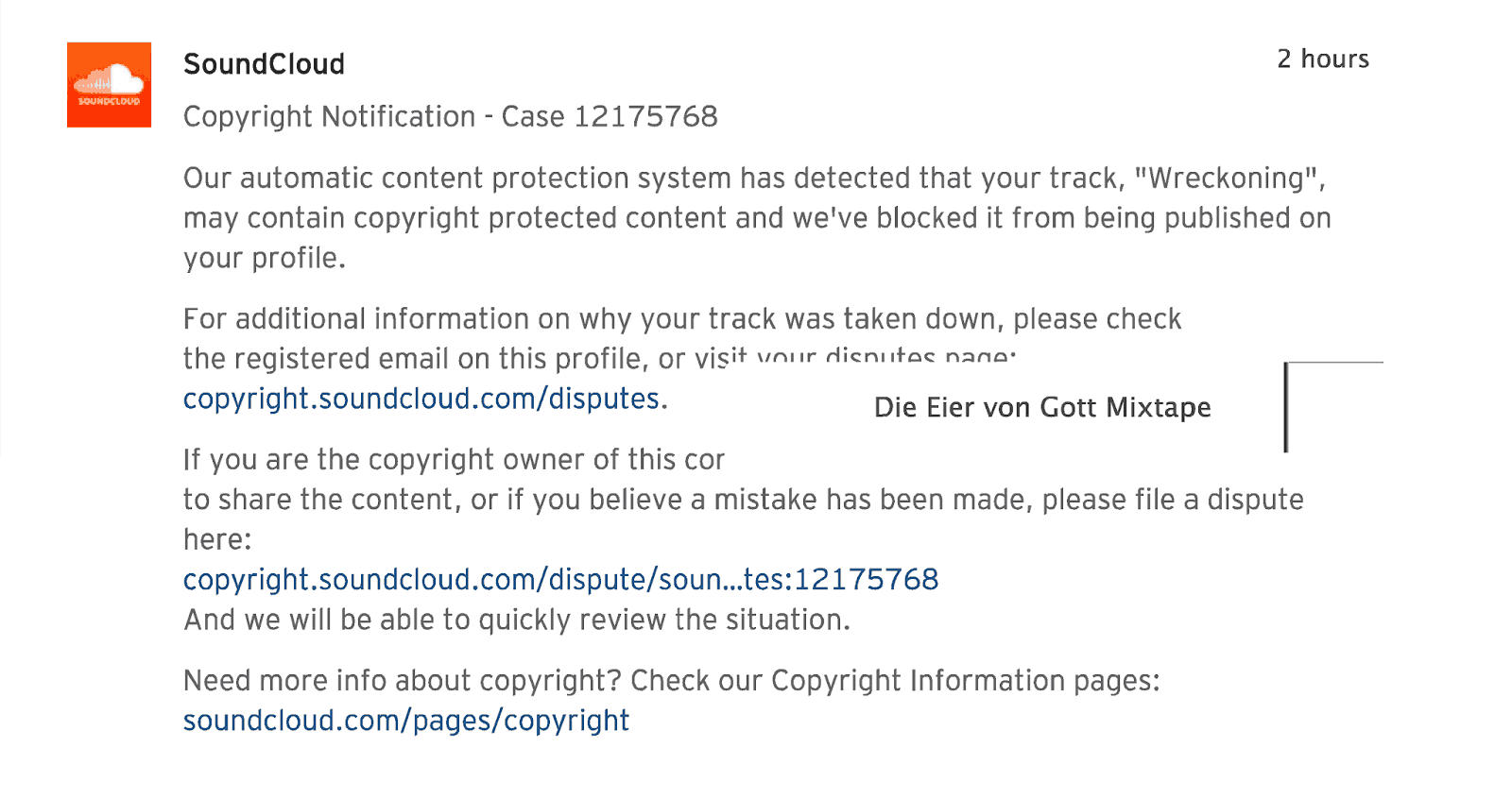
By the time I saw this, I had been working for two hours to check and double check the uploaded songs. I had also re-uploaded the song with the cryptic "there's been a problem" message. "Case 12175768!" If they started at case "1," then they' have issued over twelve million copyright notifications!!
I clicked on the link to dispute the "violation." This came up:
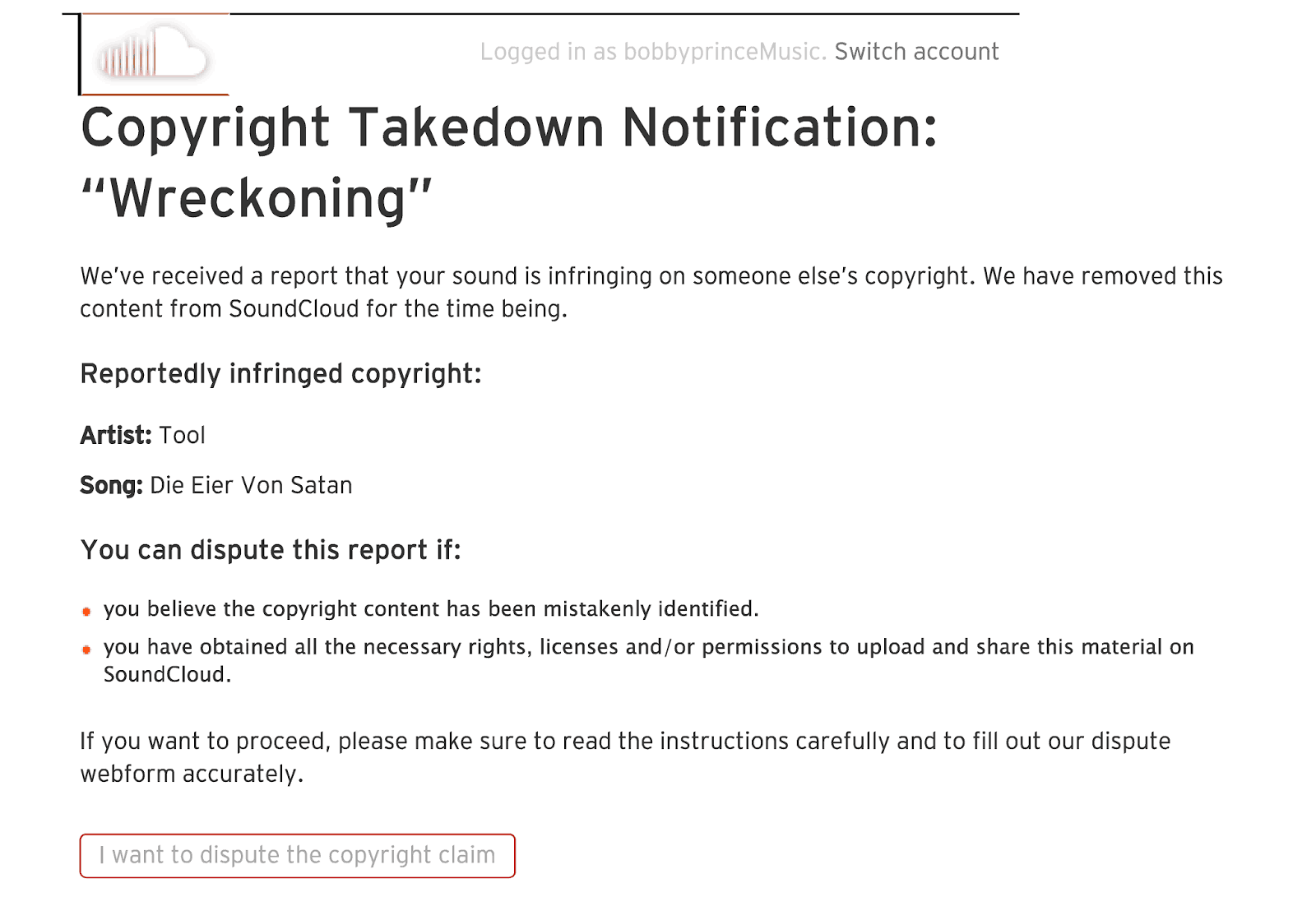
"We've received a report ..." -- yeah, from your "automatic content protection system."
I searched on SoundCloud for the artist and song listed -- a song of that name was listed, but under a different artist name.
Next stop YouTube. Found the song. It was obvious that the "automatic content protection system" has some bugs. When I listened to the song I 'infringed," it was not even vaguely similar to Wreckoning."
Here's the "reportedly infringed" material: https://www.youtube.com/watch?v=htxZZKv4pMw
Here's Wreckoning on SoundCloud*: https://soundcloud.com/bobbyprincemusic/wreckoning?in=bobbyprincemusic/sets/music-from-wrack
*[3 hours and 33 minutes after I submitted the "Contest copyright claim" form seen below, I received an email from SoundCloud advising that Wreckoning "has been released to my account." No apology for the intrusion on my time was included in the email,]
After clicking, "I want to dispute the copyright claim, I landed on this page:
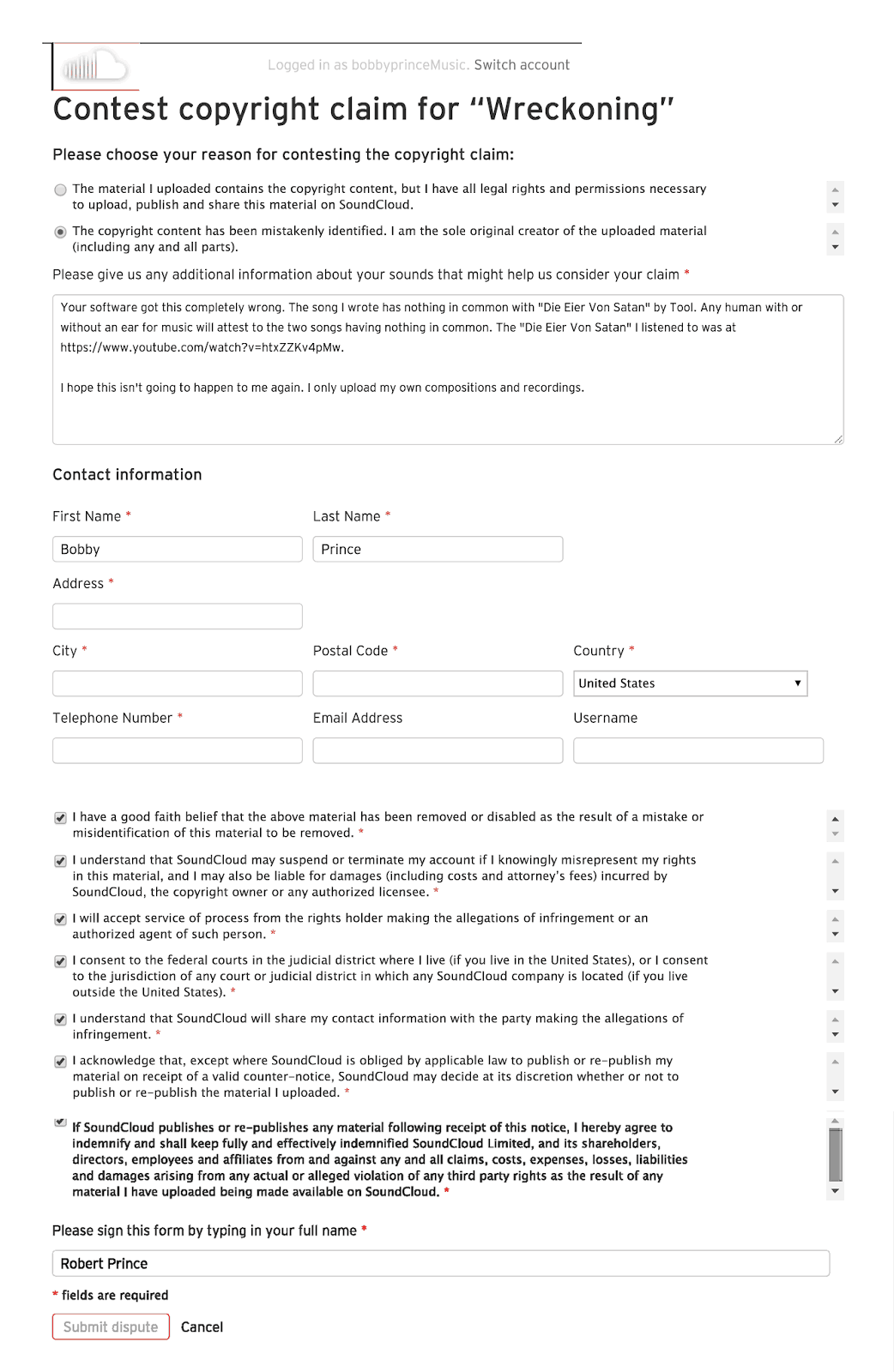
After going through this procedure, I have a problem with the following:
- SoundCloud makes customers jump through hoops because some "automated system" reported a copyright infringement. A human should double check the "automated system" before a notice is sent out.
- SoundCloud's cryptic "problem uploading file" message should say their automated system has flagged this file as possibly being subject to the copyright of someone else, and a human will check this matter and notify of any further action taken.
- Why would SoundCloud "share my contact information with the party making the allegations of infringement" when that party is an "automated content protection system?"
SoundCloud is still in the early alpha stage as far as I can tell. It's not really ready for prime time. Maybe I made a mistake paying for it?
CAL - Cakewalk Application Language
For those of you who use Sonar, there is a pretty well hidden gem, CAL, which is an event-processing language that allows extending SONAR with custom editing commands. You get to the CAL scripts by clicking Process>Run CAL or CTRL-F1.
Doing so gives you a list of CAL Scripts that shipped with Sonar (and maybe some you added).
So what do you do with this list? First of all, notice that some of the file names are in all CAPS and they are no longer than eight alphanumeric characters followed by the .cal. This means many of these scripts were written back in DOS Cakewalk days when a file name could not be longer than eight characters.
It may also mean that the CAL no longer works because Cakewalk has broken CAL over time, and they no longer actually support it except to include what is old code for backward compatibility.
For those of you familiar with Cubase, CAL is the Cubase Logical Editor on steroids (when CAL works in its present state).
Many Sonar users think CAL is merely a macro capability. It can be that, but it can manipulate data based upon the state of that and/or other data.
How do you find out what one of these CAL's with cryptic names do? They are merely text files with a .cal extension (instead of .txt). You can open the list of CAL files (as explained in the first paragraph), right click on one of them and open it with Notepad to read the comments by the author.
A CAL script works like any of Sonar's built-in editing commands. You have to select the data you wish to be edited [track(s) and time selection (From and Thru)].
One of the shipped CAL scripts is named "ANY_THIN.CAL." If you right click on it and open it in a text editor, you'll see Marty Schor wrote it to thin controller data based upon the change from one controller value to the next. You, the user, chooses which controller you want thinned and the minimum difference you want between two consecutive controller values. This is much better than just deleting every 2d, 3d, 4th, so on controller value. It keeps the data smoothly changing in keeping with the original shape of the controller data (the visual representation in Sonar). This CAL still works -- I just tested it.
Why would you want to thin controller data? Maybe for reasons unknown a lot of controller data causes glitches in playback on a VSTi or hardware module. You can thin the data and see if that removes the glitches.
In case there is a problem with undoing a CAL command, you should always work on a copy of the track you run a CAL on. I've not lost data due to CAL, but it could happen.
So, think about this: How would you do what ANY_THIN.CAL does if CAL were no longer supported in Sonar? Any method I can think of would certainly be extremely time consuming.
Yes, it could be built in to Sonar.
But how about this? You have a stringed instrument VSTi. It allows setting a capo to any of 24 frets plus Open -- no capo. It accepts key-switch data or Controller 4 data to set the capo. You don't know the final key of a song you're working on, so you decide not to use key-switches so you won't transpose them when you transpose the key data on that VSTi's track.
The capo position chart in the VSTi docs gives the CC#4 values for each fret. You have a lot of fret changes. So you start inserting Controller 4 data in multiple places, each time having to check the position chart for an appropriate value. You use this VSTi a lot. All of this gets very tedious. Macro software won't help you here. How will it "know" what values to insert for proper capo placement?
Here's where a CAL script can really help. Reading this script in Notepad, it says you should run it in Event View for the track(s) you want to use it on. You click on the first note you want the capo to affect. You also select the note to set the From/Thru times for that note (click in the leftmost column of Event View on the same row as the note and the cell turns black).
Now you CTRL-F1 and double click FretInsert.cal. It opens a small window with "Capo at which fret position? (0-24)." you enter 8 for the 8th fret. Blam, a Controller 4 event with a value of 43 is inserted one tick before the note you selected.
How does this work?
Using a CAL function called "switch," the script finds the appropriate controller data based upon your capo fret selection. Say "FretPosition" is the variable that stores the user's input and "FretPositionData" is the controller 4 data required to set that fret position. Switch takes the value of FretPosition, looks that value up and sets FretPositionData to equal the controller data for that fret.
(do
(switch FretPosition ; set the CC# 4 data value for the chosen fret position
0 (= FretPositionData 0)
1 (= FretPositionData 3)
2 (= FretPositionData 9)
3 (= FretPositionData 15)
4 (= FretPositionData 20)
5 (= FretPositionData 26)
6 (= FretPositionData 33)
7 (= FretPositionData 38)
8 (= FretPositionData 43) <<<The user entered 8 so switch ran this function
9 (= FretPositionData 47)
10 (= FretPositionData 53)
11 (= FretPositionData 58)
12 (= FretPositionData 64)
13 (= FretPositionData 69)
14 (= FretPositionData 74)
15 (= FretPositionData 79)
16 (= FretPositionData 85)
17 (= FretPositionData 91)
18 (= FretPositionData 96)
19 (= FretPositionData 103)
20 (= FretPositionData 108)
21 (= FretPositionData 114)
22 (= FretPositionData 119)
23 (= FretPositionData 124)
24 (= FretPositionData 127)
)
; now insert the event one tick before the Now time (which the user set when he/she clicked on the note in the Event List.
(insert (- Now 1) Event.Chan CONTROL 4 FretPositionData)
(- Now 1) is the computereze version of Now minus one (Now - 1).
Event.Chan inserts the selected note's channel for this controller event.
CONTROL means insert a controller event.
4 is the controller number to insert.
And FretPositionData is the value that switch looked up -- 43 in this case.
This is explained only to show you how powerful and time saving a CAL script can be.
And I'm not an expert on CAL -- I hack the code/test it/hack it/test it and so on seemingly out to infinity before I get a script to work.
There are a lot of CAL scripts on the internet. If you decide to try some of them out and they work or do not work, post a message here with the name of the file. Maybe there are some that do not work but are worthy of editing so they do work. Maybe others should be tossed because they do not work any more.
For those of you reading this who do use CAL, please post a reply and let us know which scripts you use. Also, if you know of some that do not work, post that too.
Maybe a fire can be built under Cakewalk so they will bring CAL back in a big way, with great documentation for its use. Else it will certainly be well behind Reaper SWS and Cubase Logical Editor.
Right now CAL is like a map based computer game that doesn't have a fully working, updated map editor, but it can still help do things with CAL that no other DAW I know of can do. SWS (for Reaper) may be able to do it, but I didn't see anything like it mentioned in the SWS docs.
For those of you who write your own CAL scripts, I learned the hard way that you cannot insert data where no clip exists. This means even between clips. The insert goes into limbo. Also, there is already a documented problem working with CAL and Linked Clips
For documentation on CAL, do a search for "Cakewalk Application Language Programming Guide for Sonar." The latest I've found is version 2.2 (24 FEB 2010). There's other documentation out there, too.You won't find any documentation like this in Sonar's help file.
Thanks to Glen Gardenas, Ton Valkenburgh and Frans H. M. Bergen for putting the CAL info together!
Sequencer Plus vapimpu driver
Does anyone know where this file can be found? I've had a request for it from someone who owns an older copy of SPG. It didn't come with this file. The copy I have doesn't have it, either.
The version of SPG I have (v4.10) comes with a file called "vapimpu.com". Here is a link to that file: https://www.dropbox.com/s/2e58a3xhcxf1f4x/VAPIMPU.COM?dl=0
This is the page where I downloaded that version of SPG: http://www.vgmpf.com/Wiki/index.php?title=Sequencer_Plus_Gold
Working With Game Developers
It has been interesting over the years to work with different game developers and development teams. As you can probably tell by many of the games I've worked on, I'm more at home with independent developers. Back in the days of working with id Software, there would be a decision to be made, and it would be made very shortly after the need for a decision. More recently, in working with Brad Carney on Wrack, I'd suggest something and Brad would make a quick decision. This is generally not true of larger development teams, and decisions usually come very slowly from them.
Larger teams are also generally not interested in hearing what a composer/sound developer has to say about anything to do with a project except music/sound. If you talk about game play, graphics, ideas for additions to the project, they look at you like you're speaking a foreign language. This has often been the case with movie production teams, too.
When Wolfenstein 3D was getting close to release, the artists showed everyone the game manual they had designed. It was impressive work. I looked it over and read it. Something jumped out at me. Instead of using the word "Nazi" for the enemy, they had used the word "German." I said something to the effect that "German" included many people that did not support what the Nazis did, so those German people would not like being the enemy in the game. They got what I was saying and changed the term. They were willing to listen to what I had to say though it was not about music/sound effects.
After working on many projects, I decided that the most important thing about a project would be the people I'd be working with. I've turned down projects because I had a feeling they only wanted a musician, not a team member. That's not to say that I would have anything to add to a project other than music/sound effects, but I'd like to think if I did have something to add it wouldn't fall on deaf ears :-)
For me, a decision to work on a project also comes down to whether the others working on the project love what they are doing. If the project is only for making money, alarms go off in my head. I'd much rather work with people who love what they are doing (and happen to make money at it). Money doesn't make up for a mechanical working environment. And projects for the principal purpose of making money usually don't do that great in the end.
Sound Effects Can Live Forever
For those of you interested in sound effects, this is a fascinating article written back in 2007 and republished at this link: http://www.damninteresting.com/the-wilhelm-scream/
After posting this a friend sent this YouTube link with a sampling of movies using the Wilhelm Scream. It's hilarious: http://youtu.be/cdbYsoEasio
Music You Remember From The First Hearing
The earliest music I pretty much memorized from my first hearing was off the radio. But lots of it was from the old television serials. For me, some of the best music was the background music for the Lone Ranger. That series has been rerun many times over the years. Episodes were run during many of the local TV station Saturday "kiddie shows" back in the day.
Here's the cut from the Lone Ranger that has haunted me ever since I first heard it. I wish I knew who wrote it.
https://www.youtube.com/watch?v=qrr0IT2-utM#t=148
More of this piece is played in other episodes, but this is the most of it I could find right now.
The music from the Lone Ranger got used over and over, from one episode to another. It gets so familiar that after a while you realize the music is often a hint as to what's about to happen in the episode.
There are a lot of good lessons in this "old" music.
Wrack Official Soundtrack Released
The Wrack Official Soundtrack (26 tracks) has been released on Steam as DLC. It will be on iTunes after Apple's seasonal vacation, which ends December 29. It's will also soon be available on Amazon, Beats, Deezer, Google, Rdio, Spotify and YouTube.
Spotify: https://play.spotify.com/album/2JztVwteK04P5P5hnzvXsp
Moog EP-3 Universal Pedal
This pedal came today and I like it a lot. The only problem is it has no documentation.
The pedal has smooth output throughout the pedal's travel. I tried an FC-7 (Yamaha) before this pedal and it didn't have linear output throughout the pedal's travel. It was difficult to make smooth volume/expression changes.
The EP-3 has a "scalable output knob." I thought that would be a way to require less pedal travel to go from 0-127. Not so. I'm not sure what good this knob will do.
I ran some tests. FWIW.
Setting the knob all the way counterclockwise, my keyboard reflects that setting is data equal to zero. Moving the pedal results in no data. It's zero no matter where the pedal is set.
The position of the pedal is somewhat important to the results you'll see below. I set the knob with the pedal all the way up (heel all the way down). This is the low value position.
Most of the time, the knob changed the setting by two's, but it would also sometimes jump by one -- sometimes even numbered, sometimes odd. I moved the knob clockwise until there was a change in data.
Knob value  Low High
002              002  004
004              004  010
006              006  012
008              008  019
012              012  027
013              013  028
014              014  030
017              017  039
018              018  039
019              019  045
022              022  054
024              024  057
026              028  081
Here's where things get strange. The low number starts decreasing while the high
number increases. And I'm still turning the knob clockwise.
024              024  095
021              021  102
020              020  104
018              018  107
017              017  110
014              014  113
013              013  115
011              011  118
010              010  117
008              008  121
006              006  122
005              005  123
003              003  127
002              002  125
000              000  127
Does anyone know the logic behind this?
As for the pedal, it feels expensive. There is a pneumatic kind of feel to pedal movement. That will probably change over time, but it's nice now. The base is metal. The working parts look like they're metal. The upper case/pedal is plastic, but it seems to be tough. It's heavy enough not to slide when you're trying to use it. It's comfortable when used seated or standing up. The pedal travel is sufficient to enable accuracy in volume/expression changes.
I hope this helps someone out there.
Here's to Future Sound Effects Designers
You have been around at a time when sound effects cannot get any louder. If you look at a waveform of many modern sound effects, the waveform covers the screen. When working on the sound for the pistol in Wrack, I decided to use a part of numerous gunshot effects I had. But first, this ....
Do you like to travel? Are you interested in creating sound effects? OK. Start travelling for the purpose of collecting raw sounds for your own sound effects library. Check with your tax expert, but you should be able to deduct the cost of these trips off of your Schedule C "Sound Designer" business taxes. The trip has to be for the purpose of collecting your sound effects. As I understand it, if you do anything as a tourist, you cannot write that off.
But, if you open your ears, there are worlds of sound effects waiting to be captured. Say you go to the Eiffel Tower. There are plenty of environmental sounds to be recorded. Has anyone ever recorded the sound of the tower using a contact mike? I'll bet there are some "unworldy" sounds there. Could you capture the same sound from some other tower? I doubt it. It certainly wouldn't have the same frequencies. Plus it wouldn't have the same "bragging rights."
Making something you love to do a business is not a secret, but lots of people don't yet know about it.
Check out the possibilities!
.... Back to the Wrack pistol. What I did was take my own and stock recordings of guns firing (not just pistols). There are twenty-one different pistol sounds layered into the one effect. There's one lightning effect (recorded during a Florida thunderstorm). There's a bit of cannon fire, too. I used no compression and was careful not to add too much of any single sound. The waveform is recognizable if you look at typical single pistol audio waveforms.
Sometimes you have to use compression, but I prefer not to if I can get away with it.
Now, take a trip for the purpose of recording some new raw material for your sound effects.
Staying In Tune
The Pano Tuner for iOS and Android is a free chromatic tuner that uses the microphone on your smart phone to let you know what pitch you're playing (both note name and Hz). You'll always have a tuner with you as long as you've got your phone.
There's a paid version ($1.99) but I couldn't find any info on what the "upgrade" adds. My wife uses the app dozens of times a day to keep her ukulele in tune. It works better than the clip on tuner she used before the Pano Tuner app.
The app works on any instrument. If a band has someone playing a non-tuneable instrument (for example, a xylophone or an old piano with old strings) that is not tuned to A-440, You can record the xylophone/piano playing what should be an A-440 and the app will set its A to the same freq as the xylophone/piano. Then the rest of the band can use the tuner to tune their instruments to match the xylophone/piano.
Pretty cool app!
A CARDBOARD Guitar!
This is not a joke! Cardboard Guitar Stratocaster Fender : Cardboard Chaos
A Notice from Google to Me
"European Union laws require you to give European Union visitors information about cookies used on your blog. In many cases, these laws also require you to obtain consent.
As a courtesy, we have added a notice on your blog to explain Google's use of certain Blogger and Google cookies, including use of Google Analytics and AdSense cookies.
You are responsible for confirming this notice actually works for your blog, and that it displays. If you employ other cookies, for example by adding third party features, this notice may not work for you."
OK, I'm hereby giving any European Union friends who visit this blog notice that I have no control over any cookies that are set on this blog. The notice mentioned above was not apparent on this blog when I looked a few minutes ago. And I do not "employ other cookies, for example by adding third party features."
So I will say that if the EU friends who visit this site don't want to consent to whatever cookies Google uses, they should either not visit this site OR get Ghostery, which blocks Google Analytics, AdSense and most other "trackers." You should note that some trackers have to be enabled for you to use certain aspects on websites (like playing media files). You can whitelist sites or pages so Ghostery will not block their trackers, so it's not an "all or nothing" kind of thing.
Does Your Windows Audio Interface Sometimes Quit Working (Maybe Along With A DAW Crash)?
Mine does all too often! Exasperating!
At first I would just reboot. Time wasted.
Then it hit me that maybe I could disable and then enable the audio interface in the Device Manager (under Sound, video and game controllers). That worked and took a lot less time, but it was still a pain.
Finally I decided that there had to be a way to create a batch file to do this for me.
If you're a power user, you can skip down to the numbered steps. Even then, please don't take offense if some of those steps insult your intelligence.
A batch file is a text file with a .bat extension. It can include commands to run a program and/or computer commands. The .bat file you create automatically runs in a command prompt window. That's the window you get if you click Start, type "cmd" and Windows suggests cmd.exe. Then press Enter.
The window that opens hearkens back to the early days of the PC. It's what you saw back then when you booted your computer. You had to know the name of any program you wanted to run, or you typed "dir" to get a directory that would remind you of program names. Very barbaric! BUT, it was and is a very powerful, too.
I had no idea how to run the Windows Device Manager from a command prompt. Research told me it was not a simple matter of typing the name of the device manager file. There was more to it which I won't go into here.
Further research revealed a program that works like the Windows Device Manager but is also easy to include in a batch file.
So, here are the steps I took after this discovery. Note that you probably have to have administrator privileges to run the batch file you're going to create:
- Go to http://www.nirsoft.net/utils/device_manager_view.html. Scroll to the bottom of the page and download the appropriate version of DevManView. It and the help file and a text file are in the Zip file you download.
- For tools like DevManView, I have created a directory C:\Tools. It makes it easy when you go to reference the program in a batch file. But, you can unzip the downloaded file to any directory you wish. So unZip away!
- Open Notepad.
- Highlight the text below. Copy it (Ctrl-c).
@rem batch file to disable and then enable the AUDIO INTERFACE
@rem DISABLE
@echo.
@echo.
@echo Disabling AUDIO INTERFACE . . .
@echo.
@echo.
@C:\Tools\DevManView\devmanview.exe /disable "AUDIO INTERFACE"
@rem ENABLE
@echo Enabling AUDIO INTERFACE . . .
@C:\Tools\DevManView\devmanview.exe /enable "AUDIO INTERFACE"
- Paste the text into Notepad (Ctrl-v).
- Find the name of your Audio Interface as it is listed in Windows Device Manager Start>Control Panel>Device Manager. It will be listed under Sound, video and game controllers. Make sure you write it down exactly as it is listed. Keep the Device Manager window open.
- In Notepad, replace each AUDIO INTERFACE in the text above with the exact name of your audio interface.
- Replace the path C:\Tools\DevManView\ with the path to where you unzipped devmanview.exe.
- Save the file to your desktop. Give it a name that will remind you what it does (Restart Audio Interface.bat, etc.).
- Find the batch file on your desktop and right click it. Select Rename.
- Change the extension txt to bat, This "tells" Windows that it is a file to be processed by the command prompt.
- Click on the new batch file to run it.
It will open a command prompt window and Disabling AUDIO INTERFACE . . . should appear (with the name of your audio interface instead of the words AUDIO INTERFACE).
After that command is completed, Enabling AUDIO INTERFACE . . . should appear.
After that command is completed, the command prompt window should close.
- I am NOT superstitious!
To watch the batch file in action, place the Windows Device Manager window next to where the command prompt window appears when you run this batch file. Make sure to have your device showing in that window. As the batch file runs DevManView you'll see your audio device first marked as disabled and then marked as enabled.
What exactly does the batch file do?
The rem lines are remarks and are there to explain what's happening. Because the output of a batch file includes the path of the batch file before each line of output, the screen output is full of gibberish.
The @ before each line suppresses the gibberish (except lines with echo still show on the screen, but without gibberish).
If you want to see everything that's going on while the batch file runs, you can safely remove all of the @'s.
Kudos to Nir Sofer, the author of DevManView and some other helpful tools that save users a lot of time.
I hope this helps someone!
Programs I Used When Composing On OPL FM Synth Soundcards
Jason wrote with the following inquiry:
There is a community dedicated to composing on OPL soundcards and we were wondering about your Doom and in general DOS music compositions. First, what program you composed with and are the FM patches available. I imagine they were GM patch banks defaulted by the midi composition, but some folks were asking.
In the early days of the OPL soundcards, the "gold standard" sequencing software was Sequencer Plus Gold ("SPG") by Voyetra. The reason for this was it had an OPL instrument/instrument bank editor. It is still available as an "as is" download. It will run in DOSBOX though getting it to interface to MIDI devices is something I've never had time to work on. I've used it to save a few native SPG files as General MIDI files.
Here's a post I put up back in 2013 that should help you some: Voyetra Sequencer Plus Visited Again
To rough out compositions, I used Cakewalk ("CW"). I had been using it for several years already and had it all set up to use the analog boxes for sound output. Having "real" sounds from those boxes helped me visualize (audiolize?) what I wanted musically. I would save the CW files in *.mid format and load them into SPG to create the OPL instrument for each track. I built different instrument banks for the different genres of music.
As I said in the post linked above, I have no idea what I did with the CW and SPG native and *.mid files I created. I also have no idea about the instrument bank files. They may be on some old magneto optical disks, ZIP disks or floppies, and "one of these days" I may get the time to go through those.
This information may help, too. It looks like it could possibly be used to recreate the instrument files by reading the data flow to the virtual OPL FM synth in DOSBOX: Blog post on DOSBOX-VST
I haven't had time to check any of this out myself.
The early 1990's files I created were not GM files and did not use GM patches. The *.mid files that were generated later was me taking the original non-GM files and choosing GM instruments to replace the OPL instruments. Sometimes it was a bit shocking to me how close the instruments I had created for OPL play sounded like the similar GM patches. While the GM 1.0 standard came out in 1991, it really had no used for me in the video game music until years later.
If there are any specific questions that you may have, feel free to comment on this post and I'll try to answer them.
The Dark Ages of PC Games
Even for one who remember the early days of PC gaming, it's an eye opener to find documentation of what was actually happening. I recently found an old CD that contains some correspondence about my work on some of the earlier games. This was not really the Dark Ages. I remember saying it was the equivalent of Hollywood in the silent movie era, and the first "talkies" were just beginning to come out.
Here's what I think is the first letter I wrote to Scott Miller of Apogee software on April 25, 1991. My comments upon reading this for the first time in 26 years are in brackets [FWIW].
Mr. Scott Miller, President
Apogee Software Productions
April 25, 1991
Dear Scott,
I appreciate your letter and the chance to work with you and
your family of software authors. I promise that I will work
diligently to compose and arrange music you will be proud to
include in your software. I have to apologize for not yet
including the tape I promised. It will follow as soon as I have
received the latest version of Sputter, the program that will
allow me to translate my 16 bit samples to 8 bit SoundBlaster
samples. That should be only a short time in the
future.
[I looked for information regarding Sputter and it has more recently been the name of some software to "accelerate BitComet downloads." Yes, this was the DOS computer days where a PC would greet you with a "C:\" followed by a flashing prompt. I well remember the computer BBS's (Bulletin Board Services) filled with questions like "What good is a PC? All I get is a "C:\" on the screen -- and when I type anything, it doesn't understand" or words to that effect. These were very confusing times for those who bought the early PC's and had never owned a computer. By this time, I had owned a "Trash 80" -- TRS-80 and had built a TRS-80 clone (it even had a color monitor way back then)!]
[So, the operating system had no included software for editing audio, and Sputter was the answer to that. I have no memory of actually using Sputter.]
Since I last spoke with you, I have come by some good
software and instrument sounds. To me, the sounds of the
instruments playing the music is as important as the music
itself. I think that the music on Dark Ages is commendable, and
for the most part, the choice of instruments was excellent.
Anyway, I got one file that contains over 900 instrument sounds,
most of which are garbage, but the task is to find the good ones.
I have written a little program to audit the sounds, but it will
take a while yet to get through all of them.
[Dark Ages was the first "shareware" game to have AdLib sound card music. The AdLib was an FM synthesizer. It did not play digital audio, so any sound effects used in a game had to use the FM synthesizer. You can read about Dark Ages here: Dark Ages (Wikipedia)]
[Some of the FM instrument sounds I found (called "patches" back then) were very good, and were credited to a person with a username at one of the nationwide BBS's -- Prodigy or CompuServe. I messaged him so I could send him some money for his work. I never heard back from him, or his username was no longer recognized. I never found him. Remember, there was no internet search engines back then.]
[The program I wrote was in the BASIC language. I don't remember writing it. I do remember it played a melody and maybe some high and low end pitches for each new patch.]
I have received the Software Development Kit for the
SoundBlaster, and it has helped some. It mentioned a Composer's
Utility (not included), which has not been advertised as it is
new. I called Creative Labs and lucked upon talking to a
salesman who is sending me those programs free (he says I will be
the only one to have them outside of Creative Labs). He
expressed interest in Commander Keen and Dark Ages, so I sent him
a copy of the Shareware Versions. I have tried to impress upon
Creative Labs the importance of helping us get good sounding
games out so they will sell more cards.
[I have very little recollection of this except to say I remember trying to get both AdLib and Creative Labs more interested in games that would greatly increase sound card use and sales.]
I am including a list of the phone calls I have charged to
your number thus far. I apologize for several very short calls
where my computer failed to link up with another. The calls have
been well worth the cost, especially the ones to VGER BBS, which
specializes in AdLib and SoundBlaster software. All but one of
the successful connections was made when I charged the call to my
number (for some reason the operator assisted calls were a poorer
connection).
[What's an "operator assisted call?" Ha! These were still the Dark Ages for telephones. They were all wired. Many people still had rotary dials. I didn't -- touch tone dial was "the way to go" for speedster dialers like me! "Operator Assisted" meant that I actually talked to a person at the phone company (usually a lady) who made a long distance connection for me. Long distance call costs were based on time and distance, and they were not cheap, even for back then.]
Also enclosed are invoices for purchases made thus far out
of the $400 you sent. I have an AdLib card on order, and it
should be here very soon.
[One of the reasons I believed Scott Miller was the real deal: he put his money where his mouth was. He sent $400 for me to purchase what I needed to get started with sound cards. I already owned some high end synths and samplers, but they did little good to produce AdLib and Sound Blaster ready music.]
[About this same time, I spoke with someone at AdLib and was told they were going to be in Atlanta for the NAB (National Association of Broadcasters) convention in a few weeks. I went to that convention where AdLib had a booth. Surprisingly, they were not very interested in music for games. I never understood that. Evidently, AdLib felt that the sound card was going to sell well to Broadcasters?]
In the meantime, I am spending time learning the instrument
sounds and how they may be used as sound effects as well as
musical instruments. I downloaded a program that will change
Standard MIDI files to Creative Music Files and AdLib files. It
is relatively primitive, but at least I can get started at
hearing what things will be like on the SB/AdLib. I have also
ordered a copy of a sequencer package that supposedly will allow
me to compose directly on the SB/AdLib. Also, it is supposed to
allow me to edit the instrument sounds -- we shall see, as what
is advertised is not always what works.
[I don't remember the name of the program that translates MIDI files to Creative/AdLib files, but I do remember the name of the "sequencer package" -- it was Sequencer Plus Gold, and it was everything they advertised it to be.]
I tried Dark Ages on my 10MHz XT, and it works just as good
as it does on the 386 25MHz. Maybe your ad for it should specify
a fast machine rather than a particular type of CPU?
[I still have the bill for that XT PC clone. I bought the thing at Rhythm City in Atlanta from the owner, George Luther. At the same time, I bought Texture -- a pattern based sequencer. Some time after that, I bought Cakewalk 1.0. All of this was before I had started working on game music. And, WOW, a 10 MHz XT! Can you say "FAST!" And then a 386 25MHz! Can you say "BLAZING?"]
I have yet to show Commander Keen to anyone that they don't
sit down and get lost playing it -- it is a real winner. I look
forward to working on the music for the sequel trilogy.
[As I've said before, just a week or so before I was first contacted by Scott Miller, I had downloaded the first "Commander Keen" trilogy (using the Prodigy BBS). Like others who had done the same, I was very impressed with the game. When Scott messaged me on Prodigy, I had no idea he had anything to do with Keen. He somehow picked me out of 50 or so people that responded to his post about needing someone to write music for games. In our first call, he mentioned that he marketed Commander Keen. That was all I needed to hear to accept his offer.]
The W-9 is enclosed as requested.
[Let's don't forget TAXES!]
I will keep you posted on things as they progress. I am
working on your theme, but I haven't found the right instrument
sounds yet. I am enclosing a 360k disk with Color My World by
Chicago on it. It is my first attempt at putting something out
through the SoundBlaster. I chose it as I found instrument
sounds that reminded me of the song. Just type "PLAY" and it
should run, as the driver and program are included.
[I don't remember doing this. But how about the massive storage on a 360k floppy! I don't have the "Color My World" sequence or the patches I used for the sequence.]
Talk with you soon, and until then take care.
Sincerely,
Telephone Calls Charged to Apogee Software Productions
Date - Time - Called - Reason
04/17/91 - 10:30 PM EDST - VGER BBS (California) - D/L files
Several attempts
Charged successful call to my number
04/17/91 - 11:30 PM EDST - SB BBS (SoundBlaster-California) - D/L files
04/18/91 - 07:30 PM EDST - MicroMusic BBS (Atlanta) - D/L files
Several attempts, no success
04/18/91 - 09:00 PM EDST - MicroMusic BBS - D/L files
45 minutes
04/19/91 - 09:40 PM EDST - VGER BBS D/L files
Unsuccessful attempts
04/20/91 - 07:47 PM EDST - VGER BBS - D/L files
32 minutes, charged to my number
04/21/91 - 12:30 PM EDST - Creative Tech Support
Told to call back next day
Several calls made to Creative Labs 800 order line and transferred to Tech
support, so no charges for these.
[See the notation "45 minutes" to download a file. Today you'd say, "How many gig?" Back then you would have said "Gosh, that had to be a huge file, even at 2400 baud!" Greatly simplifying it, the dial-up modem was receiving 600 bytes per second. 45 minutes is 2700 seconds. So the file must have been roughly 1.6 MEGABYTES -- a truly huge file for that time in history! Now, even at "slow" cable speeds, you'd get this file in seconds. Aren't we lucky to live in these times?]
[How does one get into writing music for video games? For me it was being prepared when LUCK STRUCK.]
Boss Sounds In Duke Nukem 3D
Face Off wrote and asked the following question:
"Hi Bobby.I have a quick question about Duke Nukem 3D. In fact it's a question I've been wondering about for years: the sounds/growls of the Battlelord and Octabrain, where did you source those sounds from? Were they from real animals??"
One of the good things about finding the old 90's data CD's was that I can give you a more definitive answer to this question than my memory would serve.
These sounds were produced at a very hectic time in the production cycle -- between the release of the shareware version and the full version.
According to Wikipedia:
"The shareware version of the game was originally released on January 29, 1996, while the full version was released on April 19, 1996 as version 1.3d."
I received artwork of two bosses (BOSS2.pcx and BOSS3.pcx) on around March 12, 1996. And I do mean "artwork," not animation:
BOSS 2
BOSS 3
This explains my text to Greg Malone, the project director, when I sent potential effects to him on March 19, 1996. By the time I sent these effects, I had sent thousands of sound files. As with almost all of the projects I have worked on, the earliest potential sound effects I sent were usually the ones that were used, even though I may have sent scores of possibilities after the first one.
Note that "time and sleepiness" mentioned below probably helped me in thinking that this was written in 1995 instead of the actual year, 1996.
March 19, 1995
Hey again!
Here are some more sfx. It is difficult to know exactly what route to
take regarding the death sounds without seeing how the bosses die --
but, I tried to hit a happy medium on it.
As usual, many of these sounds are fairly interchangable, so please
don't let my file names mislead you. A roam sound may be what you
consider perfect for an attack sound, an attack sound for a pain sound,
etc. Also, some of these may work for an earlier alien/critter if there
is still some lack there. I guess plugging things into the game will be
the ultimate test.
Also, I included a few walking sounds for Boss 3 -- don't know if you
planned on that or not. I would think that the walking sound _could_
take the place of the roaming sound. If Boss 3 is the only critter to
have a walking sound, it would set him apart and people would definitely
know that he is coming for them. I know that the programming aspect
might be the problem with this idea.
    Files included here:
    Boss 2 attacks -
    B2ATK01  WAV        11,688  03-19-96 11:48p b2atk01.WAV
    B2ATK02  WAV        17,494  03-19-96 11:48p b2atk02.WAV
    B2ATK03  WAV         8,982  03-19-96 11:48p b2atk03.WAV
    B2ATK04  WAV        16,376  03-19-96 11:48p b2atk04.WAV
    B2ATK05  WAV        18,018  03-19-96 11:48p b2atk05.WAV
    Boss 2 deaths -
    B2DIE01  WAV        18,464  03-19-96 11:48p b2die01.WAV
    B2DIE02  WAV        27,158  03-19-96 11:49p b2die02.WAV
    B2DIE03  WAV        44,828  03-19-96 11:49p b2die03.WAV
    Boss 2 pain -
    B2PAIN01 WAV        14,132  03-19-96 11:49p b2pain01.WAV
    B2PAIN02 WAV         9,732  03-19-96 11:49p b2pain02.WAV
    B2PAIN03 WAV        11,950  03-19-96 11:49p b2pain03.WAV
    B2PAIN04 WAV         6,182  03-19-96 11:49p b2pain04.WAV
    Boss 2 recognize -
    B2REC01  WAV        14,576  03-19-96 11:49p b2rec01.WAV
    B2REC02  WAV        17,546  03-19-96 11:49p b2rec02.WAV
    B2REC03  WAV        18,342  03-19-96 11:49p b2rec03.WAV
    B2REC04  WAV        10,656  03-19-96 11:49p b2rec04.WAV
    B2REC05  WAV        12,010  03-19-96 11:49p b2rec05.WAV
    B2REC06  WAV         6,844  03-19-96 11:49p b2rec06.WAV
    Boss 2 roam -
    B2ROAM01 WAV        16,850  03-19-96 11:49p b2roam01.WAV
    B2ROAM02 WAV        18,248  03-19-96 11:49p b2roam02.WAV
    B2ROAM03 WAV        11,698  03-19-96 11:49p b2roam03.WAV
    B2ROAM04 WAV        12,698  03-19-96 11:49p b2roam04.WAV
    Boss 3 attack -
    B3ATK01  WAV        26,882  03-19-96 11:49p b3atk01.WAV
    B3ATK03  WAV        17,990  03-19-96 11:49p b3atk03.WAV
    Boss 3 death -
    B3DIE01  WAV        13,160  03-19-96 11:49p b3die01.WAV
    B3DIE02  WAV        32,200  03-19-96 11:49p b3die02.WAV
    B3DIE03  WAV        24,104  03-19-96 11:49p b3die03.WAV
    B3DIE04  WAV        14,308  03-19-96 11:49p b3die04.WAV
    Boss 3 pain -
    B3PAIN01 WAV        12,214  03-19-96 11:50p b3pain01.WAV
    B3PAIN02 WAV        11,078  03-19-96 11:50p b3pain02.WAV
    B3PAIN03 WAV        12,564  03-19-96 11:50p b3pain03.WAV
    B3PAIN04 WAV        21,630  03-19-96 11:50p b3pain04.WAV
    B3PAIN05 WAV        30,306  03-19-96 11:50p b3pain05.WAV
    B3PAIN06 WAV        16,094  03-19-96 11:50p b3pain06.WAV
    Boss 3 recognize -
    B3REC01  WAV        11,506  03-19-96 11:50p b3rec01.WAV
    B3REC02  WAV        18,874  03-19-96 11:50p b3rec02.WAV
    B3REC03  WAV        15,482  03-19-96 11:50p b3rec03.WAV
    B3REC04  WAV        22,962  03-19-96 11:50p b3rec04.WAV
    B3REC05  WAV        12,190  03-19-96 11:50p b3rec05.WAV
    B3REC06  WAV        19,264  03-19-96 11:50p b3rec06.WAV
    B3REC07  WAV        22,314  03-19-96 11:50p b3rec07.WAV
    Boss 3 roam -
    B3ROAM01 WAV        22,972  03-19-96 11:50p b3roam01.WAV
    B3ROAM02 WAV        29,016  03-19-96 11:50p b3roam02.WAV
    B3ROAM03 WAV        21,658  03-19-96 11:50p b3roam03.WAV
    Boss 3 walk -
    B3WALK01 WAV        14,664  03-19-96 11:50p b3walk01.WAV
    B3WALK02 WAV        14,692  03-19-96 11:50p b3walk02.WAV
    B3WALK03 WAV        10,334  03-19-96 11:51p b3walk03.WAV
I will try to do something with the music -- time and sleepiness may
take their toll there. Wish that George had made these problems known
earlier when there was plenty of time.
Bobby
For those of you who were not working/playing on a computer in the DOS days, you should be aware that file names in DOS could be a maximum of 8 characters, followed by a dot, followed by 3 characters. Thus the sometimes cryptic file names. The REC files are "the boss recognizes me" sounds. ROAM are the sounds made when the boss is roaming and "thinking to himself."
As for the sounds used, many were animal sounds. I used a lot of animal growls, grunts, screams, hisses and such. For BOSS3, I added mechanical/metallic sounds for his walk.
As I've mentioned in at least one other post, I record sounds whenever I travel (or hear some local, usable sound). I've been to quite a few zoos, several rain forests and other places where I might luck up on some really usable sounds. Of course, I've made use of sound effect CD's too.
A lot of the mechanical sounds I used in Duke 3D were recorded at Apogee headquarters. The coke machine: coin servo, drink supply mechanism, coins dropping in the change slot, hum of the refrigeration unit, etc. The copier cycling. The urinal flushing. The general "buzz" of multiple conversations at one time. The sky was the limit.
In recent years, I have saved the multitrack audio software files and all of the tracks' raw effects, settings, audio effects, etc. so I know how I came up with the sounds.
For Duke 3D, in those megabyte hard drive days, I would not have had disk space to store all of the raw effects I used, especially given the number of final effects that were required. Besides the effects, I also edited all of the voice over files, and there were many hundred's of those since the final voice overs were not chosen until the edited ones were completed. Add to that the rush of having to complete sound effects "yesterday," there was really no time to think about keeping track of anything more than getting things done.
I'm not trying to gain any sympathy here. My wording is an attempt to show the time pressure toward the end of the project.
It's too bad that Blogger doesn't give audio in a blog the same respect as video. It would be nice just to have an audio widget built in. Note that these are mono files, so on SoundCloud they will play on the left only. The link provided is private to keep it from cluttering up the song files up there. Hear them here: SoundCloud.
- Archived recording of all files in one(B2ATK01.WAV, B2ATK02.WAV, B2ATK03.WAV, B2ATK04.WAV, B2ATK05.WAV, B2DIE01.WAV, B2DIE02.WAV, B2DIE03.WAV, B2PAIN01.WAV, B2PAIN02.WAV, B2PAIN03.WAV, B2PAIN04.WAV, B2REC01.WAV, B2REC02.WAV, B2REC03.WAV, B2REC04.WAV, B2REC05.WAV, B2REC06.WAV, B2ROAM01.WAV, B2ROAM02.WAV, B2ROAM03.WAV, B2ROAM04.WAV, B3ATK01.WAV, B3ATK03.WAV, B3DIE01.WAV, B3DIE02.WAV, B3DIE03.WAV, B3DIE04.WAV, B3PAIN01.WAV, B3PAIN02.WAV, B3PAIN03.WAV, B3PAIN04.WAV, B3PAIN05.WAV, B3PAIN06.WAV, B3REC01.WAV, B3REC02.WAV, B3REC03.WAV, B3REC04.WAV, B3REC05.WAV, B3REC06.WAV, B3REC07.WAV, B3ROAM01.WAV, B3ROAM02.WAV, B3ROAM03.WAV, B3WALK01.WAV, B3WALK02.WAV, B3WALK03.WAV)
Sorry About Going Dark!
When I first started this blog, I had a lot of things I wanted to share with anyone who had an interest in the subject matter. My health "experience" of the past three years surely put a damper on a lot of those plans. Of course, dying would have made the plans impossible! :-) So I'm thankful for the "experience." I'm in a position of getting somewhat good health news from time to time, which gives me periods of vacation from any heavy healthcare. I'm making the most of these times.
There are a lot of songs I've written along the line that I've intended to arrange and record "later." Well "later" is here, so I spend a lot of time doing that.
I'm also going to give some of the instruments and outboard gear I've stored for years a new home by auctioning them off. This includes one of the what I could call "Doom" guitars that I used to come up with music for many of the game projects I worked on. It's a red Gibson ES-330 that's had the pickups raised a bit (reversible). I bought it to celebrate not losing any fingers while in the Army. That was shortly after I returned from overseas. I bought it from George Luther at Rhythm City in Atlanta. It was my first of many purchases from him. George started the music superstore as you may know it today. If you have the time, watch George recall his and Rhythm City's experience in a NAMM 2008 Oral History (video).
George started Rhythm City in 1961 with money he and his wife had saved for years. He bought all of his merchandise with cash and never borrowed money from a bank. He would beat anyone's price to get a sale. Other music merchandisers didn't like his competition, but they had to respect his success.
Sorry about going off on this, but I always loved to deal with George. When I lived in Florida in the late 90's, I was in a Sarasota mall, and well ahead of me, I saw George from behind. I caught up with him and discovered that he had retired after selling Rhythm City to Guitar Center. Reading about the sale later, suppliers and competitors praised the "shrewd move" by Guitar Center Management, and one supplier noted Guitar Center got an immediate presence in Atlanta and "[took] out a major competitor." I had to laugh out loud when I read the last part of that statement!
I'll put up another post with more about the auction, including the reason, recent photos, the serial number and such.
Helpful PC Tools
Here are some PC tools (some have Mac versions) I find indispensable. I'm sure many of you reading this already know of them. I hope the info is helpful to those who aren't aware of some of them. They are in no particular order:
MediaInfo - displays file information including containers, tags, video, audio and subtitles. Adds an entry on the context menu, so you right click on a file to use it. Or it runs in a window and you can drag-drop files into it. You can export the information to text, html, xml, html and MANY more. I find the Tree View the best for individual files, but you can add whole directories (sub directories included) and choose files from a drop down menu. It's free, but you might want to donate something for the project.
dBpoweramp - if you're often in need of changing an audio file from one type to another, this is the Swiss Army knife for that. Select a file or files, right click and select convert, select the file type, and you get a quick conversion (uses multi-cores). There are lots of codecs available on this site for use with this utility.
Everything - this replaces Windows' slow and ever-running in the background search. It is fast! When you add a file, it appears in the Everything window immediately. It can be set up to live in the notifications area of the task bar. There are all sorts of search possibilities. It has a portable version. This is one you'll want to support with a donation. What a time saver!
Bulk Rename Utility - "BRU" is another Swiss Army knife utility that is a file re-namer on steroids. I don't use this often, but when I need to, it is a huge time saver. Did you misspell a file name that is replicated like filenam000 - filenam999 (1,000 files)? Where is the %$@# E in filenam on all 1,000 files?!!! Using BRU, you go to the file directory, select all of the files to be renamed, select the BRU Add section, click insert, enter the alphanumeric(s) you want to insert and the position you want them entered. And you don't have to guess what's going to happen if you make the change -- the New Name column updates as you set up the changes you want. You can change file dates, add a folder name to the file names, replace alphanumerics with other alphanumerics (this is another way you could add the "e" to "filenam" -- search for "filenam" and replace it with "filename"). Copy/Move files, change file attributes, timestamps, and ... enough said -- check it out. Free for personal use, but a donation is appreciated.
Cathy Disk Cataloging Tool - got a lot of data CD/DVD's? Do they have cryptic notes as to what is on them? Do you wish you had a catalog of all the files on all your data disks? Well, this tool is the one for you! You run Cathy, put a CD/DVD in the drive, and it catalogs the files. It's fast and just does the job. Keep on putting the data media in and the catalog grows to include them, too. It's free.
VLC - plays most any video/audio file. General MIDI files, too.
Media Player Classic - plays many media files. There's an announcement that the latest version may be the last one.
OK -- how about adding your favorite utilities to this list. Just comment them in.
Reaper
Over the years I have tried many DAWs. I was a user of Cakewalk from the very early days, so I pretty much stuck with it. When things went to the subscription/update system, I was careful not to update unless a new feature made it easier to use. I didn't do much updating.
The Cakewalk Application Language (CAL) was one of the things that I really liked about Cakewalk. It was "somewhat" easy to figure out by looking at how others got CAL to work. Over the years, it was only maintained for backward compatibility. It's a shame it wasn't improved upon and made a bit easier to use without having to take a lot of time to learn it.
Years ago, I tried Reaper. I don't actually remember much more than I tried it. Because of a recent recommendation from a friend that I try Reaper again, I did. Very soon, I saw the tremendous potential of this DAW. As with any new software, there is a learning curve, but there's plenty of help on the web to straighten the learning curve quite a bit.
I've always stayed away from recommending DAW's. The biggest reason for that is that one could write a #1 song using any of the DAW software available today.
I will recommend Reaper for several reasons:
- You can download the latest version and try it out for 60 days. After that, it still works, but you're supposed to pay for it to continue use.
- You can install it on as many computers as you wish as long as only one copy is being used at a time.
- You can install it as portable software because the program saves all program files and settings in the install directory. So no more having to chase down files from all over your hard drive just to take a copy of the program and run it on another computer.
- It's $60 for personal, non-profit or educational use. If you use it commercially and your gross yearly income is less than $20,000, it's still $60 -- more than $20,000, it's $225.
- There are a ton of actions (similar to running a CAL script in Cakewalk) that are not built into the core program but can make repetitious actions for you. They are NUMEROUS, but you can search them with keywords to find what you want. And they can be mapped to keystokes.
- As stated above, YouTube has many good to great videos explaining the basic to the advanced.
- It has a performance meter that lets you know the percentage of CPU use overall and for each track. The program itself doesn't appear to be a CPU hog.
- It boots up fast.
- Keyboard shortcuts can be set to mirror other DAWs you may have used before.
- Once you have some of the basics down, the program just makes sense.
- There are Reaper related sites and blogs galore.
The down side for me has been frustration in learning some of the Reaper terminology. What most DAW's refer to as a "clip," Reaper uses the term "item." When I was looking to separate a stereo track into two mono tracks, I discovered that I needed to "Explode" the items on the stereo track. One click from that discovery, the L and R channels appeared on separate mono tracks with both in a folder. "Imploding" will do the opposite action and make two mono tracks a stereo track.
I'll update this as I learn more.
Flattening A PDF
I downloaded a W-9 pdf file from the IRS (the form you provide to someone you contract to work for so they can let the IRS know how much they have paid you -- and can write it off as a business expense).
Nice, it is set up as a fillable form. So I typed everything in. Now to email the completed form. But, I don't want to send a form that can be edited. What I need to do is "flatten it" so it is no longer an editable form.
After trying the many steps Adobe requires to flatten the pdf, I realized the IRS locks the form so you cannot change it. I guess they want everyone to print the file and mail the form -- this must be to help out its sister organization, the USPS.
After a lot of experimentation and reading, I was ready to quit. Then I thought, "I'll take a screenshot!" Well, that didn't work so well due to screen size restrictions. The, I went to save the completed form and noticed under the Acrobat Edit menu a selection "Take a Snapshot." I tried it and realized it is a VERY simple method of flattening a pdf. Note that I know this works in Acrobat Pro X. Not sure about other versions (but it's worth a try).
- With the form open, click Edit > Take a Snapshot.
- Swipe the whole document page -- don't include anything outside that page.
- Click File > Create > PDF from Clipboard.
- Voila! A flattened version.
- For a single page, just save this file and email/store it/whatever!
- If there are more pages to the form, it's a bit more complicated, but still easier than most methods I read on the web.
- Take a snapshot of each page, creating a separate pdf for each page.
- Save all the pdf's, I suggest using their page number as the file name.
- File > Create > Combine Files into a Single PDF ...
- Open the folder containing the pdf's of the pages.
- Drag them into the "Combine Files" window and arrange them in order (if they aren't already arranged).
- Save the pdf. It's flattened -- you can email/store it/whatever!
Hope this helps someone(s).